Your resume technical skills section will be an employer’s first look at what you’re capable of. One of the first things they look for when they read an application is the right skill set.
Companies are looking for talented candidates, and the technical skills you put on your resume may be the difference between getting rejected and getting the interview.
The right list of technical skills for your resume will depend on the job posting, however. Your skills list should always be based on the application.
With that in mind, here are some easy tips for displaying technical skills on your resume.
Technical skills are the specific abilities needed to perform tasks related to tools, technologies, systems, or specialized processes. On a resume, technical skills show employers that you have the practical knowledge required to do the job. You can also explore a broader list of resume skills to understand how technical skills fit into your overall profile.
Technical skills are the specific abilities needed to perform tasks related to tools, technologies, systems, or specialized processes. On a resume, technical skills show employers that you have the practical knowledge required to do the job.
These skills are often measurable and learned through education, training, certifications, or hands-on experience. Unlike general workplace traits, technical skills usually involve working with defined tools, software, machinery, or methods.
Examples of technical skills include programming languages, design software, accounting systems, medical procedures, engineering tools, and data analysis platforms.
Employers look for technical skills because they help determine whether a candidate can immediately contribute to the role. Many companies also use applicant tracking systems (ATS) to scan resumes for specific technical skills that match the job description.
Including clear and relevant technical skills helps both hiring managers and automated systems quickly understand your qualifications.
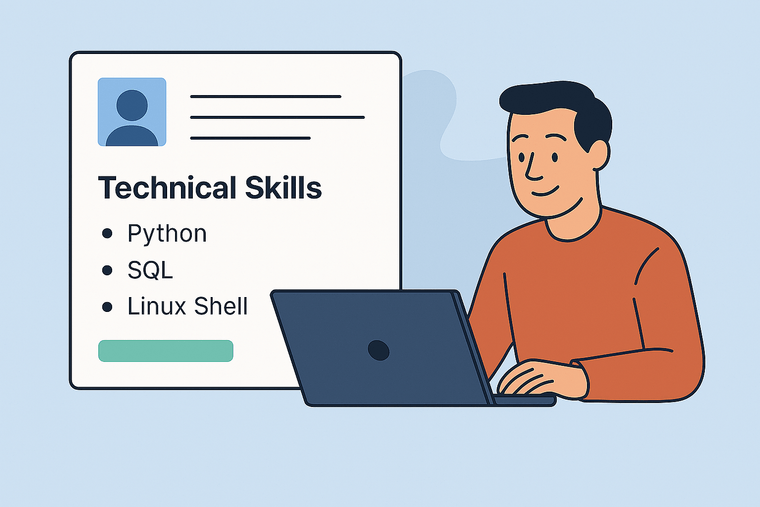
Technical skills are job specific abilities tied to tools, systems, or specialized knowledge. Soft skills refer to personal traits and interpersonal abilities that influence how someone works with others.
For example:
Technical skills examples
Soft skills examples
Both types of skills are important on a resume, but they serve different purposes. Technical skills show that you can perform specific tasks, while soft skills demonstrate how you work within a team or organization.
Technical skills vary depending on the industry and role. Employers typically expect candidates to list the tools and systems most relevant to the position.
Examples include:
Technology and software development
Data and analytics
Digital marketing
Engineering and design
Healthcare
When listing technical skills on a resume, focus on the tools, technologies, and systems that are most relevant to the job you are applying for. This helps your resume match the employer’s requirements and improves your chances of passing automated screening systems.
Technical skills help employers quickly determine whether a candidate can perform the responsibilities of a role. When hiring managers review resumes, they often scan for specific tools, technologies, or systems that match the job requirements. A clear technical skills section makes this process faster and more reliable.
Many organizations also use applicant tracking systems (ATS) to screen resumes before they reach a recruiter. These systems search for keywords that match the skills listed in a job description. If your resume includes the right technical skills in a clear format, it is more likely to pass automated screening and reach a hiring manager.
Technical skills also provide evidence of your expertise. While job titles and work history show where you have worked, technical skills reveal what you are capable of doing. This helps employers assess how quickly you can contribute to a team or project.
Finding it hard to write your resume? Try our AI resume builder.
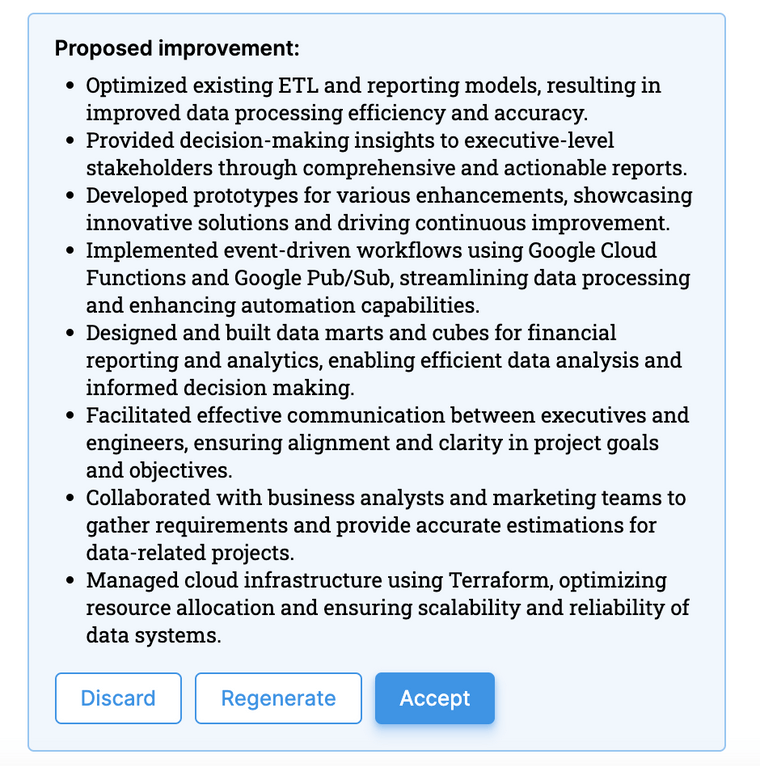
Applicant tracking systems scan resumes for keywords related to the job posting. Technical skills are often among the most important keywords because they describe the tools and technologies required for the role.
For example, a data analyst job posting may include terms such as SQL, Python, Tableau, or data visualization. If those skills appear clearly in your resume, the ATS can match your profile to the role more easily.
Best practices for ATS-friendly technical skills include:
Using standard skill names helps automated systems recognize your qualifications.
Recruiters and hiring managers often spend only a short time reviewing each resume. Because of this, they frequently scan for a skills section that highlights the candidate’s most relevant capabilities.
A well structured technical skills section allows employers to quickly see:
This improves readability and helps your resume stand out during initial screening.
Technical skills demonstrate that you already understand the tools and systems used in your field. Candidates who list relevant technical skills are often seen as easier to onboard because they require less training.
For example, a software developer who lists programming languages, frameworks, and version control tools shows immediate familiarity with common development environments. Similarly, a digital marketer who lists SEO tools, analytics platforms, and content management systems demonstrates practical knowledge of marketing workflows.
By clearly presenting your technical skills, you make it easier for employers to evaluate your readiness for the position and your potential impact on their team.
Listing technical skills on a resume is not just about creating a long list of tools or technologies. Employers expect a structured presentation that highlights the skills most relevant to the job. A well organized technical skills section makes it easier for both applicant tracking systems and hiring managers to quickly evaluate your qualifications.
The goal is to clearly show what tools, systems, and technologies you know how to use, while also demonstrating how those skills apply to real work experience.
Start by adding a clear section on your resume labeled "Technical Skills" or "Skills". This section allows employers to quickly scan the tools and technologies you are familiar with.
The technical skills section usually appears near the top of the resume, often after the professional summary or work experience section. Placing it early in the document helps recruiters identify relevant skills quickly.
Example technical skills section:
Technical Skills

Programming: Python, JavaScript, SQL
Tools: Git, Docker, Jenkins
Data Analysis: Excel, Tableau, Power BI
Use simple formatting with bullet points or grouped categories so the skills are easy to read.
Employers often list the specific tools or technologies they expect candidates to know. Reviewing the job description carefully helps you identify the most important technical skills to include on your resume. You should also customize your resume for each role.
When possible, use the same terminology that appears in the job posting. This improves the likelihood that your resume will match keyword searches used by applicant tracking systems.
For example, if a job description mentions:
Your resume should include those exact terms if you have experience with them.
Tailoring the technical skills section for each application helps demonstrate that your qualifications align with the role.
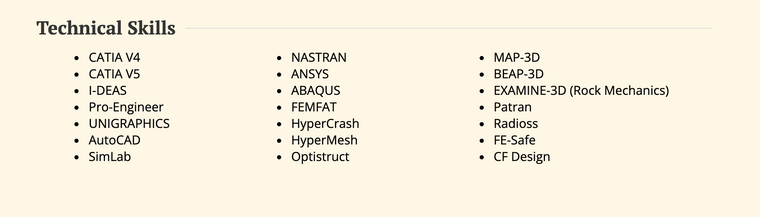
Organizing technical skills into categories improves readability and helps employers quickly understand your areas of expertise.
Common categories include:
Example categorized skills list:
Technical Skills

Programming Languages: Python, Java, JavaScript
Data Tools: SQL, Tableau, Excel
Development Tools: Git, Docker, Jenkins
Grouping skills this way makes it easier for recruiters to scan your resume and identify relevant expertise.
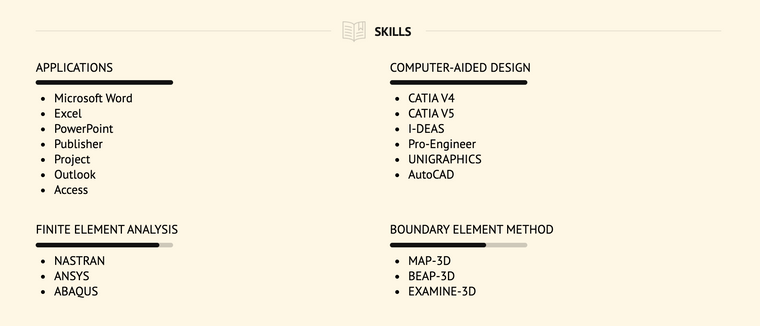
Not every technical skill you have learned needs to appear on your resume. Focus on the skills that are most relevant to the role you are applying for.
Prioritize:
Place the most important skills near the top of the list so they are visible during quick resume scans.
Limiting the section to the most relevant tools helps keep your resume concise and focused.
Listing technical skills is only part of an effective resume. Employers also want to see how those skills were used in real projects or job responsibilities.
Reinforce your technical skills in your work experience section by describing achievements or tasks that involved those tools.
Example resume bullet points:
Combining a clear technical skills section with detailed examples in your work history shows employers both what you know and how you apply those skills in practice.
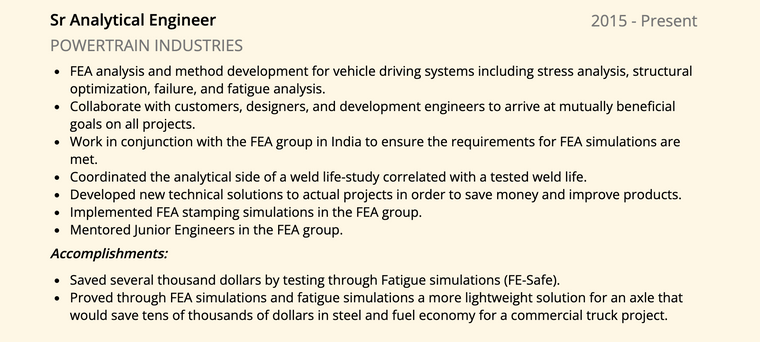
A technical skills section gives employers a quick overview of the tools, technologies, and systems you know how to use. This section should be easy to scan, clearly formatted, and focused on the skills most relevant to the role.
Different formats can work depending on your industry, experience level, and the complexity of your skill set. Below are several common ways to structure a technical skills section on a resume.
Technical Skills
Programming: Python, JavaScript, SQL Data Tools: Excel, Tableau Platforms: AWS, Linux Tools: Git, Docker
A simple list works well for many roles. This format is easy for recruiters and applicant tracking systems to read.
Technical Skills

Python
SQL
Microsoft Excel
Tableau
Git
Google Analytics
This format is most common for early career professionals or candidates whose skills do not need extensive categorization.
Grouping skills into categories helps organize more complex skill sets. This format works well for technical fields such as software development, engineering, data analysis, and digital marketing.
Technical Skills

Programming Languages: Python, JavaScript, Java
Data Analysis: SQL, Excel, Tableau
Development Tools: Git, Docker, Jenkins
Platforms: AWS, Linux
Categorizing skills makes it easier for hiring managers to identify your areas of expertise at a glance.
Some resumes separate tools, systems, and technologies to show familiarity with different types of platforms.
Technical Skills

Languages: Python, R, SQL
Tools: Tableau, Power BI, Excel
Platforms: AWS, Google Cloud
Development Tools: Git, Docker
This format is useful when the role requires knowledge of multiple tools or environments.
Some resumes include proficiency levels to show how comfortable you are with specific tools or technologies. This approach can help employers understand which skills you use most frequently.
Technical Skills

Python (Advanced)
SQL (Advanced)
Tableau (Intermediate)
Excel (Advanced)
Power BI (Intermediate)
If you include proficiency levels, use clear and realistic descriptions. Avoid rating systems or visual bars that may not be recognized by applicant tracking systems.
No matter which format you choose, the technical skills section should remain concise and focused on the tools most relevant to the job you are applying for.
The placement of technical skills on a resume can influence how quickly employers recognize your qualifications. Because hiring managers often scan resumes in seconds, the technical skills section should appear in a location that is easy to find.
Most resumes place technical skills near the top of the document so recruiters and applicant tracking systems can quickly identify relevant tools and technologies.
A common approach is to place the technical skills section directly below your professional summary or resume headline. This allows employers to immediately see your key capabilities before reviewing your work history.
Example layout:
Name
Professional Summary

Technical Skills
Programming: Python, JavaScript, SQL
Tools: Git, Docker
Data Analysis: Excel, Tableau

Work Experience
Education
This structure works well for many roles because it highlights your core technical abilities early in the resume.
Some professionals choose to place technical skills after their work experience section. This approach can work well when your accomplishments already demonstrate many of the tools and technologies you use.
Example layout:
Name
Professional Summary

Work Experience

Technical Skills
Education
Certifications
Placing skills later in the resume may be useful for senior professionals who want employers to focus first on their achievements and career progression.
In highly technical roles such as software development, engineering, or data science, technical skills often appear near the very top of the resume. Employers hiring for these positions typically prioritize tool knowledge and technical expertise.
Example structure:
Name
Technical Skills
Professional Summary
Work Experience
Projects
Education
This layout ensures that recruiters quickly see programming languages, tools, and systems that match the job requirements.
The best placement for technical skills depends on your experience level and the role you are applying for.
General guidelines include:
Regardless of placement, the technical skills section should remain organized, concise, and tailored to the job description.
The number of technical skills on a resume should be large enough to show your expertise but focused enough to stay relevant to the job. Most resumes include between 6 and 12 technical skills in the main skills section.
Listing too many skills can make the resume harder to scan and may weaken the impact of your strongest qualifications. A shorter list of relevant tools and technologies is usually more effective than a long list of unrelated skills.
Hiring managers often look for the tools and systems that appear in the job description. Selecting skills that match the employer’s requirements increases the chances that your resume will pass automated screening and attract attention during manual review.
The ideal number of skills can vary depending on your experience level and field.
Entry level candidates
Mid career professionals
Senior professionals or specialists
Instead of trying to list every tool you have ever used, choose the skills that best represent your current capabilities.
When deciding which technical skills to include, focus on relevance and credibility. The most effective skills lists typically include:
Prioritizing these skills helps ensure your resume reflects the requirements of the position you are applying for.
Overloading the technical skills section can make a resume look unfocused. It can also create problems during interviews if employers ask you to demonstrate skills you listed but rarely use.
Common issues caused by listing too many skills include:
Keeping the technical skills section concise allows recruiters to quickly understand your strengths and helps your resume remain clear and credible.
Many companies use applicant tracking systems to scan resumes before a recruiter reviews them. These systems search for keywords that match the tools, technologies, and systems listed in the job description. Formatting your technical skills clearly helps ensure that both automated systems and hiring managers can easily read your resume.
A simple, structured format is usually the most effective approach. Technical skills should be written in plain text and organized so that each skill can be recognized by resume scanning software.
Applicant tracking systems rely on recognizable terminology. Using common industry names for tools and technologies improves the likelihood that your resume will match keyword searches.
For example, if a job description mentions SQL, Python, or Tableau, use those exact terms rather than alternative phrasing.
Example of clear terminology:
Technical Skills

Programming Languages: Python, JavaScript, SQL
Data Analysis: Excel, Tableau, Power BI
Tools: Git, Docker, Jenkins
Using standard skill names helps automated systems correctly identify your experience.
Complex design elements can make it difficult for applicant tracking systems to read resumes accurately. The technical skills section should use straightforward formatting that allows systems to parse each skill.
Recommended formatting practices include:
Keeping the format simple improves compatibility with most resume screening software.
Visual elements such as progress bars, star ratings, and charts may look appealing in a resume template but are often difficult for applicant tracking systems to interpret.
Instead of visual skill ratings, use plain text descriptions when needed.
Example:
Technical Skills

Python (Advanced)
SQL (Advanced)
Tableau (Intermediate)
This format ensures that both automated systems and hiring managers can easily read your qualifications.
Applicant tracking systems typically scan the entire document, but recruiters often review the top portion of a resume first. Placing your technical skills section near the beginning of the resume helps both systems and human readers identify relevant qualifications quickly.
Common placements include:
Organizing the section in a consistent and readable format increases the chances that your technical skills will be recognized during both automated and manual resume reviews.
The technical skills you include on a resume should reflect the tools, technologies, and systems commonly used in your field. Employers expect candidates to demonstrate familiarity with industry standard platforms and workflows.
The examples below show common technical skills across several industries. When adding skills to your resume, focus on the tools that are most relevant to the role and that you have used in real work situations.
Software development and programming roles require knowledge of languages, frameworks, and development tools. Employers often look for experience with both programming languages and supporting technologies.
Common programming technical skills include:
These skills are frequently listed in resumes for software developers, backend engineers, and web developers.
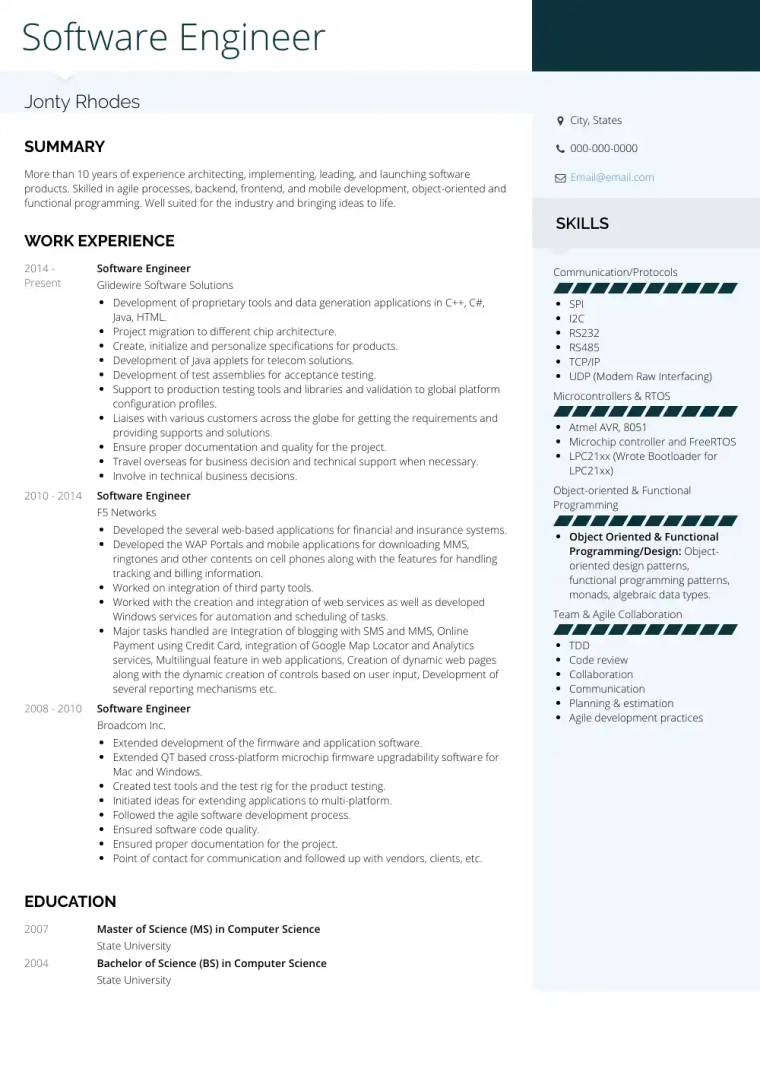
Data professionals work with tools that support data collection, analysis, and visualization. Technical skills in this field often involve databases, statistical methods, and analytics platforms.
Examples include:
These skills are commonly found in resumes for data analysts, business analysts, and data scientists.
Digital marketing roles rely on analytics platforms, advertising systems, and content management tools. Employers typically look for candidates who understand how to measure and optimize online performance.
Examples include:
These skills are frequently listed on resumes for marketing specialists, SEO professionals, and growth marketers.
Engineering resumes often include specialized software and technical processes related to design, modeling, and manufacturing.
Examples include:
These skills are common for mechanical engineers, civil engineers, and product engineers.
Healthcare professionals use specialized medical systems and procedures as part of their daily work. Technical skills in this field may include certifications, medical technologies, and patient care systems.
Examples include:
These skills are often listed in resumes for nurses, medical assistants, and healthcare technicians.
Project managers rely on planning tools and workflow frameworks to coordinate teams and deliver projects successfully.
Examples include:
These technical skills are commonly included in resumes for project managers, product managers, and operations managers.
A technical skills section can strengthen a resume when it clearly shows the tools and technologies you use in your work. However, certain mistakes can reduce its effectiveness or make the resume appear less credible.
Avoiding these common issues helps ensure your technical skills section is clear, relevant, and useful to both hiring managers and applicant tracking systems.
One of the most common mistakes is including a long list of every tool or technology you have encountered. When the list becomes too long, the most important skills become harder to identify.
Recruiters typically scan resumes quickly. A concise list of relevant skills allows them to immediately recognize your qualifications.
Instead of listing dozens of tools, focus on the skills that:
Prioritizing relevant skills keeps the section clear and focused.
Every technical skill listed on a resume should be something you are comfortable discussing or demonstrating in an interview. Employers may ask about how you used a particular tool or technology in past projects.
If a skill appears on your resume but you cannot explain how you used it, it may raise concerns about accuracy.
Only include skills that you have used in practical situations such as:
This helps maintain credibility during interviews.
Some technical skills lose relevance as technology evolves. Listing outdated software or tools can make a resume appear less current.
For example, if a newer tool is widely used in your industry, it may be more valuable to highlight that skill instead of older alternatives.
Before submitting a resume, review your skills list and consider whether each tool is still commonly used in your field.
Combining technical skills and soft skills in a single list can make the section less clear. Technical skills usually refer to tools, technologies, or specialized processes, while soft skills refer to interpersonal abilities.
For example:
Technical skills
Soft skills
Separating these categories or focusing the section only on technical skills improves readability.
Visual elements such as progress bars, star ratings, or charts may look attractive in some resume templates, but they can create problems for applicant tracking systems.
Many resume scanning systems cannot interpret visual elements correctly. This means important technical skills may not be recognized.
Plain text descriptions are usually more reliable. For example:
Technical Skills
Python (Advanced) SQL (Advanced) Tableau (Intermediate)
Simple formatting ensures that both automated systems and hiring managers can easily read and understand your technical skills.
Developing strong technical skills can make your resume more competitive and increase your chances of qualifying for specialized roles. Employers often prioritize candidates who are familiar with the tools and systems used in their industry. If you notice that job postings frequently mention skills you do not yet have, it may be a good time to strengthen your technical skill set.
Improving technical skills does not always require formal education. Many professionals build new skills through courses, projects, certifications, and hands on practice.
Online learning platforms offer courses that teach practical technical skills used in many industries. Structured courses can help you learn new tools, programming languages, or systems while also providing guided exercises and projects.
Examples of skills commonly learned through online courses include:
Completing structured training can also provide certificates that strengthen your resume.
Many industries offer certifications that demonstrate technical expertise. Certifications provide formal proof that you understand specific tools, systems, or processes.
Examples include:
These credentials help employers verify that you have received training in recognized technologies.
Hands on projects are one of the most effective ways to develop technical skills. Creating projects allows you to apply tools and technologies in real scenarios and demonstrate your abilities.
Examples of practical projects include:
Projects can also be included in a portfolio or listed in a projects section on your resume.
Technical skills improve through repeated use. Applying new tools in real work situations helps reinforce knowledge and build confidence.
Ways to gain practical experience include:
Using new technologies regularly helps turn basic familiarity into practical expertise.
Technology changes quickly, and the tools used in many industries evolve over time. Regularly reviewing job postings and industry trends can help you identify which technical skills are currently in demand.
Updating your skill set ensures that your resume reflects the tools and technologies employers expect candidates to understand.
Resumes often include several types of skills, and understanding the differences between them helps you organize your resume more effectively. The three most common categories are technical skills, hard skills, and soft skills. Each category highlights a different aspect of your professional abilities.
Technical skills refer to the tools, technologies, systems, or specialized processes used to perform specific job tasks. These skills are usually learned through training, education, or hands on experience. Technical skills are often measurable and tied to specific software, equipment, or technical knowledge. Examples include: Python programming SQL databases AutoCAD Microsoft Excel Search engine optimization tools Electronic medical record systems These skills are especially important in technical fields such as software development, engineering, healthcare, finance, and digital marketing.
Hard skills are practical abilities that can be taught and measured. They often include technical skills but may also cover broader professional capabilities that are not tied to specific software or systems. Examples of hard skills include: Financial analysis Data reporting Accounting procedures Technical writing Project planning Foreign language proficiency Technical skills are often considered a subset of hard skills because they involve specialized knowledge required to perform certain tasks.
Soft skills describe personal attributes and interpersonal abilities that influence how someone works with others. These skills are less about tools and more about behavior, communication, and collaboration. Examples include: Communication Leadership Problem solving Time management Team collaboration Adaptability Soft skills help employees work effectively within teams, manage projects, and interact with clients or colleagues.
An effective resume typically includes a mix of technical skills, hard skills, and soft skills. Technical skills demonstrate your ability to work with tools and technologies, hard skills show your professional capabilities, and soft skills highlight how you interact in the workplace. For example, a data analyst resume may include: Technical skills SQL Tableau Python Hard skills Data analysis Statistical reporting Soft skills Communication Problem solving Presenting these skill types clearly helps employers understand both your technical expertise and your ability to contribute within a team.
Before submitting your resume, review your technical skills section to ensure it clearly communicates your expertise and matches the expectations of the role. A short checklist can help confirm that your skills are relevant, easy to read, and aligned with common resume screening practices.
Use the checklist below to evaluate your technical skills section.
Review the job posting and identify the tools, technologies, or systems mentioned in the requirements. Your resume should include these skills when they accurately reflect your experience.
Questions to ask:
Matching your skills to the employer’s requirements improves your chances of passing applicant tracking system screening.
Your technical skills should be easy to scan. Recruiters often review resumes quickly, so the section should use simple formatting.
Check that:
Organized formatting helps both automated systems and hiring managers read the section quickly.
Only include skills that are useful for the role and that you can confidently discuss during interviews.
Before submitting your resume, review your list and ask:
Removing outdated or rarely used tools helps keep the skills section focused.
Technical skills become more credible when they also appear in your work history or project descriptions.
Check whether your resume includes examples such as:
This combination of a skills list and real examples helps employers understand how you apply your knowledge in practice.
Finally, read your resume as if you were a recruiter scanning it quickly. The technical skills section should be easy to locate and understand in a few seconds.
Make sure that:
A well organized technical skills section helps employers quickly evaluate your qualifications and understand the tools you use in your work.
The questions below address common concerns job seekers have when adding technical skills to a resume. Clear answers help candidates understand how to structure their skills section and how employers evaluate technical abilities during the hiring process.
The best technical skills to include are the tools, technologies, and systems that are most relevant to the job you are applying for. Employers typically expect candidates to list skills that match the requirements in the job description.
Common examples include:
Selecting skills that match the employer’s requirements increases the likelihood that your resume will pass automated screening and attract attention from hiring managers.
Yes, technical skills are usually listed in a dedicated section labeled Technical Skills or Skills. This makes it easier for recruiters and applicant tracking systems to quickly identify the tools and technologies you use.
Some resumes also reinforce technical skills in other sections, such as work experience or project descriptions. Combining a clear skills section with examples of how those skills were used helps demonstrate real expertise.
Most resumes include between 6 and 12 technical skills in the main skills section. The exact number can vary depending on your experience level and industry.
Entry level candidates may list fewer skills, focusing on tools learned during education or training. Experienced professionals may include a broader range of technologies used in recent roles.
The key is to prioritize skills that are relevant to the job rather than trying to include every tool you have ever used.
Yes, beginner level skills can be included if they are relevant to the job and you are comfortable discussing them in an interview. Some candidates also indicate their level of experience using terms such as beginner, intermediate, or advanced.
For example:
Python (Intermediate)
SQL (Intermediate)
Tableau (Beginner)
If you include beginner level skills, it can be helpful to show how you used them in projects, coursework, or practical exercises. This helps employers understand your level of familiarity and potential for growth.
Every profession uses different tools, systems, and technologies. While the most important skills on your resume should match the job description, it can also help to understand the broader categories of technical skills that employers often value.
The examples below represent common technical skill areas that appear across many industries.
Many roles require familiarity with professional software platforms or technical tools. These skills demonstrate your ability to work with modern systems and digital workflows.
Examples include:
These skills are often required in roles related to business operations, technology, finance, and administration.
Organizations increasingly rely on data to guide decision making. Technical skills related to data analysis and reporting are valuable in many industries.
Examples include:
These skills are common in roles such as data analysis, finance, marketing, and operations.
Engineering and manufacturing roles often require knowledge of technical processes, production systems, and design tools.
Examples include:
These skills are important for engineers, manufacturing specialists, and technical designers.
Information technology and cybersecurity roles rely on specialized tools and systems used to manage infrastructure and protect digital assets.
Examples include:
These skills are commonly listed on resumes for IT specialists, network engineers, and cybersecurity professionals.
Many roles in business operations require familiarity with specialized tools that support planning, logistics, and project coordination.
Examples include:
These technical skills help organizations manage workflows, budgets, and operational processes effectively.
When choosing additional technical skills for your resume, focus on the tools and technologies that are widely used in your industry and that support your professional experience. This helps ensure your resume reflects both your practical expertise and the technical requirements of the role.
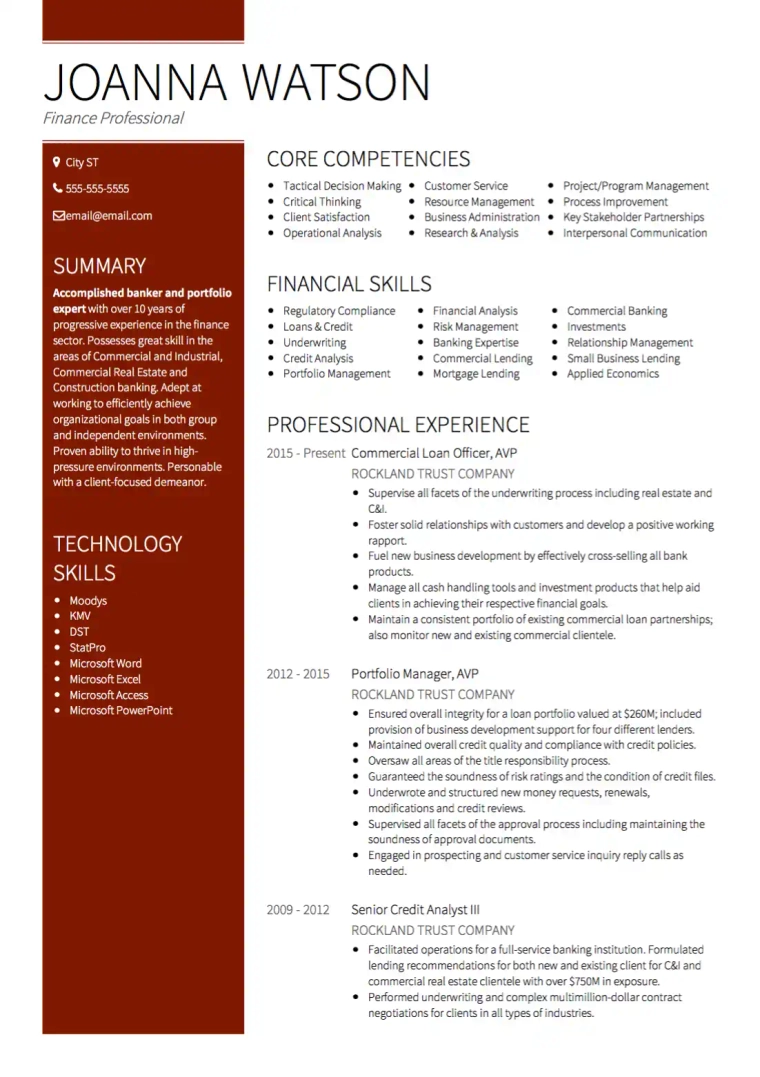
Technical skills are an essential part of a strong resume because they show employers the tools, technologies, and systems you are able to use in your work. When these skills are clearly organized and aligned with the job description, they help recruiters and applicant tracking systems quickly understand your qualifications.
A well structured technical skills section should focus on relevant tools, use simple formatting, and highlight the abilities that support your professional experience. Pairing this section with examples in your work history helps demonstrate how those skills were applied in real situations.
Before submitting your resume, review your skills list to ensure it reflects current technologies in your field and matches the requirements of the role you are applying for. Keeping the section concise and focused allows employers to quickly recognize your expertise.
By choosing relevant technical skills, organizing them clearly, and reinforcing them through practical achievements, you create a resume that communicates both your capabilities and your readiness to contribute to a new role.

Written by
Ben Temple
Community Success Manager & Resume Writing Expert
Ben is a writer, customer success manager and resume writing expert with over 5 years of experience helping job-seekers create their best careers. He believes in the importance of a great resume summary and the power of coffee.

Discover 19 powerful action verbs that convey leadership and responsibility on your resume, with examples to help you stand out to employers.
November 23, 2021
Read post

Co-Founder & Director

Discover how to write a resume in 2026 with expert tips, real examples, and job search strategies to help you stand out and get hired faster.
January 3, 2025
Read post

Resume Expert & VP Marketing

A guide to what personal information to include in your CV, no matter where you are applying for a job.
June 16, 2020
Read post
Co-Founder & Director