Free LinkedIn Resume Builder
Turn your LinkedIn profile into a professional, ATS-friendly resume PDF in minutes. Choose from 30+ templates, customize your content, and download a job-ready resume instantly
Sign-up FREE. No Credit Card Required.
Turn your LinkedIn profile into a professional, ATS-friendly resume PDF in minutes. Choose from 30+ templates, customize your content, and download a job-ready resume instantly
Sign-up FREE. No Credit Card Required.
VisualCV helps you turn your LinkedIn profile into a professional resume that’s ready for job applications. Import your LinkedIn information in seconds, choose from modern resume templates, and customize your content before downloading a polished PDF.

Whether you work in tech, engineering, marketing, or management, VisualCV helps you turn your LinkedIn experience into a professional resume with templates designed to highlight your strengths and match recruiter expectations.
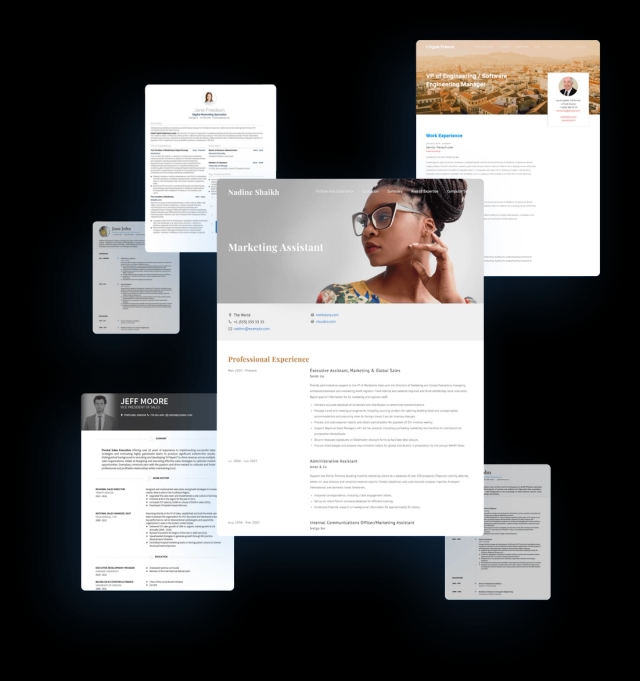
VisualCV makes it simple to convert your LinkedIn profile into a professional resume without retyping anything. Upload your LinkedIn profile PDF or import directly from LinkedIn, and our resume parser automatically pulls in your experience, skills, and job history into a clean, ATS-friendly resume template.

Use the experience and skills already on your LinkedIn profile to create a professional, ATS-friendly resume in minutes. VisualCV formats your LinkedIn information into a clean template you can customize, download as a PDF, and use immediately for job applications.

VisualCV helps you create a polished, professional resume from your LinkedIn profile using modern templates, proven formatting, and ATS-friendly layouts that recruiters expect
Fantastic CV format. Easy to import Linkedin profile into a resume and cover letter in just few minutes. You guys are doing a great job👍

To begin with, the team and customer support are just outstanding. There is a huge variety of templates to chose from, and the output is just superb. Linkedin intergration is killer!

Nice app, to generate a CV, with smart templates just using your LinkedIn profile details.

Land your next job faster with a custom VisualCV.
Creating a resume from your LinkedIn profile is one of the fastest ways to apply for jobs without starting from scratch. With VisualCV’s LinkedIn Resume Builder, you can import your profile information instantly and generate a polished, professional resume in just a few minutes.
To get started, click “Import from LinkedIn” at the top of this page. Our tool will automatically pull in your work experience, skills, education, and other key details from your LinkedIn profile.
Once you begin the import process, VisualCV formats your LinkedIn content into a clean resume layout. This saves time and helps you avoid copy-pasting or retyping your job history.
After importing, select a resume template that fits your industry and experience level. A modern, well-structured template can help your resume stand out to recruiters and hiring managers.
VisualCV offers over 30+ resume templates designed to work well with LinkedIn profile content.
Even though LinkedIn provides a strong foundation, your resume should still be tailored to the specific role you’re applying for. After importing your profile, you can easily edit sections, rewrite bullet points, and highlight your most relevant accomplishments.
Small changes—like adjusting your summary or emphasizing key skills—can make a big difference.
For most job seekers, your LinkedIn resume should be one page, or two pages maximum if you have extensive experience.
As a general rule:
Keeping your resume concise improves readability and helps ensure it works well with applicant tracking systems (ATS).
LinkedIn’s built-in resume export often produces basic formatting with limited customization. VisualCV gives you more control over design, structure, and templates—so you can create a recruiter-ready resume that looks professional and downloads cleanly as a PDF.
Yes. You can import your LinkedIn profile into VisualCV and generate a professional resume instantly.
A resume built from LinkedIn can be ATS-friendly as long as it uses clean formatting and the right structure. VisualCV templates are designed with ATS compatibility in mind.
Most resumes should be one page unless you have more than 10–15 years of experience.
Absolutely. After importing, you can customize every section, update wording, and tailor your resume to each job application.