A strong cover letter generator should do more than turn a job description into a few polished paragraphs. It should understand what the employer is asking for, connect those requirements to your real experience, and give you a letter that is easy to edit before you apply.
VisualCV is our top choice for job seekers who want a tailored cover letter that also looks professional. It is especially useful if you want your cover letter and resume to feel like one complete application package, with matching templates, clean formatting, and room to customize the final message.
| Rank | Tool | Best for |
|---|---|---|
| 1 | VisualCV | Best overall cover letter and resume package |
| 2 | Enhancv | Best for AI tailoring and tone control |
| 3 | Kickresume | Best for fast resume-to-cover-letter generation |
| 4 | Grammarly | Best for simple AI writing support |
| 5 | Teal | Best for managing multiple job applications |
| 6 | Resume.io | Best traditional resume and cover letter builder |
| 7 | Resume Genius | Best for beginners who want guided help |
| 8 | MyPerfectResume | Best for structured cover letter templates |
| 9 | HyperWrite | Best for quick job-description-based drafts |
| 10 | Jobicy | Best simple free AI cover letter generator |
VisualCV is the best cover letter generator from a job description for most job seekers because it combines tailored writing support with professional presentation. A cover letter is not just text. It is part of the application package a hiring manager sees alongside your resume. VisualCV works well for applicants who want both documents to look consistent, polished, and ready to send.
Enhancv and Kickresume are strong alternatives if you want AI-focused generation from a resume and job description. Grammarly is useful if you only need help drafting or improving the wording. Teal is a better fit if you are applying to many jobs and want a tool that helps organize the application process.
We evaluated each cover letter generator based on how well it helps a job seeker turn a job description into a useful, accurate, and editable cover letter.
The best tools were not ranked only by how quickly they generate text. We looked at whether each tool could create a letter that reflects the role, supports the applicant’s resume, and produces a final document that feels professional enough to send.
Our comparison focused on five practical questions:
| Evaluation factor | What we looked for |
|---|---|
| Job description understanding | Does the tool recognize the role’s key skills, responsibilities, and requirements? |
| Resume alignment | Can the tool connect the job description to the applicant’s real experience? |
| Cover letter quality | Does the draft sound specific, natural, and relevant instead of generic? |
| Editing and customization | Can the user easily adjust tone, length, wording, structure, and details? |
| Final presentation | Does the finished cover letter look clean, professional, and application-ready? |
We gave more weight to tools that help create a complete application, not just a first draft. A useful cover letter generator should help job seekers explain why they fit the role while still giving them control over the final version.
We also considered trust factors such as whether the tool encourages accurate input, avoids unsupported claims, and gives users enough flexibility to review and personalize the final letter before applying.
VisualCV is the best overall cover letter generator from a job description because it helps job seekers create a tailored letter as part of a complete application package. Instead of treating the cover letter as a plain text draft, VisualCV supports the full presentation of the application, including matching resume and cover letter templates, professional formatting, and easy customization.
This matters because hiring managers usually review a cover letter alongside a resume. A strong application should feel consistent, clear, and intentional across both documents. VisualCV is a good fit for job seekers who want their cover letter to match their resume visually while still giving them space to personalize the message for each role.
VisualCV is especially useful when you want to create a cover letter that reflects the job description without losing control over the final version. You can use the role’s requirements to shape the content, then edit the letter so it accurately represents your experience, tone, and motivation.
| VisualCV feature | Why it matters |
|---|---|
| Matching resume and cover letter templates | Helps the full application look consistent |
| Professional formatting | Makes the cover letter easier to read and send |
| Customizable content | Lets users tailor the letter for each job description |
| Resume and cover letter workflow | Supports a stronger complete application |
| Clean design options | Helps avoid distracting or unprofessional formatting |
VisualCV is best for job seekers who want more than a quick AI draft. It is strongest when the goal is to create a polished cover letter that supports a resume and feels ready for a real job application.
The main limitation is that users who only want a fast, free text draft may prefer a simpler writing tool. VisualCV is better suited for applicants who care about both the wording and the presentation of their cover letter.
VisualCV is the best choice for most job seekers who want a cover letter generator from a job description because it combines tailoring, editing, formatting, and resume-cover letter consistency in one application workflow.
Enhancv is a strong choice for job seekers who want an AI cover letter generator that uses both a resume and a job description. It is especially useful for applicants who want more control over tone, structure, and how closely the letter reflects the role.
The main advantage of Enhancv is its focus on tailoring. A job description usually contains the employer’s priorities, including required skills, responsibilities, tools, and experience level. Enhancv helps turn those details into a cover letter that speaks more directly to the position instead of producing a generic application letter.
| Enhancv feature | Why it matters |
|---|---|
| Resume input | Helps connect the letter to the applicant’s real experience |
| Job description input | Makes the draft more relevant to the target role |
| Tone options | Gives users more control over the final voice |
| AI-generated draft | Saves time when creating a first version |
| Editing workflow | Lets users revise the letter before applying |
Enhancv is a good fit for applicants who want an AI-assisted writing process but still plan to review and personalize the final result. It can help identify the connection between what the employer wants and what the applicant has done, which is one of the most important parts of a strong cover letter.
The main limitation is that AI-generated letters can still sound polished but broad. Users should check every claim, add specific examples, and remove any sentence that does not reflect their actual experience.
Enhancv is one of the best cover letter generators from a job description for users who want AI tailoring, tone control, and a guided way to connect their resume to a specific job posting.
Kickresume is a good option for job seekers who want to create a cover letter quickly from an existing resume and job details. It works well for users who already have their career information prepared and want a faster way to turn it into a role-specific letter.
The main strength of Kickresume is speed. It can help users move from resume details to a usable cover letter draft without starting from a blank page. This is useful when applying to several jobs, especially when each application needs to reflect a different job description.
| Kickresume feature | Why it matters |
|---|---|
| Resume-based generation | Helps turn existing experience into cover letter content |
| Job details input | Makes the letter more relevant to the target role |
| Cover letter templates | Gives the final document a more professional structure |
| Fast draft creation | Saves time during active job searching |
| Resume and cover letter tools | Supports a more complete application workflow |
Kickresume is strongest for applicants who want a quick first draft and are comfortable editing the final version. The tool can help organize relevant experience into a cover letter format, but the best results still come from adding specific achievements, company details, and a clear reason for applying.
The main limitation is that fast AI-generated drafts can sometimes feel too general. Users should review the letter carefully and make sure it does not simply repeat the resume or restate the job description.
Kickresume is one of the best cover letter generators from a job description for job seekers who want a fast, resume-based draft with templates and a simple application document workflow.
Grammarly is a useful option for job seekers who want a simple AI writing assistant for drafting or improving a cover letter. It is not the most complete cover letter builder, but it can help create a clear first draft from basic role details and improve the wording before sending.
The main advantage of Grammarly is accessibility. Many users already know the tool, and its writing support can help improve clarity, tone, grammar, and flow. This makes it helpful for applicants who have the right experience but need support turning that experience into a polished cover letter.
| Grammarly feature | Why it matters |
|---|---|
| AI writing support | Helps create a first draft quickly |
| Grammar and clarity suggestions | Improves readability and professionalism |
| Tone support | Helps the letter sound more confident and natural |
| Easy editing | Lets users refine wording before applying |
| Familiar interface | Reduces friction for users who already use Grammarly |
Grammarly works best when the user already has the core information ready, including the job description, relevant resume details, and a few specific achievements. It can help shape those details into a stronger letter, but it is less specialized than tools that combine resume matching, templates, and application formatting.
The main limitation is that Grammarly is not built primarily as a full resume and cover letter platform. Users may need to manually paste in the job description, add resume details, format the final document, and make sure the cover letter matches the rest of the application.
Grammarly is best for job seekers who want quick AI writing help, clearer wording, and a more polished draft, but it is not the strongest choice for users who want a complete cover letter generator from a job description with matching resume templates.
Teal is a strong choice for job seekers who want to manage multiple applications and tailor their materials for each role. It is especially useful for users who are applying to several jobs at once and need a more organized way to track job descriptions, resumes, and cover letters.
The main advantage of Teal is its job search workflow. A cover letter generator is more useful when it fits into the broader application process. Teal helps users keep track of roles, compare job requirements, and create more targeted application materials over time.
| Teal feature | Why it matters |
|---|---|
| Job tracking | Helps users organize multiple applications |
| Job description saving | Makes it easier to tailor materials for each role |
| Resume tailoring support | Helps connect experience to employer requirements |
| Application workflow tools | Supports repeated use across many job applications |
| AI writing support | Helps create and refine cover letter content |
Teal works best for applicants who want structure. If you are applying to many roles, it can be difficult to remember which version of your resume or cover letter fits each job. Teal helps reduce that friction by keeping the job search more organized.
The main limitation is that Teal is more workflow-focused than design-focused. Users who want polished resume and cover letter templates may prefer a tool like VisualCV, while users who want fast AI drafting may prefer Enhancv or Kickresume.
Teal is best for job seekers who want a cover letter generator connected to a broader job search system, especially when applying to multiple roles and tailoring each application carefully.
Resume.io is a good option for job seekers who want a traditional resume and cover letter builder with professional templates. It is especially useful for users who prefer a guided document-building process instead of writing a cover letter completely from scratch.
The main strength of Resume.io is simplicity. It gives users a familiar way to create application documents, choose a template, and produce a clean final version. For applicants who need a straightforward cover letter that looks professional, Resume.io can be a practical choice.
| Resume.io feature | Why it matters |
|---|---|
| Cover letter builder | Helps users create a structured application letter |
| Resume builder | Supports both major application documents |
| Professional templates | Makes the final letter look cleaner and more organized |
| Guided workflow | Reduces uncertainty for users who do not know where to start |
| Export options | Helps users prepare a finished document for applications |
Resume.io works best for applicants who want a polished document-building experience and do not need advanced AI customization. It can help create a professional cover letter, but users should still make sure the final draft reflects the specific job description and their real experience.
The main limitation is that Resume.io may feel more template-driven than AI-driven. Users looking for deep job-description analysis or resume-to-role matching may prefer VisualCV, Enhancv, or Kickresume.
Resume.io is best for job seekers who want a simple, traditional cover letter builder with templates, resume support, and a clean application document workflow.
Resume Genius is a good choice for job seekers who want a guided way to create a cover letter. It is especially helpful for beginners, students, entry-level applicants, and anyone who feels unsure about what a cover letter should include.
The main strength of Resume Genius is structure. Instead of asking users to write everything from scratch, it helps organize the cover letter into a familiar format with clear sections. This can make the writing process feel less intimidating for users who need support getting started.
| Resume Genius feature | Why it matters |
|---|---|
| Guided cover letter builder | Helps users create a letter step by step |
| Beginner-friendly prompts | Makes the process easier for inexperienced applicants |
| Cover letter templates | Gives the final document a professional structure |
| Resume support | Helps users create related application documents |
| Prewritten content suggestions | Helps users move past a blank page |
Resume Genius works best for users who want practical guidance and a predictable cover letter structure. It can be useful when the goal is to create a clean, standard application letter without spending too much time deciding how to organize it.
The main limitation is that guided templates can sometimes produce letters that feel formulaic. Users should personalize the final draft with specific achievements, job description details, and a clear reason for applying.
Resume Genius is best for job seekers who want a beginner-friendly cover letter generator with guided prompts, templates, and a simple way to create a structured application letter.
MyPerfectResume is a useful option for job seekers who want a structured cover letter builder with templates and guided support. It is especially helpful for users who prefer a step-by-step process instead of relying only on open-ended AI prompts.
The main advantage of MyPerfectResume is that it gives users a clear path from starting point to finished document. This can help applicants create a cover letter that follows a familiar professional structure, includes the right basic sections, and looks ready to submit.
| MyPerfectResume feature | Why it matters |
|---|---|
| Guided cover letter builder | Helps users create a letter with less guesswork |
| Resume builder | Supports a complete application package |
| Cover letter templates | Gives the final document a cleaner presentation |
| Suggested content | Helps users start writing faster |
| Structured workflow | Makes the process easier for users who want direction |
MyPerfectResume works best for applicants who want help organizing their cover letter and choosing professional wording. It can be a practical choice for users who need a standard application letter and want a builder that walks them through the process.
The main limitation is that the output can feel template-based if the user does not add specific details. A stronger cover letter should reflect the job description, include relevant achievements, and explain why the applicant is a good fit for that particular role.
MyPerfectResume is best for job seekers who want a guided cover letter builder with templates, suggested content, and a structured way to create a professional application letter.
HyperWrite is a useful option for job seekers who want a fast AI-generated cover letter from a job description. It is best for users who need help creating a first draft quickly and are comfortable editing the result before applying.
The main strength of HyperWrite is speed. Users can provide job details and receive a draft that gives them a starting point. This can be helpful when the hardest part is getting past the blank page or turning a job posting into a basic cover letter structure.
| HyperWrite feature | Why it matters |
|---|---|
| Job-description-based generation | Helps create a draft that reflects the target role |
| Fast AI writing | Saves time during the first-draft stage |
| Simple workflow | Makes it easy to generate content without a complex builder |
| Flexible prompts | Lets users guide the letter based on their needs |
| Quick editing | Helps users revise and reuse the draft |
HyperWrite works best as a writing assistant rather than a full application builder. It can help produce cover letter content, but users may still need to format the letter, match it to their resume, and add specific achievements from their work history.
The main limitation is that HyperWrite does not offer the same full resume and cover letter workflow as tools like VisualCV, Enhancv, or Kickresume. It is useful for generating text, but the user is responsible for turning that text into a complete, polished application document.
HyperWrite is best for job seekers who want a quick AI cover letter draft from a job description and do not need a full resume and cover letter design platform.
Jobicy is a practical option for job seekers who want a simple free AI cover letter generator. It is best for users who need a quick draft based on job details and do not want to spend time setting up a full resume or cover letter builder.
The main strength of Jobicy is simplicity. It gives users a fast way to create a basic cover letter draft, which can be helpful when applying to a role quickly or when starting from a blank page feels difficult.
| Jobicy feature | Why it matters |
|---|---|
| Simple AI generation | Helps users create a first draft quickly |
| Job details input | Makes the letter more relevant than a generic template |
| Free access | Useful for job seekers who want a low-cost option |
| Fast workflow | Reduces time spent on the first draft |
| Easy copy and edit process | Lets users revise the letter in their own document |
Jobicy works best as a lightweight drafting tool. It can help create the foundation of a cover letter, but users should still add specific achievements, check the language against the job description, and make sure the final version sounds personal.
The main limitation is that Jobicy is not a complete application platform. It does not offer the same level of resume matching, professional template design, or full application workflow as tools like VisualCV, Enhancv, or Kickresume.
Jobicy is best for job seekers who want a simple free AI cover letter draft from job details, but it is less suitable for users who want a polished resume and cover letter package.

Written by
Madison Norton
Resume Expert & VP Marketing
Madison is the VP Marketing and General Manager at VisualCV. He's a seasoned marketing leader, resume writing and career marketing expert and now helping people grow their own career marketing strategies to build a career they love.
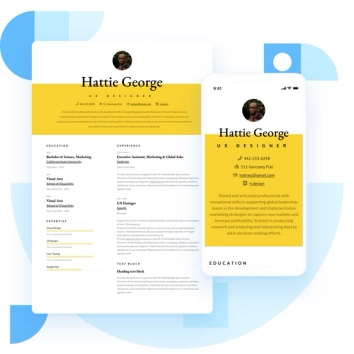
Discover the best resume formats for 2026 with examples for every job and experience level, plus expert tips to format your resume and get hired faster.
August 7, 2025
Read post

Resume Expert & VP Marketing

Learning how to write a resume in 2025 is an important step in everyone's career. This step-by-step guide with resume examples will help you get started.
February 7, 2025
Read post

Community Success Manager & Resume Writing Expert

When you decide to take your career in a different direction, it's important to write a great career change resume.
May 4, 2022
Read post
Community Success Manager & Resume Writing Expert

