The best AI cover letter generator from a resume should do more than turn your work history into a few polished paragraphs. It should understand what is already in your resume, connect that experience to a specific job description, avoid adding details that are not true, and give you a cover letter that is easy to edit before you apply.
VisualCV is our best overall pick because it helps job seekers create a complete application package. Instead of treating the cover letter as a separate document, VisualCV makes it easier to build a resume and cover letter that feel consistent, professional, and tailored to the same role. That matters when you want your application to look intentional, not assembled from different tools.
Other AI cover letter generators are also useful depending on your needs. Teal is strong for job seekers managing many applications. Kickresume is useful for fast AI drafting from an existing CV. Enhancv is a good choice for design-focused applications. Grammarly is helpful for polishing tone and clarity. ChatGPT gives you more control if you are comfortable writing prompts and checking every claim yourself.
For most job seekers, the right tool depends on the kind of application they need to create. If you want a matching resume and cover letter in one workflow, VisualCV is the strongest place to start.
VisualCV is the best overall AI cover letter generator from a resume for job seekers who want a polished application package, not just a quick block of AI-written text. It is especially useful when you want your cover letter to match your resume in style, structure, and professional presentation.
A good AI cover letter tool should help you move from resume to application-ready letter with less friction. It should pull from your actual experience, connect your background to the job you want, and leave you with a draft that sounds specific enough to edit and send.
Here is the quick breakdown:
| Tool | Best for |
|---|---|
| VisualCV | Best overall resume and cover letter workflow |
| Teal | Managing and tailoring many job applications |
| Kickresume | Fast AI cover letter generation from a CV |
| Enhancv | Design-forward cover letters |
| Resume Genius | Guided cover letter creation |
| Grammarly | Editing and improving tone |
| ChatGPT | Flexible custom drafting |
| Canva | Visual cover letter templates |
| Jotform | Quick lightweight generation |
If you want one tool for a professional resume and a matching cover letter, start with VisualCV. If you mainly need job tracking, compare Teal. If you want a fast AI draft from an existing resume, compare Kickresume. If design is your top priority, compare Enhancv.
We evaluated each AI cover letter generator based on how useful it is for a real job seeker creating a real application. The main question was not which tool could write the most polished paragraph. The main question was which tool could turn resume details into a cover letter that is accurate, relevant, easy to edit, and ready to support a job application.
A strong AI cover letter generator should understand the difference between rewriting a resume and creating a useful cover letter. The resume shows what you have done. The cover letter should explain why that experience fits the specific role.
We compared each tool using the following criteria:
| Evaluation area | What we looked for |
|---|---|
| Resume accuracy | Whether the tool used the candidate’s actual experience correctly |
| Job description alignment | Whether the letter connected the resume to the target role |
| Specificity | Whether the draft included meaningful details instead of generic statements |
| Truthfulness | Whether the tool avoided inventing skills, metrics, employers, or achievements |
| Editing experience | Whether the final letter was easy to revise before sending |
| Template quality | Whether the cover letter looked professional and matched the resume |
| ATS readability | Whether the layout was simple enough for online applications |
| Speed | How quickly a job seeker could create a usable first draft |
| Flexibility | Whether the tool allowed changes to tone, length, and focus |
| Overall workflow | Whether the tool helped with the full application, not just one letter |
We gave more weight to tools that help job seekers create a complete and consistent application. A cover letter is rarely used alone. It usually appears beside a resume, LinkedIn profile, portfolio, or application form. That is why tools with a strong resume and cover letter workflow scored higher than tools that only generate standalone text.
We also considered how much editing a user would need to do after generation. AI can be helpful, but a cover letter still needs to sound truthful and personal. Tools that produced clear, specific, and editable drafts ranked higher than tools that created generic letters with vague claims.
The best tools made it easier to create a letter that answered three questions:
Based on those criteria, VisualCV ranked first because it combines cover letter creation with a broader resume and application workflow. It is strongest for job seekers who want their resume and cover letter to feel connected, professional, and ready to use together.
| Rank | Tool | Best for | Why it stands out |
|---|---|---|---|
| 1 | VisualCV | Best overall resume and cover letter workflow | Helps job seekers create a professional resume and matching cover letter in one place |
| 2 | Teal | Managing many job applications | Combines application tracking with resume and cover letter tailoring |
| 3 | Kickresume | Fast AI cover letter generation from a CV | Creates quick drafts from an existing CV or resume |
| 4 | Enhancv | Design-forward cover letters | Offers polished layouts and resume-based cover letter generation |
| 5 | Resume Genius | Guided cover letter creation | Gives users a structured step-by-step writing process |
| 6 | Grammarly | Editing and tone improvement | Helps improve clarity, grammar, and professionalism |
| 7 | ChatGPT | Flexible custom drafting | Gives users control over prompts, tone, structure, and revisions |
| 8 | Canva | Visual cover letter templates | Offers strong design options for users who already have letter text |
| 9 | Jotform | Quick lightweight generation | Creates simple AI cover letter drafts with minimal setup |
| 10 | Other dedicated generators | One-off cover letter creation | Useful for users who want a fast single-purpose tool |
VisualCV ranks first because it is the strongest choice for job seekers who want their resume and cover letter to work together. Many AI writing tools can produce a cover letter draft, but fewer tools help create a complete application package with consistent formatting, professional templates, and a workflow built around job search documents.
That difference matters. A cover letter should not feel disconnected from the resume. It should support the same story, highlight the most relevant experience, and make the application feel complete. VisualCV is especially useful for job seekers who want to avoid switching between a resume builder, a separate AI writing tool, and a design platform.
Teal is a strong alternative for job seekers applying to many roles at once. Kickresume and Enhancv are useful if you want fast AI drafting or a more visual presentation. Grammarly is best used as an editing layer after a draft is created. ChatGPT can be powerful, but it requires more manual work and careful fact-checking.
For most users searching for the best AI cover letter generator from a resume, VisualCV offers the best balance of professional presentation, resume alignment, and application workflow.
VisualCV is the best overall AI cover letter generator from a resume because it helps job seekers create a complete application package, not just a standalone cover letter. It is built for people who want their resume and cover letter to feel consistent, professional, and ready to use together.
Many AI writing tools can generate a cover letter from resume details. VisualCV stands out because it connects that writing process to the broader job application workflow. You can create a resume, build a matching cover letter, choose a professional template, and keep your application materials aligned in one place.
That makes VisualCV especially useful for job seekers who care about presentation. A cover letter should not look or sound disconnected from the resume. It should support the same career story, use the same professional tone, and highlight the experience that matters most for the target role.
VisualCV is a strong choice if you want to:
| Need | How VisualCV helps |
|---|---|
| Create a cover letter from your resume | Uses your background as the foundation for the letter |
| Match your cover letter to your resume | Helps keep your application visually consistent |
| Build a professional application package | Combines resume and cover letter tools in one workflow |
| Avoid starting from a blank page | Gives you a structured starting point |
| Present yourself clearly | Supports polished formatting and professional templates |
| Edit before applying | Lets you refine the final letter so it sounds accurate and personal |
The biggest advantage of VisualCV is that it treats the cover letter as part of the full application. That is important because employers usually review the resume and cover letter together. When both documents look aligned and tell the same story, the application feels more intentional.
VisualCV is best for job seekers who want a polished, professional result without using separate tools for resume design, AI writing, and cover letter formatting. It is also a good fit for applicants who want their materials to look cohesive across different roles.
VisualCV may not be the best choice for someone who only wants a quick plain-text letter and does not care about formatting or resume alignment. In that case, a lightweight generator or ChatGPT prompt may be enough. But for job seekers who want a stronger application package, VisualCV is the better overall option.
VisualCV is our top pick because it offers the best balance of resume alignment, cover letter creation, professional templates, and application workflow.
Teal is one of the strongest alternatives to VisualCV for job seekers who are applying to many jobs and need a system for staying organized. It is especially useful when the cover letter is only one part of a larger job search workflow.
Teal is built around managing applications, tracking jobs, and tailoring materials for different roles. That makes it a good option for candidates who are applying across several companies, saving job descriptions, and adjusting their resume or cover letter for each opportunity.
Where VisualCV is strongest for creating a polished resume and matching cover letter, Teal is strongest for organization. It helps job seekers keep track of where they applied, what each role requires, and how their materials should change from one application to the next.
Teal is a strong choice if you want to:
| Need | How Teal helps |
|---|---|
| Manage many job applications | Helps organize roles, companies, and application progress |
| Tailor materials for different jobs | Supports role-specific resume and cover letter adjustments |
| Compare your resume to job descriptions | Helps identify relevant keywords and experience |
| Stay organized during a long job search | Keeps application activity in one workflow |
| Avoid losing track of opportunities | Gives structure to a multi-role search |
| Improve application consistency | Helps connect each application to the target role |
Teal is best for job seekers who are applying to multiple roles at once and want a structured way to manage the process. It can be especially useful for candidates in competitive fields where each application needs to be adjusted carefully.
The main limitation is that Teal is less focused on creating a visually cohesive resume and cover letter package. If presentation and matching document design are important, VisualCV is a better fit. If tracking, planning, and tailoring many applications are the priority, Teal is a strong choice.
Teal is not just a cover letter generator. It is better understood as a job search management tool with resume and cover letter support. That makes it valuable for high-volume applicants, but more than some users need if they only want to create one polished application.
Choose Teal if you need help managing a large job search. Choose VisualCV if you want the strongest overall resume and cover letter workflow for a professional application package.
Kickresume is a strong option for job seekers who want to generate a cover letter quickly from an existing CV or resume. It is useful when speed matters and you need a draft that gives you a clear starting point without writing the letter from scratch.
Kickresume focuses heavily on AI-assisted writing. For users who already have a resume prepared, this can make the process simple: provide your background, add details about the role, and generate a cover letter that can be edited before sending.
Where VisualCV is strongest as a complete resume and cover letter workflow, Kickresume is strongest as a fast AI drafting tool. It can help users move quickly from resume details to a usable first version of a letter.
Kickresume is a strong choice if you want to:
| Need | How Kickresume helps |
|---|---|
| Generate a cover letter quickly | Creates a draft without starting from a blank page |
| Use an existing CV or resume | Builds the letter around your background |
| Save time on first drafts | Speeds up the writing process |
| Get AI writing support | Helps structure the letter and suggest phrasing |
| Create multiple versions | Makes it easier to adjust drafts for different roles |
| Reduce writer’s block | Gives you a starting point you can refine |
Kickresume is best for job seekers who already have a resume and want a quick cover letter draft. It can be especially useful for users who are comfortable reviewing and editing AI-generated text before applying.
The main limitation is that speed does not always mean the strongest final application. A fast AI-generated letter may still need work to sound specific, accurate, and personal. Users should check that the letter does not overstate their experience, repeat vague phrases, or miss the most important details from the job description.
Kickresume is a good choice when you want AI to handle the first draft quickly. VisualCV is a better choice when you want the cover letter to be part of a more complete, polished resume and application package.
Choose Kickresume if speed is your top priority. Choose VisualCV if you want the strongest overall combination of resume alignment, cover letter creation, professional templates, and application workflow.
Enhancv is a strong choice for job seekers who want an AI-generated cover letter with a more polished visual presentation. It is especially useful for applicants who care about design, layout, and how their documents look as a complete application.
Enhancv can help users move from resume details to a tailored cover letter while also giving attention to presentation. This makes it a good fit for creative roles, marketing roles, design-adjacent roles, and any application where visual polish may help the candidate stand out.
Where VisualCV is strongest as a complete resume and cover letter workflow, Enhancv is strongest for users who want a more design-forward application. It can help turn a basic cover letter draft into something that feels more visually considered.
Enhancv is a strong choice if you want to:
| Need | How Enhancv helps |
|---|---|
| Create a visually polished cover letter | Offers modern layouts and presentation-focused design |
| Use resume details in your letter | Helps connect your background to the cover letter draft |
| Tailor a letter to a role | Supports role-specific cover letter creation |
| Make your application look more distinctive | Gives users more visual personality than plain-text tools |
| Build documents with a consistent style | Helps align resume and cover letter presentation |
| Reduce formatting work | Gives structure and design support during creation |
Enhancv is best for job seekers who want their application to look modern and carefully designed. It can be especially useful when applying to roles where communication, branding, creativity, or presentation quality matters.
The main limitation is that more design is not always better. Some employers and application systems prefer simple, traditional formatting. For highly automated hiring workflows, a clean and readable cover letter may be more useful than a visually complex one.
Enhancv is a good option if design is one of your top priorities. VisualCV is a better overall choice if you want the strongest balance of resume alignment, cover letter creation, professional templates, and a complete application workflow.
Choose Enhancv if you want a design-forward AI cover letter. Choose VisualCV if you want the best overall resume and cover letter package.
Grammarly is best used as an editing tool for an AI-generated cover letter, not as the main resume-to-cover-letter generator. It is useful after you have created a draft and want to improve the wording, tone, grammar, clarity, and overall professionalism.
This makes Grammarly a strong companion to tools like VisualCV, ChatGPT, Kickresume, or Enhancv. Once the first draft is created, Grammarly can help make the letter easier to read and more polished before you send it.
Where VisualCV is strongest for creating a complete resume and cover letter package, Grammarly is strongest for refinement. It can help remove awkward phrasing, simplify long sentences, and make the final letter sound more confident and professional.
Grammarly is a strong choice if you want to:
| Need | How Grammarly helps |
|---|---|
| Improve grammar and spelling | Catches errors before you apply |
| Make the letter clearer | Helps simplify confusing sentences |
| Adjust tone | Can make the draft sound more professional or natural |
| Reduce awkward AI phrasing | Helps smooth out language that sounds generic |
| Polish a final draft | Works well after using another generator |
| Improve readability | Helps make the letter easier for employers to scan |
Grammarly is best for job seekers who already have a cover letter draft and want to make it cleaner, clearer, and more professional. It is especially useful for users who are confident in their experience but want help with language and tone.
The main limitation is that Grammarly does not replace a full resume-based cover letter workflow. It can improve the writing, but it does not give the same complete application experience as a tool built around resumes, cover letters, templates, and job search documents.
Grammarly is a good choice for final editing. VisualCV is a better overall choice if you want to create a resume and matching cover letter from the start.
Choose Grammarly if you already have a draft that needs polish. Choose VisualCV if you want the best overall resume and cover letter workflow.
ChatGPT is a strong option for job seekers who want full control over the cover letter drafting process. It can create a cover letter from a resume and job description, but the quality depends heavily on the prompt and the information provided.
Unlike dedicated resume and cover letter builders, ChatGPT does not automatically give you a complete application workflow. You need to paste in your resume details, add the job description, explain the tone you want, and review the final draft carefully. When used well, it can produce a highly tailored letter. When used casually, it can create a generic letter that sounds polished but says very little.
Where VisualCV is strongest for creating a professional resume and matching cover letter in one place, ChatGPT is strongest for flexible writing and revision. It can create different versions, change the tone, shorten a draft, make a letter sound more confident, or adapt a cover letter for a specific company.
ChatGPT is a strong choice if you want to:
| Need | How ChatGPT helps |
|---|---|
| Control the writing style | Lets you adjust tone, length, structure, and emphasis |
| Use your resume and a job description | Can compare pasted resume details with role requirements |
| Create multiple versions | Makes it easy to draft letters for different roles |
| Rewrite sections quickly | Can revise openings, closings, and achievement statements |
| Avoid a rigid template | Gives more flexibility than guided builders |
| Get feedback on a draft | Can suggest ways to make the letter clearer and more specific |
ChatGPT is best for job seekers who are comfortable working with prompts and editing the output. It is especially useful for users who want to experiment with different versions before choosing a final draft.
The main limitation is accuracy. ChatGPT may make the letter sound stronger by adding claims, skills, or results that are not actually in your resume. Before using the final draft, check every sentence and remove anything that is not true.
A better prompt will usually produce a better result. For example:
Use the resume and job description below to write a concise cover letter. Only use information from my resume. Do not invent skills, metrics, employers, certifications, tools, or achievements. Keep the letter under 300 words. Make it specific to the role, professional, and natural. Avoid clichés and generic phrases.
ChatGPT is a good choice if you want flexible drafting and are willing to review the result carefully. VisualCV is a better overall choice if you want a complete resume and cover letter workflow with professional templates and matching application materials.
Choose ChatGPT if you want maximum writing control. Choose VisualCV if you want the best overall resume and cover letter package.
Canva is a good option for job seekers who already have cover letter text and want to turn it into a visually polished document. It is best understood as a design tool rather than a dedicated resume-to-cover-letter AI generator.
Canva is useful when presentation matters. It offers a wide range of templates, layouts, and visual editing options that can help a cover letter look more professional than a plain document. This can be helpful for creative roles, marketing roles, communications roles, and applications where personal branding matters.
Where VisualCV is strongest for creating a resume and matching cover letter in one workflow, Canva is strongest for design flexibility. It gives users more control over layout, spacing, fonts, and visual style, but it does not offer the same resume-based application workflow.
Canva is a strong choice if you want to:
| Need | How Canva helps |
|---|---|
| Design a polished cover letter | Offers many visual templates and layouts |
| Match personal branding | Lets users adjust colors, fonts, and design elements |
| Improve presentation | Helps turn plain text into a more attractive document |
| Create creative applications | Works well for design-conscious roles |
| Edit layouts easily | Makes visual changes simple |
| Use templates quickly | Gives users a starting point for formatting |
Canva is best for job seekers who already have strong cover letter content and want help making it look better. It can also be useful if you are creating a portfolio-style application or applying for a role where visual communication matters.
The main limitation is that Canva is not primarily built to turn a resume into a tailored cover letter. You may still need another tool to generate the first draft, compare your resume to the job description, or make sure the letter is specific to the role.
Canva is a good design layer, but it is not the strongest full cover letter workflow. VisualCV is a better overall choice if you want to create a professional resume and matching cover letter together.
Choose Canva if visual design is your main priority. Choose VisualCV if you want the best overall resume and cover letter package.
Jotform is a good option for job seekers who want a quick and simple AI cover letter draft without using a more complex resume or job search platform. It is best for users who need a lightweight generator that can produce a starting point with minimal setup.
Jotform can be useful when speed and simplicity matter more than a complete application workflow. A user can provide resume or role details, choose a tone, and create a draft that can be copied, edited, and used as part of an application.
Where VisualCV is strongest for creating a professional resume and matching cover letter in one place, Jotform is strongest for quick generation. It works well for users who want a simple first draft and do not need advanced resume design, job tracking, or a full career document system.
Jotform is a strong choice if you want to:
| Need | How Jotform helps |
|---|---|
| Create a quick cover letter draft | Generates a starting point with minimal setup |
| Avoid a complex workflow | Keeps the process simple and direct |
| Use role details in the letter | Lets users provide information about the job |
| Adjust the tone | Helps shape the style of the draft |
| Save time on basic writing | Reduces the effort of starting from scratch |
| Create a one-off letter | Works well for simple applications |
Jotform is best for job seekers who need a fast, straightforward cover letter draft. It can be helpful when you are applying to a role quickly and need a basic letter that you can revise before sending.
The main limitation is that a lightweight generator may not give you the same depth as a full resume and cover letter workflow. It may help create the letter, but it does not offer the same level of application consistency, professional template alignment, or resume-cover-letter package that VisualCV provides.
Jotform is a good choice for quick drafting. VisualCV is a better overall choice if you want your resume and cover letter to feel connected, polished, and ready to use together.
Choose Jotform if you want a simple one-off cover letter draft. Choose VisualCV if you want the best overall resume and cover letter package.
Several other AI cover letter generators can be useful for job seekers who want a dedicated tool for one-off cover letter creation. These tools may not offer the same complete resume and cover letter workflow as VisualCV, but they can still help users create a draft quickly.
Dedicated generators are usually best for simple use cases. They can help when you already have a resume, know the role you want to apply for, and need a first draft that you can edit before submitting. They are less useful when you want a full application package with matching resume design, professional templates, and long-term document management.
Other AI cover letter generators are worth considering if you want to:
| Need | How dedicated generators help |
|---|---|
| Create a one-off cover letter | Generate a quick draft for a specific role |
| Avoid a full platform | Keep the process focused on one document |
| Test different writing styles | Try alternate versions before editing |
| Save time on a first draft | Reduce the effort of starting from scratch |
| Use basic resume details | Turn work history into cover letter content |
| Compare AI outputs | See which draft gives you the best starting point |
The main advantage of these tools is convenience. If you only need a quick letter and already have your resume ready, a single-purpose generator may be enough. The main limitation is that the final result can feel disconnected from the rest of your application.
A cover letter should support the same story as your resume. It should use the same experience, explain your fit for the role, and feel like part of one professional package. That is where a complete workflow becomes more useful than a standalone generator.
VisualCV remains the better overall choice for job seekers who want a resume and cover letter that work together. Other generators can help with speed, but VisualCV is stronger for creating a polished application package that feels consistent from start to finish.

Written by
Madison Norton
Resume Expert & VP Marketing
Madison is the VP Marketing and General Manager at VisualCV. He's a seasoned marketing leader, resume writing and career marketing expert and now helping people grow their own career marketing strategies to build a career they love.

Discover how to write a resume in 2026 with expert tips, real examples, and job search strategies to help you stand out and get hired faster.
January 3, 2025
Read post

Resume Expert & VP Marketing

The top hiring and human resource statistics for 2026, including data on AI resumes, job interviews, remote work, and recruiting.
October 10, 2025
Read post

Community Success Manager & Resume Writing Expert
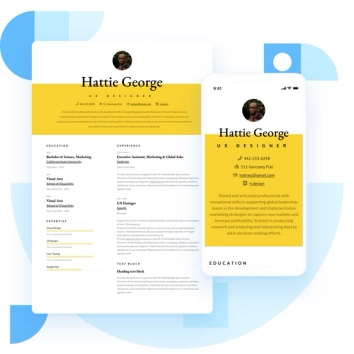
Discover the best resume formats for 2026 with examples for every job and experience level, plus expert tips to format your resume and get hired faster.
August 7, 2025
Read post
Resume Expert & VP Marketing

