10+ Editable Photo Resume Templates for Word, Google Docs, PDF and More
Use these editable photo resume templates to make your experience shine and land your next dream job!
Use these editable photo resume templates to make your experience shine and land your next dream job!
A photo resume template is a resume format that includes space for a professional headshot, usually placed in the header or sidebar. These templates are commonly used in regions like Europe, Asia, and parts of the Middle East, where including a photo on a CV is standard practice. In other regions, such as the United States or Canada, photo resumes are less common and should be used carefully depending on the role and employer expectations.
If you are applying to international roles or working in industries where personal branding matters, a resume with a photo can help create a strong first impression. These templates make it easy to add your image without disrupting the layout, so your experience and skills remain the focus.
Below, you will find a collection of editable photo resume templates that you can use in Word, Google Docs, PDF, and other formats.
Below is a curated selection of photo resume templates designed for different industries, experience levels, and personal styles. Each template includes space for a professional headshot and is fully customizable, so you can tailor it to your needs without starting from scratch.
Whether you are looking for a modern CV with a photo, a clean professional layout, or a more creative design, these templates offer flexible formats that work across Word, Google Docs, and PDF.
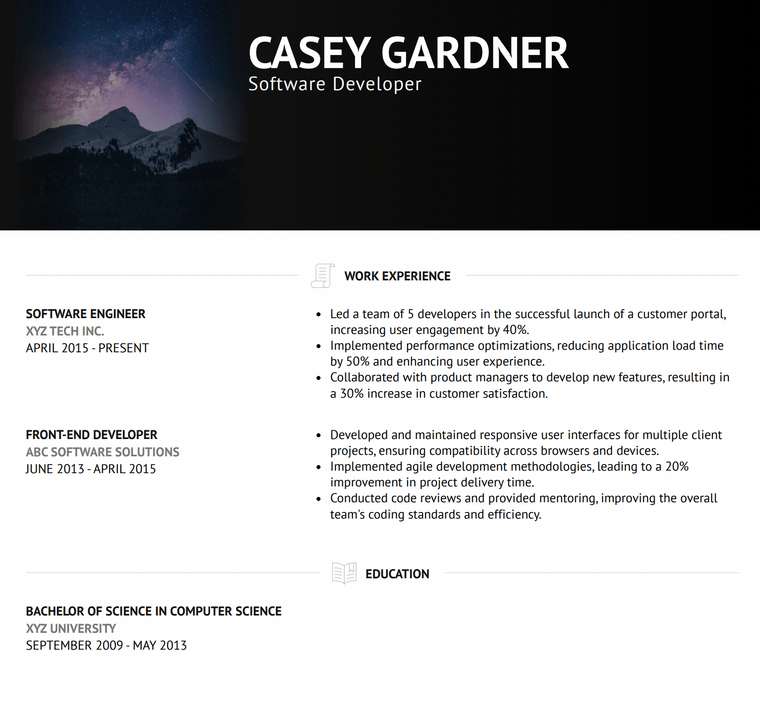
The Brooklyn template is a modern photo resume template designed for professionals who want a clean and structured layout with a strong visual header. It combines a bold top section with a straightforward content flow, making it easy to highlight both your headshot and your experience.
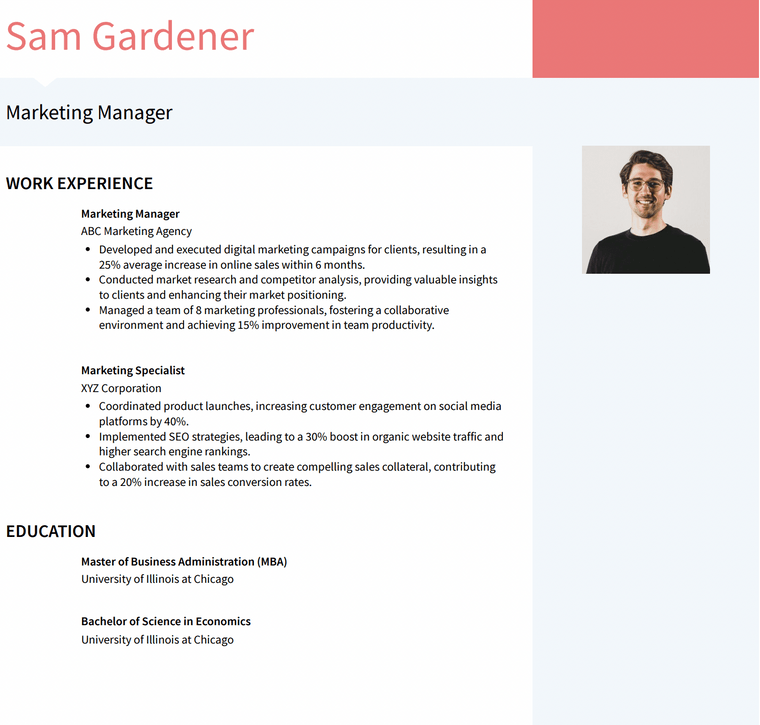
The Modern template is a customizable photo resume template that blends visual appeal with a professional layout. Its two column design allows you to showcase your headshot alongside key details like skills and contact information, while keeping your experience organized and easy to read.
The Fuji template is a printable photo resume template designed for candidates who want a more creative and visually expressive CV. It offers space for both a professional headshot and an additional image, making it a strong choice for roles where personal branding and design matter.
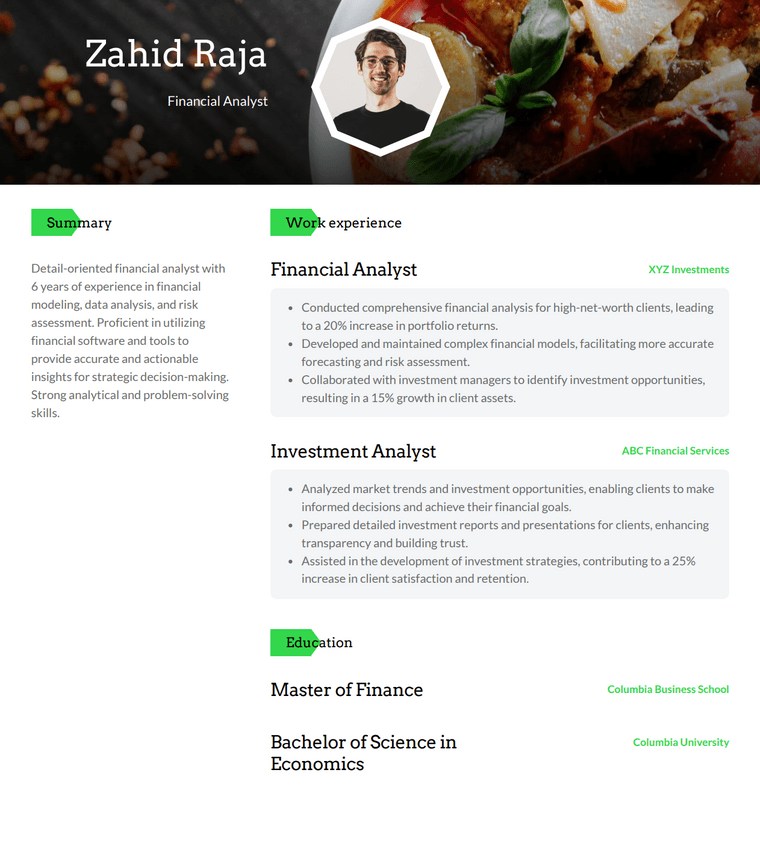
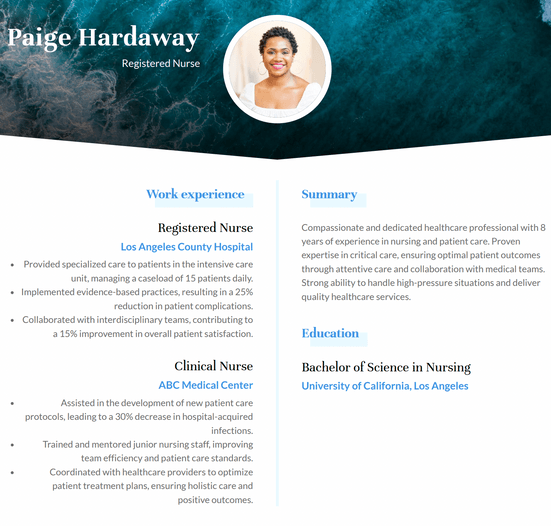
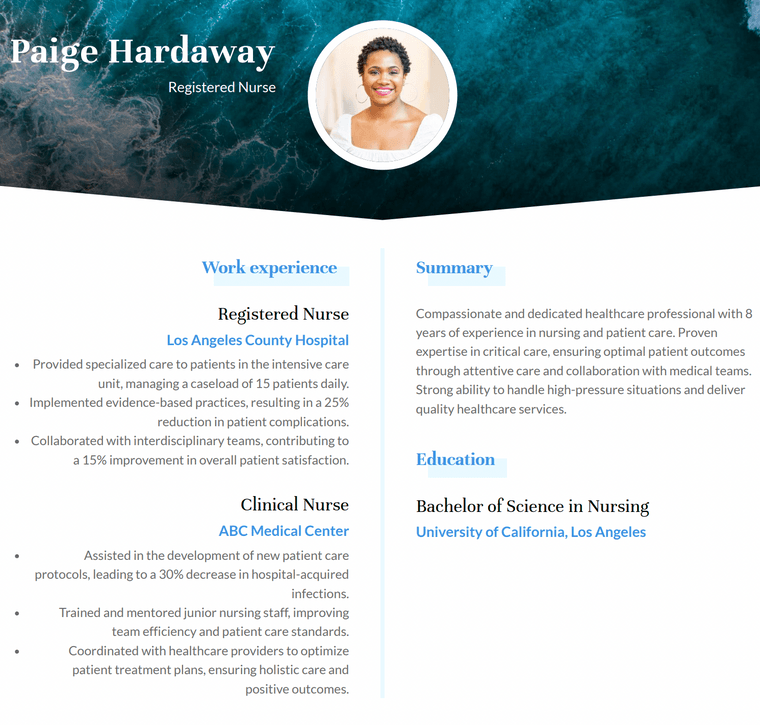
The Rainier template is a two column photo resume template that allows you to present a large amount of information in a clean and organized way. By separating your summary, skills, and education from your work experience, it creates a structured layout that is easy for hiring managers to scan.
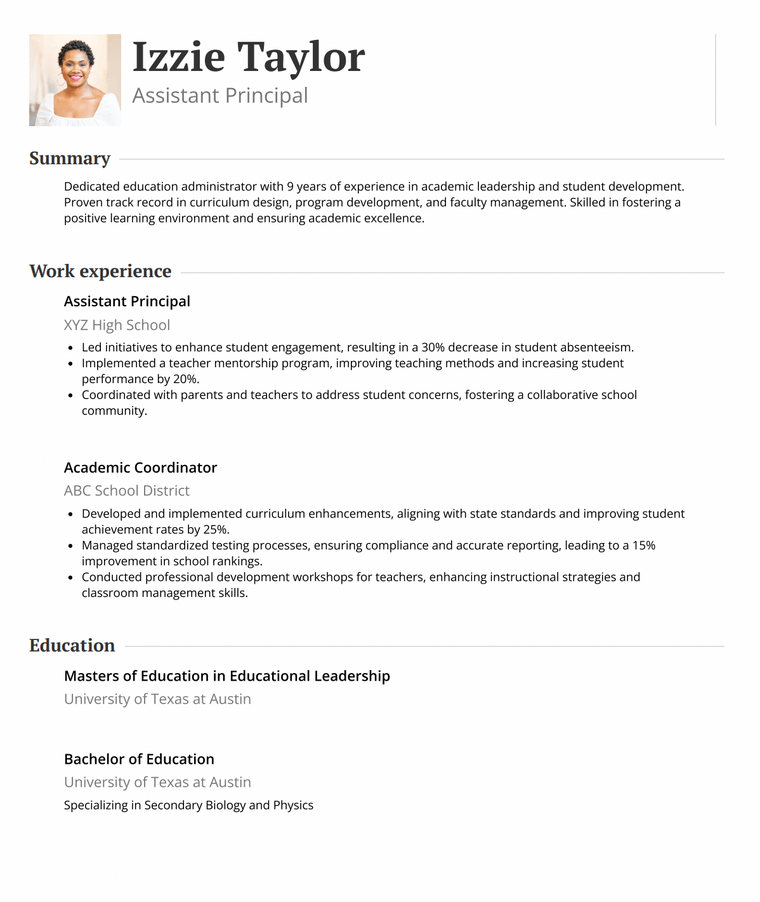
The Air template is a single column photo resume template built for simplicity and clarity. Its minimalist structure keeps all of your information in one continuous flow, making it easy for recruiters and applicant tracking systems to read while still allowing space for a professional headshot.
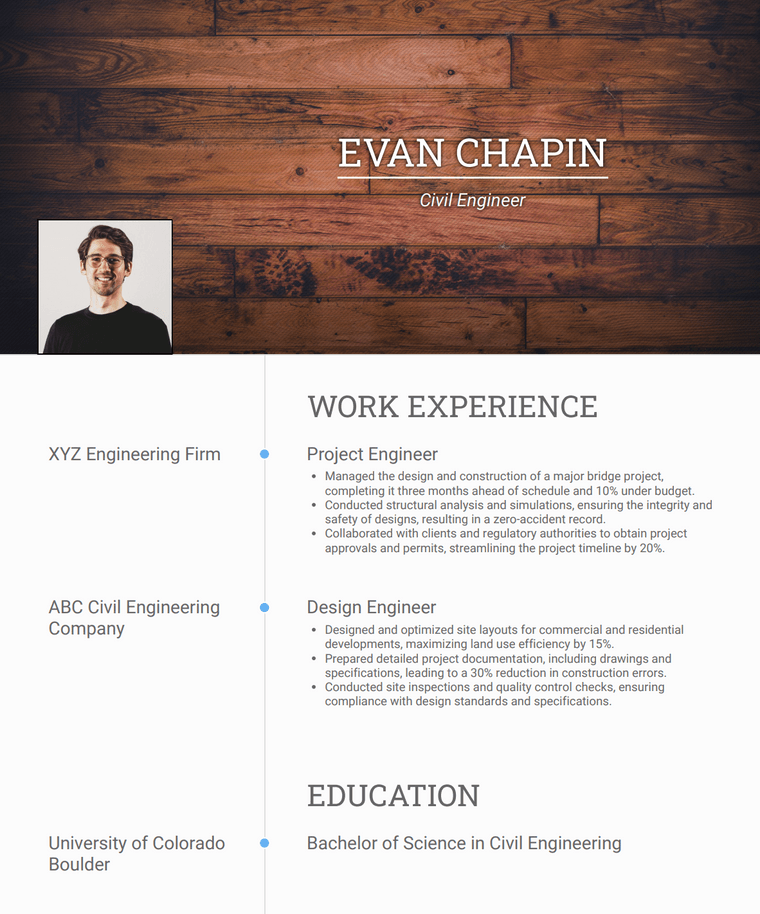
The Onyx template is a reverse chronological photo resume template that follows the most widely accepted resume format. It emphasizes your most recent experience first while incorporating a bold header that allows you to include a professional headshot without overwhelming the content.
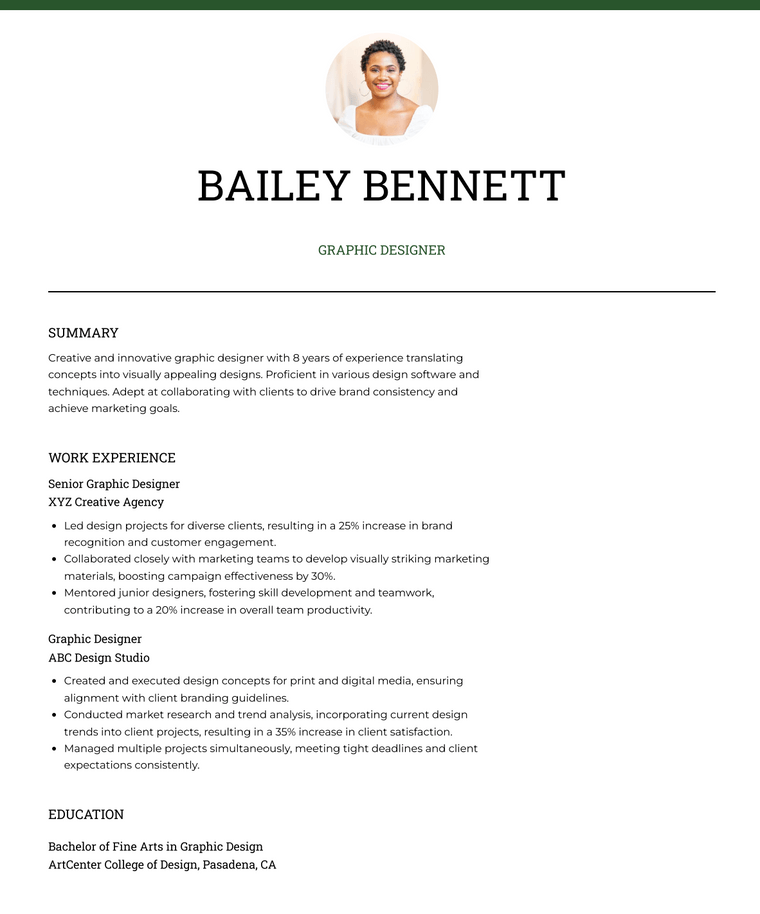
The Chloe template is a simple photo resume template that focuses on clarity while still offering subtle customization. Its two column layout provides enough visual structure to stand out, without distracting from your experience and qualifications.
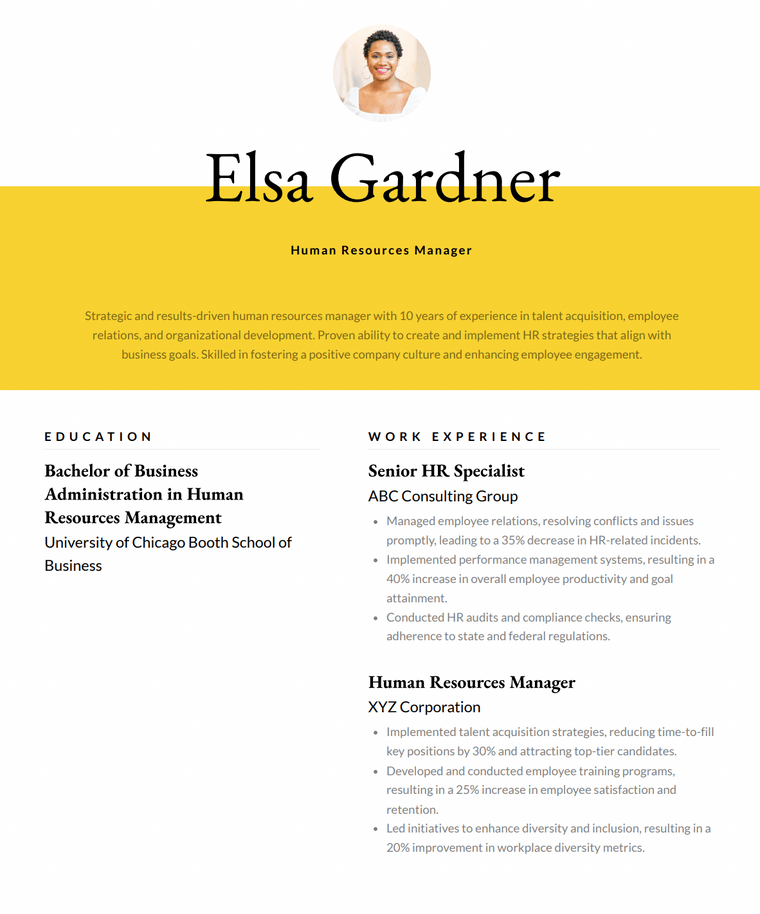
The Elegant template is a bold photo resume template designed to make a strong first impression. With a high-contrast header and eye-catching color accents, it draws attention to your name and photo while maintaining a professional structure throughout the rest of the resume.
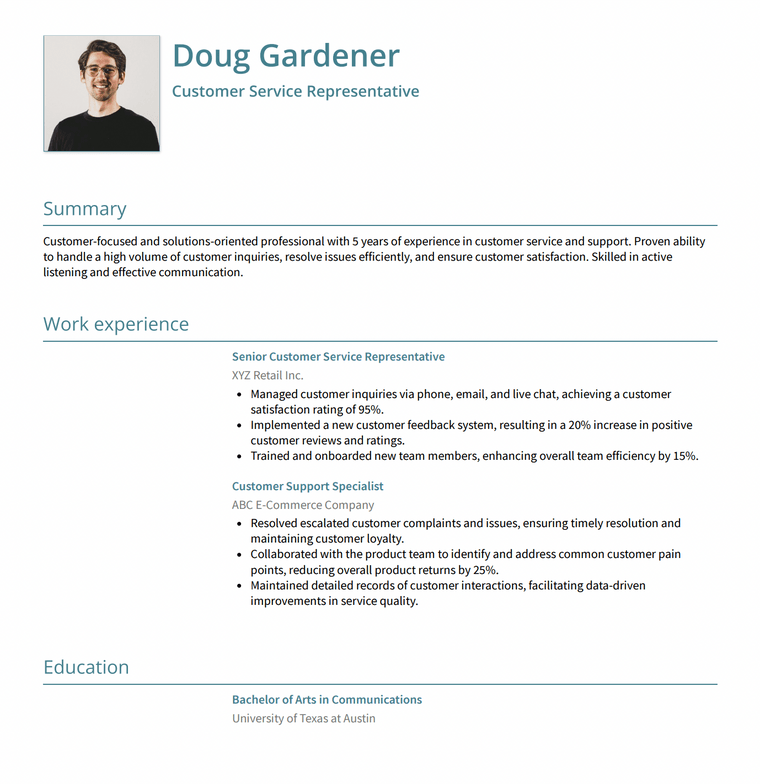
The Monaco template is a clean photo resume template that emphasizes structure, readability, and professionalism. With clear section headings and a traditional layout, it allows you to include a photo without distracting from your qualifications.
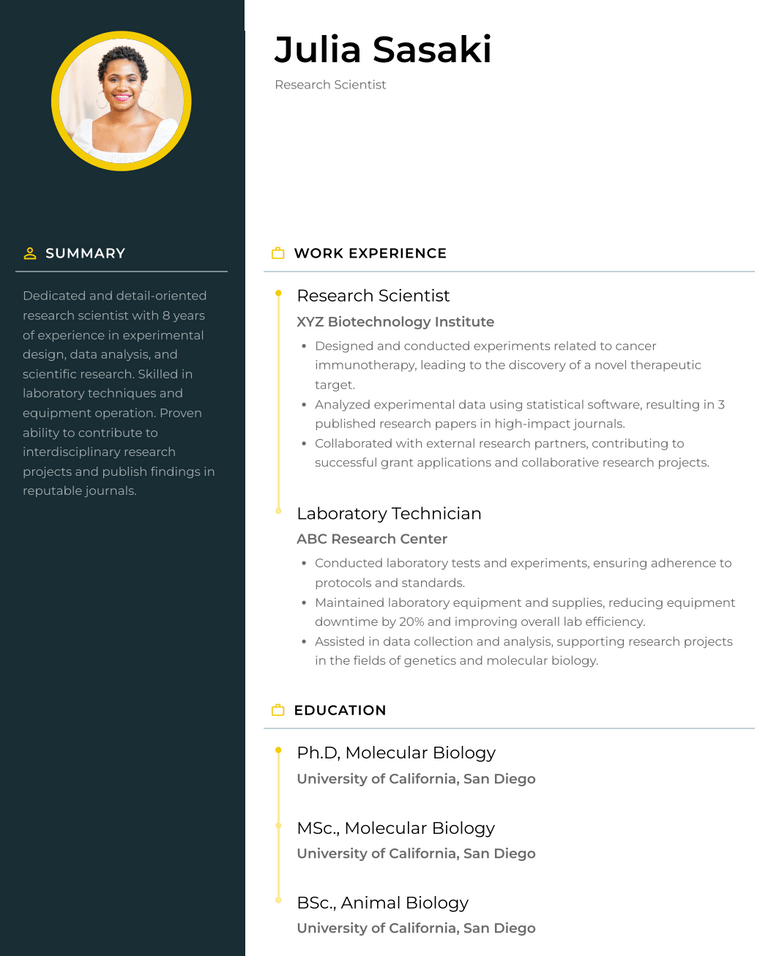
The Denali template is a headshot-focused photo resume template designed to highlight your personal brand alongside your experience. With a modern layout and bold visual elements, it places your photo front and center while keeping your qualifications easy to scan.
Choosing the right photo resume template depends on your industry, experience level, and where you are applying. While all of the templates above allow you to include a headshot, the layout and style you choose can impact how your resume is perceived.
Different industries have different expectations when it comes to resume design and the use of photos.
The structure of your resume plays a key role in how your experience is presented.
How your photo is displayed can change the overall feel of your resume.
Different situations call for different types of photo resume templates. Below are some of the best options based on common use cases, so you can quickly find a design that fits your goals.
If you are applying to corporate or traditional roles, a clean and structured resume with a subtle photo is the safest choice. These templates keep the focus on your experience while still allowing you to include a headshot.
Recommended templates:
For creative roles, your resume is also a reflection of your design sense. Templates with bold layouts, color accents, and flexible image placement can help you stand out.
Recommended templates:
Minimalist templates are ideal if you want a simple, distraction-free layout that highlights your qualifications. These designs use clean typography and limited visual elements.
Recommended templates:
If you are applying through online systems, choosing a template that remains easy for applicant tracking systems to read is important. Simple layouts with clear sections perform best.
Recommended templates:
Whether you should include a photo on your resume depends largely on where you are applying and the expectations of your industry. In some regions, a photo resume is standard practice, while in others it may be discouraged.
In many parts of Europe, Asia, and the Middle East, including a photo on your resume or CV is expected. Employers in these regions often anticipate a professional headshot as part of your application, especially for client-facing or public roles.
In countries like the United States, Canada, and the United Kingdom, it is generally recommended not to include a photo on your resume. This helps reduce the risk of bias during the hiring process and keeps the focus strictly on your qualifications and experience.
Some industries are more open to photo resumes than others.
If you are unsure, review the job posting carefully or research hiring practices in your target region before deciding whether to include a photo.
If you decide to include a photo on your resume, it is important to make sure it enhances your application rather than distracts from it. A well-chosen image can support your personal brand, while a poor one can hurt your chances.
Always use a professional headshot. Your photo should reflect how you would present yourself in a work setting.
Your photo should not take up too much space on your resume. It should complement your content, not compete with it.
In most cases, a natural and professional smile is appropriate. It can help convey confidence and approachability.
A selfie can be acceptable if it meets professional standards, but it is not always the best choice.
When possible, a professionally taken headshot is still the safest option.
Photo resumes can be compatible with applicant tracking systems, but layout matters.
If you are applying through an online system, consider using a simpler template or submitting a version without a photo if required.
Yes, including a link to your LinkedIn profile is a common and effective alternative.
This approach allows employers to view your photo if they choose, without including it directly on your resume.
Choosing the right template can be easier when you compare key features side by side. The table below highlights the main differences to help you quickly decide which option fits your needs.
| Template | Best For | Format | Photo Style | ATS Friendly |
|---|---|---|---|---|
| Brooklyn | Corporate, business roles | Word, Docs, PDF | Header | High |
| Modern | Marketing, creative professionals | Word, Docs, PDF | Sidebar or header | Moderate |
| Fuji | Creative, portfolio roles | Word, Docs, PDF | Multiple images | Low |
| Rainier | Mid-level professionals | Word, Docs, PDF | Header | Moderate |
| Air | Entry-level, ATS-focused roles | Word, Docs, PDF | Subtle top placement | High |
| Onyx | Traditional career paths | Word, Docs, PDF | Header | High |
| Chloe | Clean, modern professionals | Word, Docs, PDF | Sidebar or header | Moderate |
| Elegant | Creative, branding-focused roles | Word, Docs, PDF | Bold header | Moderate |
| Monaco | Corporate, conservative roles | Word, Docs, PDF | Small header photo | High |
| Denali | Sales, client-facing roles | Word, Docs, PDF | Prominent headshot | Moderate |
Ready to build your resume with a professional photo? Choose one of the templates above and customize it to match your experience, industry, and personal style.
You can quickly edit these photo resume templates in Word, Google Docs, or PDF formats without any design experience. Simply add your information, upload your headshot, and adjust colors or sections as needed.
If you are applying to roles where a photo is expected, using a well-designed template can help you stand out while keeping your resume professional and easy to read.
Many photo resume templates are available for free, especially in formats like Word and Google Docs. Some platforms may offer premium designs with additional customization options, but you can still find high-quality free templates that meet most job application needs.
In most cases, it is not recommended to include a photo on your resume in the US or Canada. Employers in these regions typically prefer resumes without photos to reduce bias and focus on qualifications. Always check the job posting or company guidelines before including one.
The best format depends on your needs, but Word, Google Docs, and PDF are the most commonly used. Word and Google Docs are ideal for editing, while PDF is best for preserving your layout when submitting your resume.
Your photo should be small and professional, usually placed in the header or sidebar. It should not take up too much space or distract from your experience and skills. A clear, well-cropped headshot works best.
Yes, using the same professional photo from your LinkedIn profile is a good practice. It helps maintain consistency across your personal brand and ensures that your image is appropriate for professional settings.
Photo resumes can work with applicant tracking systems if the layout is simple and well-structured. However, if you are applying through an online system, it is often safer to use a single column format or submit a version without a photo if required.