Many job seekers know they need a resume, but they are not always sure which information belongs on it or how each section should be organized. Including too little can leave important qualifications unexplained, while including too much can make the document crowded and difficult to review.
A strong resume should give employers the information they need to understand the candidate’s experience, skills, and value without adding unnecessary or distracting details1. Every section should support the target role and help the reader identify relevant qualifications quickly.
With more than 7 million users in over 125 countries, VisualCV has seen that the strongest resumes make every element serve a clear purpose. Deciding what to put on a resume means selecting sections and details that accurately represent the candidate’s background, support the target role, and make their professional value easy to understand.
This guide explains what to put on a resume, how to organize the main resume sections, and what to leave out before submitting an application.
Here are the steps this guide covers:
| Step | Resume Area | What to Include | Key Output |
|---|---|---|---|
| Step 1 | Header and profile | Contact details, target role, and professional summary | A clear introduction to the candidate |
| Step 2 | Work experience | Relevant roles, responsibilities, achievements, and results | Evidence of professional value |
| Step 3 | Core qualifications | Education, skills, certifications, and training | A complete picture of qualifications |
| Step 4 | Optional sections | Projects, volunteer work, awards, publications, and languages | Additional evidence that supports the role |
| Step 5 | Final review | Remove irrelevant, outdated, or sensitive information | A focused and professional resume |
Start with a clear header that gives employers the information they need to identify and contact you. Include your full name, phone number, professional email address, and city and region1.
You can also add a LinkedIn profile, portfolio, or personal website when it supports the target role. Review each link before including it and make sure the content is current, professional, and consistent with the resume.
Below the header, add a professional summary or resume objective when it helps explain your background and direction. A summary is usually best for candidates with relevant experience, while an objective may be more useful for students, recent graduates, or career changers.
| Resume Element | Include It? | Best Practice |
|---|---|---|
| Full name | Yes | Use the name you use professionally |
| Phone number | Yes | Use a reliable number with voicemail |
| Email address | Yes | Choose a professional address |
| City and region | Usually | A full street address is rarely necessary |
| LinkedIn profile | When relevant | Update the profile before linking |
| Portfolio or website | When relevant | Include it only when it supports the role |
| Professional summary | Usually | Focus on experience, strengths, and value |
| Resume objective | Sometimes | Use it for a career change or limited experience |
Keep the header simple and easy to scan. Avoid adding personal details that do not help the employer evaluate your qualifications.
The work experience section should show where you worked, what you were responsible for, and how your contributions created value. Focus on roles that are recent, relevant, or useful for demonstrating skills that apply to the target position.
For each role, include the job title, employer name, location, and dates of employment2. Follow that information with concise bullet points that describe important responsibilities, achievements, and results.
Prioritize accomplishments over routine duties. Use numbers when they are accurate, but also add context through scope, frequency, audience, complexity, or responsibility when exact metrics are not available.
| Information | What to Include | Common Mistake |
|---|---|---|
| Job title | Your accurate professional title | Changing the title without explanation |
| Employer | Company or organization name | Leaving out useful context |
| Dates | Month and year when appropriate | Using inconsistent date formats |
| Responsibilities | Relevant scope and duties | Listing every task |
| Achievements | Improvements, results, or contributions | Focusing only on duties |
| Metrics | Revenue, time, volume, size, or percentage | Adding unsupported numbers |
Older or unrelated roles can be shortened when they do not support the current application. Freelance, contract, and self-employed work can be included when it demonstrates relevant skills, responsibilities, or results.
The next core resume sections should show the qualifications that support your experience. These usually include education, relevant skills, certifications, licenses, and professional training.
In the education section, include the credential, institution, location, and completion date when appropriate3. Recent graduates may add relevant coursework, academic projects, honors, or a strong grade point average, while experienced candidates can usually keep this section more concise.
The skills section should focus on abilities that match the target role and can be supported by your experience. Include technical skills, software, languages, and relevant transferable skills, but avoid long lists of generic qualities without evidence.
| Resume Section | What to Include | When It Matters Most |
|---|---|---|
| Education | Degree, diploma, institution, location, and completion date | Entry-level and specialized roles |
| Skills | Relevant technical and transferable skills | All resumes |
| Certifications | Active and relevant credentials | Regulated or technical fields |
| Licenses | Required professional licenses | Roles with legal requirements |
| Training | Relevant completed programs | Career changes and skill development |
| Coursework | Selected job-related subjects | Students and recent graduates |
Only include certifications and licenses that are current, relevant, and accurately named. If a qualification has expired or is still in progress, label its status clearly.
Optional resume sections can strengthen an application when they provide relevant evidence that does not fit elsewhere. These sections may include projects, volunteer experience, awards, publications, presentations, languages, professional memberships, military service, or interests4.
Include an optional section only when it supports the target role or helps explain the candidate’s qualifications. If the information repeats existing content, takes space from stronger evidence, or has little connection to the position, leave it out.
Use the same level of care as you would in the work experience section. Add specific details, outcomes, dates, or levels of proficiency where appropriate.
| Optional Section | Include It When | Leave It Out When |
|---|---|---|
| Projects | The work demonstrates relevant skills | It repeats existing experience |
| Volunteer experience | It shows leadership, service, or related work | It has no connection to the role |
| Awards | The recognition is relevant or recent | It is outdated or unclear |
| Publications | Writing or research matters for the role | The publication is unrelated |
| Languages | Proficiency benefits the employer | The level is too limited to be useful |
| Memberships | The association is professionally relevant | Membership is inactive or unrelated |
| Interests | They add useful context or distinction | They take space from stronger content |
Optional sections should add evidence, not decoration. Before including one, ask whether it gives the employer a stronger reason to consider the candidate.
Knowing what to leave off a resume is just as important as knowing what to include. Unnecessary, outdated, or sensitive information can distract from the candidate’s qualifications and take space away from stronger evidence.
Remove details that do not help the employer evaluate fit for the role5. This can include a full street address, references, salary history, reasons for leaving previous jobs, irrelevant hobbies, outdated experience, and unsupported claims.
Requirements can vary by country, industry, and employer, so review local expectations before including personal details such as a photograph, date of birth, or identification information.
| Information | Why to Leave It Off | Possible Exception |
|---|---|---|
| Full street address | Usually unnecessary and takes up space | A specific application requires it |
| Personal identification details | Creates privacy and discrimination concerns | Legally required in a specific country |
| Photograph | May introduce bias or conflict with local norms | Standard practice in some countries |
| References | Employers usually request them separately | The posting asks for them |
| Salary history | Does not demonstrate qualifications | Specifically required where lawful |
| Reasons for leaving | Better discussed later in the hiring process | A brief explanation is needed for context |
| Irrelevant old experience | Distracts from current value | It demonstrates essential transferable skills |
| Unsupported claims | Reduces credibility | None |
Before removing a section or detail, ask whether it helps the employer understand your qualifications, experience, or fit. If it does not serve one of those purposes, it probably does not belong on the resume.
Most resumes include a set of core sections that help employers understand the candidate’s background quickly. Additional sections can be added when they provide relevant evidence for the target role.
The best resume sections depend on the candidate’s experience, industry, and target role. Start with the essential sections, then add supporting or role-specific sections only when they make the application stronger.
Resume section order should reflect the candidate’s strongest and most relevant qualifications6. The first sections should help the employer understand the target role, core value, and most useful experience quickly.
There is no single order that works for every candidate. Experienced professionals usually lead with a summary, skills, and work history, while recent graduates may place education and projects closer to the top.
Career changers and technical candidates may also benefit from moving relevant skills or projects ahead of less related experience.
| Candidate Type | Recommended Section Order |
|---|---|
| Experienced professional | Summary, skills, experience, education, certifications |
| Recent graduate | Summary, education, skills, projects, experience |
| Career changer | Summary, skills, relevant projects, experience, education |
| Technical candidate | Summary, technical skills, experience, projects, education |
| Academic candidate | Profile, education, research, publications, teaching, awards |
Choose an order that makes the strongest evidence easy to find. If a section does not support the target role, move it lower, shorten it, or remove it.
Choosing what to put on a resume can become difficult when candidates try to include every detail from their background. Too much information can make the document harder to scan, while missing key sections can leave important qualifications unexplained.
Focus on relevance, clarity, and evidence. Each section should help the employer understand the candidate’s experience, skills, or fit for the target role.
| Mistake | Why It Weakens the Resume | Better Approach |
|---|---|---|
| Including too much information | Important qualifications become harder to find | Prioritize relevant details |
| Leaving out achievements | The resume shows duties but not value | Add results and contributions |
| Using vague skill lists | Skills appear unsupported | Demonstrate them in experience |
| Adding irrelevant sections | The document loses focus | Include only useful sections |
| Using outdated information | The resume appears unfocused | Remove or shorten older details |
| Sharing sensitive information | It creates unnecessary privacy risk | Include only essential contact details |
Before finalizing the resume, review each section and ask whether it is relevant, accurate, and useful. If a detail does not support the target role or help explain the candidate’s value, revise or remove it.
Most resumes should include contact information, a professional summary or objective, relevant work experience, skills, and education. Additional sections should be included only when they support the target role.
Most candidates need five to eight resume sections. The exact number depends on experience level, industry, and the amount of relevant information available.
No. Focus on roles that are relevant, recent, or useful for demonstrating transferable skills. Older or unrelated positions can be shortened or removed.
Usually not. Employers typically request references later in the hiring process, so the resume space is better used for qualifications and achievements.
Include them only when they add relevant context, show useful skills, or help distinguish the candidate. Leave them out when stronger professional information is available.
Knowing what to put on a resume helps you create a document that is complete without becoming crowded or unfocused. Start with the essential sections, add relevant evidence from your experience and qualifications, and use optional sections only when they strengthen the application.
Review every item for relevance, accuracy, and value before submitting the resume. A well-organized document makes it easier for employers to understand what the candidate offers and why they fit the role.
Last Updated: August 3, 2026

Written by
Madison Norton
Resume Expert & VP Marketing
Madison is the VP Marketing and General Manager at VisualCV. He's a seasoned marketing leader, resume writing and career marketing expert and now helping people grow their own career marketing strategies to build a career they love.
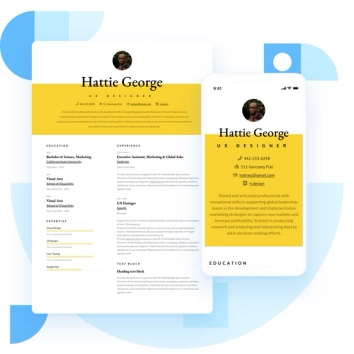
Discover the best resume formats for 2026 with examples for every job and experience level, plus expert tips to format your resume and get hired faster.
August 7, 2025
Read post

Resume Expert & VP Marketing

Learning how to write a resume in 2025 is an important step in everyone's career. This step-by-step guide with resume examples will help you get started.
February 7, 2025
Read post

Community Success Manager & Resume Writing Expert

A gap on your resume doesn't have to be a red flag.
September 5, 2025
Read post
Community Success Manager & Resume Writing Expert

