Choosing between a PDF and Word file for a job application can feel like a small decision with high stakes. The resume pdf vs word question is genuinely difficult because the right choice depends on the employer’s instructions, the application system, and how reliably your formatting needs to hold up.
With more than 7 million users in over 125 countries, VisualCV has learned that the best choice between PDF and Word depends on how the employer will receive and review your resume. In practice, you need to check the posting, consider whether an applicant tracking system requires an editable file, and protect the layout you worked hard to create. A resume builder can help organise the work, but the details and decisions still need to come from your own experience and judgment.
After following the steps below, you will be able to choose the right resume file format for each application and submit it with confidence.
Here are the steps this guide covers:
| Step | Action | Time Required | Key Output |
|---|---|---|---|
| Step 1 | Review the job application instructions | 3 minutes | Required file format identified |
| Step 2 | Compare formatting and compatibility needs | 5 minutes | Best format for the application |
| Step 3 | Export and inspect the PDF | 10 minutes | Validated PDF resume |
| Step 4 | Save and test a DOCX copy | 10 minutes | ATS-friendly Word resume |
Start with the employer's stated requirement. If a job post, recruiter, or application portal specifies PDF, Word, or another format, follow that instruction even when your general preference differs. Tailoring your application materials to the employer and position is a core job-search writing practice.2 Spend 3 minutes confirming the rule before you upload anything.
Check the job description, upload field labels, recruiter emails, and application FAQ or help page. A portal that accepts both PDF and Word does not necessarily prefer both, so look for wording such as “preferred,” “required,” or “.docx only.” If no preference appears, you have identified that the format is flexible.
Submission Rule Check
| What to Do | Why It Matters |
|---|---|
| Upload a .docx file | The employer requires Word. |
| Submit a PDF | The posting requests PDF. |
| Use either accepted format | No preference is stated. |
Compare PDF and Word files for layout consistency, editability, device compatibility, and typical hiring use. A PDF preserves fonts, spacing, and page breaks, making it the stronger resume file format when presentation matters. A Word document is easier for you or a recruiter to edit, but its layout can shift across software versions or devices. For the resume pdf vs word decision, choose the file that protects your content while fitting the employer's workflow.
Consider how the application system reads files, how recruiters share and annotate documents, and how complex your template is. Some ATS platforms handle both formats well, but columns, text boxes, graphics, and scanned pages can disrupt parsing in either one. Use a clean, text-based resume with standard headings and simple formatting, because clear organization and readable content are accepted resume conventions.1
Choose the Best Resume Format
| What to Do | Why It Matters |
|---|---|
| Use PDF for designed layouts | Preserves spacing, fonts, and page breaks |
| Use Word for editable requests | Supports recruiter edits and internal revisions |
| Simplify complex templates | Improves parsing in either file format |
When an employer accepts or requests a PDF, export your final resume only after every edit is complete. MIT's career and professional development guidance includes PDF among the appropriate file formats for application materials.4 A PDF locks in your fonts, spacing, page breaks, and visual hierarchy, so the document you designed is the document the reviewer sees.
In Word, choose Save As or Export, then select PDF. In Google Docs, choose File, Download, PDF Document, and use a descriptive filename such as Firstname_Lastname_Resume.pdf. Open the exported file on a second device, then confirm it is selectable text, not an image-only or password-protected file.
PDF Pre-Submission Checklist
| What to Do | Why It Matters |
|---|---|
| Check every page break | Prevents split headings and bullet points |
| Zoom to 100 percent | Confirms readable type and spacing |
| Select text in the PDF | Verifies searchable, accessible text |
Use a Word version when the employer specifically requests a DOC or DOCX file, or when the application portal may parse, populate, or edit your submission. For a U.S. federal job application, include the information required in the USAJOBS resume builder or the job announcement.3 A DOCX file gives the system and recruiter a workable document instead of a fixed page image.
Spend 10 minutes simplifying the file before you upload it. Use standard fonts such as Arial, Calibri, or Times New Roman, clear headings such as Experience and Education, and plain bullet points. Save as DOCX unless the posting requests another format, then reopen the file in Word or a compatible viewer to confirm that text, dates, and page breaks have not shifted.
Word Formatting Checklist
| What to Do | Why It Matters |
|---|---|
| Use clear section headings | Helps systems identify resume sections |
| Choose standard fonts | Prevents font substitution issues |
| Avoid tables and text boxes | Keeps content easy to parse |
Word is usually the safer choice when you know an employer uses an older or less predictable applicant tracking system. A clean, text-based PDF also works with many modern systems, but Word gives you a slightly lower-risk option when the posting accepts either format. Never use a scanned PDF, because its text may not be readable by the system.
Use a PDF when you are emailing your resume directly or uploading it to a portal that accepts multiple file types, because it preserves your layout. Before sending it, open the uploaded file or preview it in a browser to confirm that headings, dates, and bullet points display correctly. Choose Word instead if the application instructions mention ATS compatibility or request an editable document.
Yes, many applicant tracking systems can read text-based PDFs. Your PDF should contain selectable text, standard section headings, simple bullet points, and no text embedded in images, tables, or graphics. If you cannot highlight and copy the text from the PDF, submit a Word version instead.
Upload a PDF first if the portal lists PDF as an accepted format and does not request Word or DOCX. If the portal reformats your resume into separate fields, review every field before submitting, because parsing errors can affect job titles, dates, and contact details. Keep a DOCX copy ready in case the upload fails or the portal handles Word files more reliably.
Yes, keep matching PDF and DOCX versions for every current resume. Use the same content in both files, then make a small update to each version whenever you tailor your resume for a role. Name them clearly, such as Firstname_Lastname_Resume.pdf and Firstname_Lastname_Resume.docx, so you do not upload an outdated file.
You can now choose the right resume format for each application, preserve a dependable PDF copy, and keep an ATS-friendly Word version ready when an employer requests it. Handling both formats correctly helps your resume arrive readable, searchable, and professionally formatted, while choosing the wrong file can create avoidable barriers before a recruiter sees your qualifications. With your files prepared, the next step is building a resume that is ready to send.
Last updated: September 02, 2026

Written by
Madison Norton
Resume Expert & VP Marketing
Madison is the VP Marketing and General Manager at VisualCV. He's a seasoned marketing leader, resume writing and career marketing expert and now helping people grow their own career marketing strategies to build a career they love.
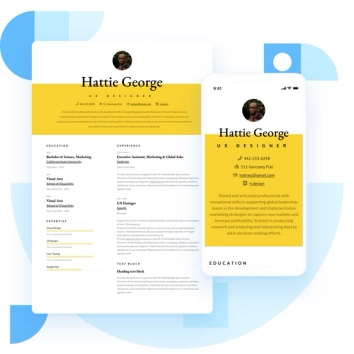
Discover the best resume formats for 2026 with examples for every job and experience level, plus expert tips to format your resume and get hired faster.
August 7, 2025
Read post

Resume Expert & VP Marketing
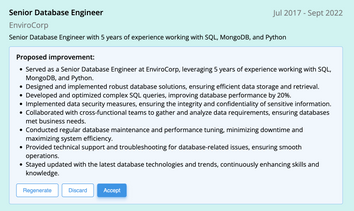
AI can change the way you write, and your resume is no exception.
November 27, 2023
Read post

Community Success Manager & Resume Writing Expert

Learning how to write a resume in 2025 is an important step in everyone's career. This step-by-step guide with resume examples will help you get started.
February 7, 2025
Read post
Community Success Manager & Resume Writing Expert

