Choosing a plan means looking past the advertised resume builder cost to work out what you will actually pay, when a trial converts, and whether the features match your job search. That comparison is harder than it sounds when monthly pricing, subscriptions, and cancellation terms are presented differently.
With more than 7 million users in over 125 countries, VisualCV has learned that the lowest listed price is not always the lowest resume builder cost over the time you need to apply. In practice, you need to compare the full billing period, renewal price, and features you will use before choosing a plan. A resume builder can help organize the work, but the details, achievements, and decisions still need to come from your own experience and judgment.
After following the steps below, you will be able to calculate the true cost of a resume builder plan and choose an option that fits your job-search needs.
Here are the steps this guide covers:
| Step | Action | Time Required | Key Output |
|---|---|---|---|
| Step 1 | Identify available pricing models | 10 minutes | List of plan types |
| Step 2 | Calculate total expected charges | 15 minutes | True cost estimate |
| Step 3 | Match features to job-search needs | 20 minutes | Feature priority list |
| Step 4 | Review billing and cancellation terms | 10 minutes | Verified cancellation plan |
| Step 5 | Select the best-value plan | 15 minutes | Confident purchase decision |
Start by listing the four common resume builder pricing models: free plans, one-time purchases, subscriptions, and trial-based offers. Free plans may limit templates, downloads, or customization, while one-time purchases typically unlock a single document or longer-term access. Subscriptions charge weekly or monthly, and trial offers can convert to a paid plan after a short introductory period. Treat any advertised starting price as a headline, not the final resume builder cost, because taxes, upgrade prompts, and automatic renewals can raise what you pay.
Open the provider’s pricing page, then read its billing terms before entering payment details. Look for words such as “recurring,” “renews automatically,” “billed every 7 days,” or “cancel anytime” to separate a subscription from a one-time fee. Do not assume a free download means free resume creation, since some tools let you build a resume at no cost but require payment before exporting it. For a US federal job application, make sure the paid export preserves the detailed work history and other information required on a federal resume.3
Common Resume Builder Plan Types
| What to Do | Why It Matters |
|---|---|
| Free plan, $0, limited access | Test a basic first draft |
| One-time purchase, single fee, ongoing access | Create one polished resume |
| Trial then subscription, introductory fee, recurring access | Use during an active search |
Move past the headline price and map every charge across the time you expect to use the service. Include the billing frequency, whether you need one month or several, any paid add-ons, and the date you must cancel to avoid another charge. A $3 introductory offer can cost more than a higher one-time purchase if it renews before you finish applying.
Use this formula: total cost = checkout price + (renewal rate × planned billing cycles) + optional upgrades + taxes. Confirm whether the displayed checkout price includes tax, then add premium templates, cover letter tools, or downloads you may select. Check the renewal date before paying, and set a cancellation reminder at least two days earlier if you only need short-term access.
Total Cost Check
| What to Do | Why It Matters |
|---|---|
| Record the checkout charge | Captures your immediate payment |
| Multiply renewals by needed cycles | Shows expected recurring charges |
| Add taxes and upgrades | Prevents checkout surprises |
Pay for features that remove a real application bottleneck. ATS-friendly formatting and reliable PDF or DOCX exports can protect your document’s layout, while targeted resume versions and cover-letter tools help when each role needs different language. Tailoring your resume and cover letter to the position helps you present relevant qualifications clearly.2 An expert review can justify a higher resume builder cost when you need feedback on positioning, clarity, or a career change.
Set a 20-minute timer and label each feature essential, useful, or unnecessary for your next 30 days of applications. If you are submitting one polished resume, prioritize clean formatting and the file type requested by the employer. If you are applying to several roles, prioritize saved versions and tailored cover letters, then skip interview coaching, premium designs, or other extras you will not use. Finish with a feature priority list before choosing a plan.
Feature Priorities by Job-Search Scenario
| What to Do | Why It Matters |
|---|---|
| One application: Essential ATS formatting and DOCX export | Avoid paying for saved versions. |
| Multiple roles: Add targeted versions and cover letters | Useful for tailoring each application. |
| Finished resume: Skip reviews and premium designs | Unnecessary without a specific gap. |
The listed resume builder cost is only part of what you pay. A $2 trial can convert to a weekly or monthly subscription if you do not cancel before the trial ends, so check the renewal amount and date before entering payment details. Treat recurring billing terms as part of the purchase decision, not fine print.
Before you buy, open the pricing page, checkout screen, and terms link to confirm the renewal date, cancellation steps, refund window, and receipt details. Save screenshots of the offer and cancellation policy, then keep the payment confirmation and cancellation email in one folder. Set a calendar reminder 48 hours before the trial ends so you have time to cancel if needed.
Pre-Purchase Billing Checklist
| What to Do | Why It Matters |
|---|---|
| Check trial end date | Avoid unexpected renewal charges |
| Confirm cancellation method | Know where to stop billing |
| Review refund policy | Understand eligibility and deadlines |
Use the total resume builder cost you calculated and the features you actually need to choose among free access, a short-term paid plan, or an ongoing subscription. Pick the lowest-cost option that lets you create, tailor, and download every final resume and cover letter you plan to use. A plan is good value only when its price matches the number of applications and updates you expect to make.
Choose a free builder for one straightforward application when its templates and download format meet your needs. Your plan should let you create a resume and cover letter that follow accepted conventions for structure and content.1 Choose a one-month plan for an active 30-day job search, especially if you need multiple versions, cover letters, or targeted edits. If you pay for a short-term plan, download editable and PDF copies of final files, then cancel immediately after completion to avoid another renewal.
Choose Your Plan Type
| What to Do | Why It Matters |
|---|---|
| Use free access for one application | Avoid paying for unused tools |
| Buy one month for active searches | Supports multiple tailored applications |
| Keep a subscription for ongoing updates | Useful for regular career changes |
A resume builder can cost $0 for basic tools, or charge a one-time fee, short-term access fee, or recurring monthly subscription for downloads and premium templates. Check the final checkout page for the total due today, the renewal price, applicable tax, and whether you must cancel to avoid another charge.
Some are free to use but charge when you download a PDF, remove branding, use premium templates, or create a cover letter. Before entering payment details, confirm that the format you need, such as PDF or DOCX, is included in the free plan.
Most free trials convert to a paid subscription automatically unless you cancel before the trial ends. Review your confirmation email and account billing page to find the trial end date, renewal amount, and cancellation instructions, then contact support promptly if the charge appears incorrect.
A monthly plan can be worthwhile if you are applying to multiple roles and need to tailor, download, and update several resume versions over a few weeks. If you only need one completed resume, a one-time download option or a plan you can cancel immediately after downloading is usually better value.
Log in to the account you used to purchase the plan and look for Billing, Subscription, Plan, or Account Settings. Cancel at least 24 hours before the renewal date when possible, save the cancellation confirmation, and verify that your account shows the subscription will not renew.
By comparing pricing models, calculating the full cost, matching features to your job search, and reviewing billing terms, you can choose a resume builder plan with confidence. You now know how to separate a useful investment from a low introductory price that becomes expensive through recurring charges or features you will not use. Getting this decision right helps you spend less time managing subscriptions and more time submitting a polished, tailored application. When you have selected the right value, the next step is building the resume that puts those features to work.
Last updated: September 01, 2026

Written by
Madison Norton
Resume Expert & VP Marketing
Madison is the VP Marketing and General Manager at VisualCV. He's a seasoned marketing leader, resume writing and career marketing expert and now helping people grow their own career marketing strategies to build a career they love.
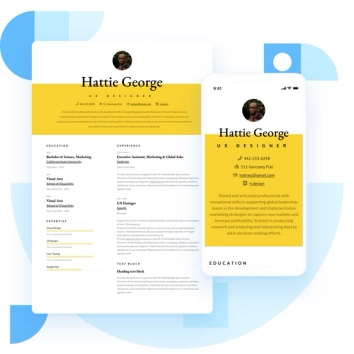
Discover the best resume formats for 2026 with examples for every job and experience level, plus expert tips to format your resume and get hired faster.
August 7, 2025
Read post

Resume Expert & VP Marketing
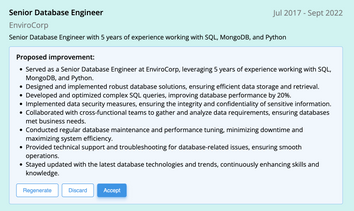
AI can change the way you write, and your resume is no exception.
November 27, 2023
Read post

Community Success Manager & Resume Writing Expert

Learning how to write a resume in 2025 is an important step in everyone's career. This step-by-step guide with resume examples will help you get started.
February 7, 2025
Read post
Community Success Manager & Resume Writing Expert

