Figuring out how to update resume content can be harder than starting from scratch, especially when years of roles, skills, and accomplishments no longer fit the document you used before.
With more than 7 million users in over 125 countries, VisualCV has learned that updating a resume works best when you replace outdated details with clear evidence of your current value. In practice, that means reviewing each section for relevance, accuracy, and proof of what you can do now. A resume builder can help organise the work, but the substance still has to come from your own experience and judgment.
After following the steps below, you will be able to turn your old resume into an accurate, polished document that is ready for your next application.
Here are the steps this guide covers:
| Step | Action | Time Required | Key Output |
|---|---|---|---|
| Step 1 | Review every resume section | 15 minutes | List of outdated content |
| Step 2 | Collect recent roles and achievements | 20 minutes | Updated career information |
| Step 3 | Revise summary, experience, and skills | 30 minutes | Current resume draft |
| Step 4 | Match keywords to target jobs | 20 minutes | Role-targeted resume content |
| Step 5 | Polish layout and export files | 15 minutes | Submission-ready resume |
Set aside 15 minutes to read your resume line by line before changing a word. Flag dates that stop before your current role, positions unrelated to your direction, claims you cannot support with results, and milestones missing from promotions, certifications, or major projects.
Use the job type you want and your current work history as your audit lens. Organize the information so employers can quickly identify your qualifications, experience, and education.1 For each element, decide whether it should stay, go, change, or be added, then update old resume content only after you have a complete list. Rewriting too early can preserve weak details while leaving your strongest recent experience out.
Resume Audit Decisions
| What to Do | Why It Matters |
|---|---|
| Mark current achievements as keep | Preserves relevant proof of value |
| Revise stale dates and claims | Improves accuracy and credibility |
| Add missing promotions or certifications | Shows career progress clearly |
Set a 20-minute timer and gather every career update since your resume was last current. List recent jobs, promotions, certifications, major projects, new skills, and measurable achievements before you draft any new bullets. Include dates, employer names, job titles, and the scope of each role so your updated information is ready to use.
Pull details from performance reviews, job descriptions, work samples, project dashboards, and your LinkedIn profile. Organize your resume information clearly and tailor it to the position you are seeking.2 Look for proof such as revenue earned, costs reduced, deadlines met, team size, customer ratings, or time saved. Prioritize results over duty lists, turning “managed social media” into “increased monthly leads by 28%” when your records support it.
What to Do | Why It Matters
| What to Do | Why It Matters |
|---|---|
| Record promotions and dates | Shows career progression clearly |
| Save project metrics | Proves the scale of results |
| Verify certifications and skills | Keeps qualifications current |
Set a 30-minute timer and replace any dated objective with a two to three line summary that names your target role, strongest specialty, and most relevant results. Then reorder your experience bullets so recent accomplishments and duties that match the roles you want appear first. For federal applications, include the employer, job title, employment dates, hours worked per week, and relevant duties for each position.3 Keep older positions brief unless they demonstrate a skill the job requires.
Build each bullet around a strong action verb, the scope of your work, and a measurable outcome, such as revenue, time saved, volume handled, or quality improved. Lead with verbs like led, launched, reduced, negotiated, or improved, then add numbers that clarify your contribution. Remove obsolete software, expired technical skills, and early-career details that no longer support your next role.
Turn Responsibilities Into Results
| What to Do | Why It Matters |
|---|---|
| Change "Managed accounts" to "Grew retention 18%". | Shows a measurable business outcome. |
| Add team size or project scope. | Clarifies the scale of your work. |
| Cut unrelated roles to one line. | Keeps focus on current qualifications. |
Spend 20 minutes comparing your updated resume with three to five target job descriptions. Highlight qualifications, tools, certifications, and responsibilities that appear repeatedly, then rank them by frequency and importance to the role. Focus on terms that describe work you have actually performed, not every phrase listed in a posting.
Add the strongest matching terms to your summary, skills list, and most relevant experience bullets. Use each keyword where it makes sense in a complete, truthful statement, such as naming the platform you used or the responsibility you owned. Avoid stuffing a keyword list into multiple sections or claiming requirements you cannot verify. Do not add personal details that employers may not consider when screening, such as your race, religion, sex, national origin, disability, or genetic information.4
Keyword Placement Guide
| What to Do | Why It Matters |
|---|---|
| Summary: priority role terms | Signals immediate role alignment |
| Skills: tools and certifications | Makes qualifications easy to scan |
| Experience: responsibilities and outcomes | Proves keywords with evidence |
Use a clean, single-column layout with clear headings, consistent spacing, and an easy-to-read font at 10 to 12 points. Keep dates, job titles, skills, and accomplishment bullets in predictable locations so recruiters and applicant tracking systems can scan them quickly. Avoid text boxes, graphics, tables, and decorative fonts that can disrupt parsing or make key details harder to find.
Spend 15 minutes reading the resume aloud, checking spelling, contact details, dates, and numbers. Use one verb tense for each role, present tense for current work and past tense for previous roles, and apply punctuation consistently. MIT career development resources recommend tailoring your resume to the position and reviewing it carefully before you apply.5 Save the file as Firstname_Lastname_Resume.pdf, unless the posting requests DOCX, then ask a trusted person to review the final document before submission.
Final Pre-Submission Checklist
| What to Do | Why It Matters |
|---|---|
| Check dates, titles, and contact details | Prevents avoidable accuracy errors |
| Use consistent fonts, spacing, and punctuation | Improves readability and professionalism |
| Save PDF or requested DOCX | Meets the employer's file requirements |
Update your resume every 3 to 6 months, even when you are not job hunting. Add completed projects, promotions, certifications, and measurable results while the details are still easy to verify.
Most resumes should focus on the last 10 to 15 years of relevant experience. Keep older roles only if they demonstrate directly related expertise, a notable employer, or a credential that supports the role you want now.
Remove older jobs that do not strengthen your candidacy, especially short-term roles or work unrelated to your current field. If removing them creates a gap that concerns you, list the earlier experience briefly under an "Additional Experience" heading without detailed bullet points.
You do not need to rewrite your resume from scratch for every application, but you should tailor it for each target role. Adjust the summary, skills, job title language, and 3 to 5 most relevant accomplishments to match the job description.
Keep a Word document as your master file because it is easy to edit and some application systems specifically request it. Submit a PDF when the employer does not specify a format, since it preserves your layout across devices.
With a current, targeted resume, you can present your most relevant experience, measurable results, and skills with confidence. Taking the time to update each section helps hiring managers quickly see how you fit the role, while an outdated or generic document can bury your strongest qualifications. Review it before every application so your resume reflects both your career today and the opportunity you want next. Put those updates into a polished document that is ready to send.
Last updated: September 04, 2026

Written by
Madison Norton
Resume Expert & VP Marketing
Madison is the VP Marketing and General Manager at VisualCV. He's a seasoned marketing leader, resume writing and career marketing expert and now helping people grow their own career marketing strategies to build a career they love.
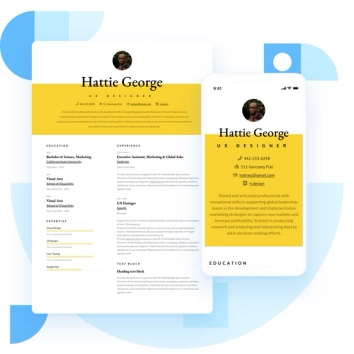
Discover the best resume formats for 2026 with examples for every job and experience level, plus expert tips to format your resume and get hired faster.
August 7, 2025
Read post

Resume Expert & VP Marketing
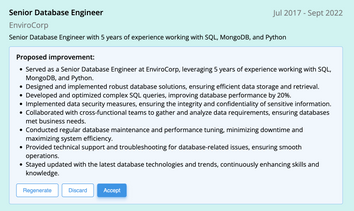
AI can change the way you write, and your resume is no exception.
November 27, 2023
Read post

Community Success Manager & Resume Writing Expert

Learning how to write a resume in 2025 is an important step in everyone's career. This step-by-step guide with resume examples will help you get started.
February 7, 2025
Read post
Community Success Manager & Resume Writing Expert