Using AI to improve your resume can save time, strengthen weak wording, and help you tailor your application to a specific role. However, the quality of the result depends on the information you provide and how carefully you review the suggestions.
AI works best as an editing and analysis tool, not as a replacement for your judgment4. It can help identify unclear achievements, missing keywords, repetitive language, and structural problems, but it should never invent experience, skills, or results.
With more than 7 million users in over 125 countries, VisualCV has seen that the strongest resumes make every element serve a clear purpose. For AI-assisted resumes, that means using technology to improve structure and wording while ensuring that each section accurately reflects the candidate’s experience, skills, and value.
This guide explains how to improve your resume with AI by setting a clear target, reviewing your existing content, revising each section with focused prompts, tailoring the document to a job description, and verifying every detail before submission.
Here are the steps this guide covers:
| Step | Action | Time Required | Key Output |
|---|---|---|---|
| Step 1 | Define the target role and decide what the resume needs to accomplish | 10 to 15 minutes | A clear resume objective and target position |
| Step 2 | Review the current resume for weak sections, missing details, and unclear results | 20 to 30 minutes | A prioritized list of improvements |
| Step 3 | Use focused AI prompts to revise summaries, bullets, skills, and organization | 30 to 45 minutes | A stronger first draft |
| Step 4 | Compare the resume with the job description and add relevant keywords | 20 to 30 minutes | A targeted version for the role |
| Step 5 | Check every claim, edit the tone, and complete a final quality review | 20 to 30 minutes | An accurate and polished resume |
Before using AI, decide exactly what the resume needs to accomplish1. A clear target helps the tool distinguish between relevant experience and details that do not support the role.
Start with the target job title, industry, seniority level, and type of employer. Then identify the main problems the role is expected to solve, such as improving operations, supporting customers, managing projects, or increasing revenue.
Avoid vague instructions such as “improve my resume.” Give AI enough context to evaluate the document against a specific goal. The more precise the target, the more useful the suggestions are likely to be.
| What to Define | Questions to Answer | Why It Matters |
|---|---|---|
| Target role | What position are you applying for? | Helps AI prioritize relevant experience |
| Industry | Which field or sector is the role in? | Guides terminology and skill selection |
| Seniority | Is the role entry-level, mid-level, or senior? | Affects tone and achievement emphasis |
| Employer needs | What problems does the employer need solved? | Connects the resume to business value |
| Resume purpose | Are you changing careers, seeking a promotion, or returning to work? | Shapes the overall positioning |
A useful starting prompt is: “Review this resume for a [target job title] role in [industry]. Focus on relevance, clarity, achievements, and missing information. Do not add any facts.”
Review your current resume before asking AI to rewrite anything. This gives you a clear baseline and helps you identify which sections need improvement instead of changing content that already works.
Check the professional summary, work experience, skills, education, formatting, and keyword use2. Look for vague statements, repetitive wording, missing results, outdated details, and sections that do not support the target role.
It is often more effective to ask AI to diagnose problems first. A focused review can reveal where the resume lacks clarity, relevance, evidence, or consistency before you begin revising individual sections.
| Resume Section | What to Check | Common Problem |
|---|---|---|
| Professional summary | Relevance, specificity, and value proposition | Too broad or generic |
| Work experience | Actions, outcomes, and measurable impact | Lists duties without results |
| Skills section | Alignment with the target role | Includes unrelated or outdated skills |
| Education | Relevance and completeness | Contains unnecessary detail |
| Formatting | Readability and consistency | Uses dense text or inconsistent spacing |
| Keywords | Alignment with the job description | Important terms are missing |
A useful review prompt is: “Evaluate this resume for a [target job title] role. Identify the five highest-priority issues related to clarity, relevance, repetition, missing evidence, and structure. Do not rewrite the content yet.”
Once you understand the resume’s weaknesses, revise one section at a time. This approach gives you more control over the output and makes it easier to catch inaccurate, exaggerated, or generic language.
Use AI to strengthen action verbs, reduce repetition, clarify achievements, shorten long bullets, and improve section order. Give the tool clear instructions to preserve all facts and avoid adding numbers, responsibilities, tools, or results that you did not provide.
Review every suggestion before adding it to the resume5. The goal is not to make the document sound more complicated, but to make the candidate’s experience easier to understand and more relevant to the target role.
| Resume Task | Example AI Prompt | Expected Result |
|---|---|---|
| Improve a bullet | Rewrite this bullet to emphasize the action and result without adding facts | A clearer accomplishment statement |
| Strengthen a summary | Create a three-sentence summary for a project coordinator role using only the details provided | A targeted professional summary |
| Remove repetition | Suggest alternatives for repeated verbs in these five bullets | More varied wording |
| Shorten content | Reduce this bullet to one concise sentence while preserving all facts | Improved readability |
| Reorder sections | Recommend the best section order for this career change resume | A more relevant structure |
A useful prompt is: “Rewrite this section for clarity, concision, and relevance to a [target job title] role. Preserve every fact, do not invent details, and explain the main changes you made.”
After improving the resume’s structure and wording, compare it with the job description for the role you are targeting. Look for repeated skills, qualifications, tools, responsibilities, and outcomes that the employer emphasizes.
Use AI to identify gaps between the posting and your resume, but only add keywords that accurately reflect your experience. Keyword matching should improve clarity and relevance, not force language into the document or create qualifications you do not have.
Place each keyword where it makes the most sense. Skills may belong in the skills section, while responsibilities, tools, and outcomes should usually appear in the summary or work experience bullets.
| Job Requirement | Existing Resume Evidence | AI-Assisted Improvement | Final Resume Placement |
|---|---|---|---|
| Project coordination | Managed schedules and deadlines | Clarify project scope and stakeholders | Work experience |
| Data analysis | Reviewed monthly reports | Add tools, frequency, and outcome | Work experience and skills |
| Client communication | Responded to customer requests | Emphasize audience and service impact | Summary and work experience |
| Process improvement | Created a new tracking method | Explain the problem and measurable benefit | Work experience |
| Team collaboration | Worked with several departments | Name the teams and shared objective | Work experience |
A useful prompt is: “Compare this resume with the job description below. Identify relevant keywords and qualifications that are missing or underemphasized. Suggest where they could be added truthfully, and do not invent experience.”
Before submitting the resume, review every AI-generated change for accuracy4. Confirm that each achievement, number, skill, job title, date, tool, and responsibility reflects your actual experience.
Pay close attention to language that sounds exaggerated, overly polished, or inconsistent with the rest of the document. AI can improve wording, but the final resume should still sound natural and be easy for you to explain in an interview.
Complete a final review for consistency, readability, and relevance. Check that verb tense, formatting, dates, section headings, and keyword use are consistent throughout the document.
| Review Area | Question to Ask | Required Action |
|---|---|---|
| Accuracy | Is every claim supported by real experience? | Remove or correct unsupported statements |
| Metrics | Are all numbers correct and explainable? | Verify each figure |
| Tone | Does the resume sound natural and professional? | Rewrite robotic or inflated wording |
| Keywords | Are target terms used accurately? | Remove forced or irrelevant keywords |
| Consistency | Do dates, titles, tense, and formatting match? | Standardize the document |
| Readability | Can the main qualifications be found quickly? | Shorten or reorganize dense sections |
A useful final prompt is: “Review this resume for unsupported claims, inconsistent wording, repeated phrases, unclear accomplishments, and formatting issues. Do not add new information. List the problems first, then suggest corrections.”
The quality of an AI-assisted resume depends heavily on the prompt. Clear instructions help the tool focus on the right role, preserve accurate information, and avoid generic rewrites.
Use prompts that define the task, target role, desired outcome, and boundaries. Include instructions such as “do not add facts,” “preserve all metrics,” and “use only the information provided.”
“Review the resume content below for clarity, relevance, repetition, weak wording, and missing evidence. Evaluate it for a [target job title] role. Identify the five highest-priority improvements, but do not rewrite the content yet.”
“Write a professional summary of no more than three sentences for a [target job title] role. Use only the experience, skills, and achievements provided below. Do not add claims, tools, or qualifications.”
“Rewrite this resume bullet using a strong action verb and a clear result. Preserve all facts and do not invent numbers, responsibilities, tools, or outcomes.”
“Compare this resume with the job description below. Identify relevant keywords and qualifications that are missing or underemphasized. Explain where each term could be added truthfully.”
“Shorten this resume section while preserving every important fact. Remove repetition, vague wording, filler phrases, and unnecessary detail.”
“Review this resume for unsupported claims, inconsistent wording, repeated phrases, unclear accomplishments, keyword stuffing, and formatting issues. List the problems first, then suggest corrections without adding new information.”
Test each prompt on one section before applying it to the entire resume. This makes it easier to evaluate the quality of the output and adjust the instructions when the suggestions are too broad, generic, or inaccurate.
AI can improve a resume, but careless use can make the document less accurate, less personal, or harder to trust. The strongest results come from using AI for focused editing while keeping control over the facts, tone, and final decisions.
Avoid accepting suggestions without reviewing them. Even polished language can weaken the resume if it introduces vague claims, irrelevant keywords, or achievements that the candidate cannot explain.
| Mistake | Why It Weakens the Resume | Better Approach |
|---|---|---|
| Asking AI to rewrite the entire resume at once | The result may become generic or lose important context | Improve one section at a time |
| Accepting invented details | False claims can damage credibility | Verify every statement before using it |
| Adding too many keywords | The resume may sound forced and become difficult to read | Use only relevant terms that match real experience |
| Using vague prompts | AI lacks enough context to provide useful revisions | Include the target role, task, and desired outcome |
| Keeping robotic language | The resume may not sound natural or authentic | Edit the wording to match the candidate’s voice |
| Removing all personality | The document can become indistinguishable from other resumes | Preserve specific examples and original phrasing |
| Sharing sensitive information | Personal data may be exposed unnecessarily | Remove contact details and confidential information before uploading |
| Ignoring formatting after rewriting | Revised text may create inconsistent spacing or overly long sections | Review the complete layout before submitting |
Before using any AI-generated revision, ask three questions: Is it accurate, is it relevant, and does it sound like me? If the answer to any question is no, revise or remove the content.
Yes. AI can help improve structure, wording, keyword alignment, clarity, and consistency. You should still review every suggestion and confirm that the final resume accurately reflects your experience.
You can, but review the tool’s privacy terms before sharing personal information. Remove contact details, addresses, identification numbers, confidential company information, and other sensitive data whenever possible.
AI can create a draft, but it needs detailed and accurate input. A resume generated from limited information may sound generic or include unsupported claims, so every section should be checked and revised.
Use specific examples, natural wording, and details from your real experience. Edit vague phrases, remove inflated language, and read the resume aloud to identify sentences that do not sound like you.
Employers may notice content that sounds generic, exaggerated, or inconsistent. The main concern is not whether AI was used, but whether the final resume is accurate, relevant, credible, and easy to discuss in an interview.
AI can make resume improvement faster and more focused when it is used as an editing tool rather than a substitute for judgment. Start with a clear target role, review the existing resume, improve each section with focused prompts, and tailor the document to the job description.
Before submitting the resume, verify every claim and revise any wording that feels generic, exaggerated, or unnatural. The strongest AI-assisted resumes combine efficient technology with accurate details, clear positioning, and a voice that still sounds like the candidate.
Last Updated: August 6, 2026
CareerOneStop. “Top Portion of Resume.” U.S. Department of Labor, accessed August 6, 2026.
CareerOneStop. “Work Experience: Resume Guide.” U.S. Department of Labor, accessed August 6, 2026.
CareerOneStop. “Formatting: Resume Guide.” U.S. Department of Labor, accessed August 6, 2026.
Autio, Chloe, et al. “Artificial Intelligence Risk Management Framework: Generative Artificial Intelligence Profile.” National Institute of Standards and Technology, July 26, 2024.
National Institute of Standards and Technology. “AI Risks and Trustworthiness.” NIST AI Resource Center, accessed August 6, 2026.

Written by
Madison Norton
Resume Expert & VP Marketing
Madison is the VP Marketing and General Manager at VisualCV. He's a seasoned marketing leader, resume writing and career marketing expert and now helping people grow their own career marketing strategies to build a career they love.
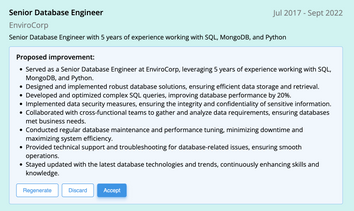
AI can change the way you write, and your resume is no exception.
November 27, 2023
Read post

Community Success Manager & Resume Writing Expert

Discover how to use Claude AI to write a professional resume with ease. Learn step-by-step guidance on creating a polished, tailored resume that stands out to employers.
August 16, 2024
Read post

Resume Expert & VP Marketing
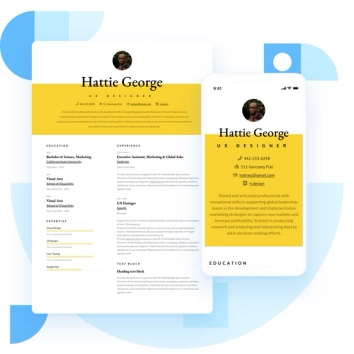
Discover the best resume formats for 2026 with examples for every job and experience level, plus expert tips to format your resume and get hired faster.
August 7, 2025
Read post
Resume Expert & VP Marketing

