Enhancv documents resume exports in PDF and TXT formats, but not native Word DOCX, making export requirements the key decision point for many job seekers. It is a strong option for creating polished, tailored visual resumes, but downloads require Pro access after the seven-day no-card free period and users should understand renewal terms before paying.
Enhancv is a web-based resume and CV builder worth evaluating if browser-based creation and PDF or TXT output fit your application workflow. Enhancv documents PDF and TXT resume downloads, while its pricing FAQ says native Word-document resume download is not provided.1 If DOCX handoff is non-negotiable, or you do not want to manage a renewing subscription after a trial period, verify alternatives before investing time in a resume.
Enhancv gives first-time registrants a seven-day free period without requiring a payment card. That period lets you assess the builder against your own resume content and application requirements, but it is not permanently free downloadable access. After seven days, you can continue using the builder, but downloading a resume requires Pro access.
| Decision point | What Enhancv documents | What you should decide |
|---|---|---|
| Builder access | Enhancv is a web-based resume and CV-building service with a seven-day free offering.2 | Confirm that browser-based editing suits how you work. |
| Free evaluation | First-time registrants receive seven days without a payment card. | Use that period to assess the builder before paying. |
| Resume downloads | Resume downloads are available in PDF and TXT formats.1 | Confirm that PDF or TXT meets each employer's submission requirements. |
| Word handoff | Enhancv says it does not provide Word-document resume downloads because formatting can change in other word processors.1 | Choose another builder if you must deliver a native DOCX resume. |
The strongest practical reason to consider Enhancv is that you can evaluate the actual web-based workflow for seven days before entering payment details. That supports a direct assessment of whether its resume output works for your applications, rather than relying on broad claims about suitability for every job search.
Treat automatic renewal as a decision gate, not a minor detail. Enhancv subscriptions renew for the next billing period unless you cancel, so check the renewal condition before moving from the seven-day period to Pro. Enhancv's official materials list Pro pricing at $39 monthly, $23 per month on quarterly billing, and $16.50 per month on semiannual billing, described as $99 for six months.2
Enhancv's free access lets first-time accounts create and edit a resume for seven days without providing a payment card. After the seven-day free period, Enhancv says you can continue using the builder, but you need Pro to download a resume.3
| Feature | First seven days for first-time accounts | After day seven |
|---|---|---|
| Account and card | Seven days of free access, with no card required.3 | |
| Building and editing | Basic resume sections and all design tools are included.3 | The Enhancv builder remains available.3 |
| Templates and design | All resume templates are included, alongside access to all design tools.3 | |
| Free-access limits | Enhancv branding is included, with a maximum of 12 section items.3 | |
| Resume download | Pro is required to download a resume.3 |
The practical answer is narrow: you can start and build an Enhancv resume during the no-card, seven-day access period. The documented free entitlement includes template and design access, but it also carries Enhancv branding and the 12 section-item limit.3
Do not treat the seven-day period as evidence of indefinitely free downloading. The documented rule that matters for a finished application is that downloads require Pro after day seven, even though you can still use the Enhancv builder.3
Enhancv Pro uses monthly, quarterly, and semiannual subscriptions that renew automatically, but cancelling through the Billing page stops the next charge while preserving access through the period you have already paid for.4
Pro Monthly has the highest stated monthly price, $39 billed once per month. Pro Quarterly is listed as $23 per month, but that is a monthly-equivalent figure and the charge occurs every three months, not monthly. Enhancv's published material does not confirm the quarterly invoice total. Pro Semiannual has a confirmed charge of $99 every six months, equivalent to $16.50 per month.4
| Decision point | What Enhancv documents |
|---|---|
| Cancel before renewal | Cancel through the Billing page to stop future charges. Your Pro access continues until the end of the paid subscription period.4 |
| After paid access ends | Existing documents remain downloadable and read-only, but you cannot edit or save them until you reactivate Pro.4 |
| Monthly refund position | Enhancv states that monthly subscription fees are non-refundable.4 |
| Quarterly and semiannual refund position | Quarterly and semiannual subscriptions may qualify for a partial pro-rated refund. Enhancv says it charges for months used at the monthly Pro rate and refunds the difference.4 |
Cancellation and a refund request are separate actions. Cancelling prevents the next renewal, but Enhancv says you must contact support to request a refund.4 If you expect to finish your applications within a month, the monthly option limits the billing commitment, but its fees are documented as non-refundable. A longer interval lowers the stated monthly-equivalent rate, while requiring a charge every three or six months and leaving refund eligibility conditional.4
Enhancv says regional pricing and currency may vary, taxes may apply, and the final price appears after you enter billing details.4 Verify that final checkout total, the billing interval, and the next renewal date before completing your purchase.
Enhancv's documented resume download formats are PDF and TXT, and its pricing FAQ says Enhancv does not provide a Word-document download.1 The practical distinction is that an input format does not establish an equivalent editable output format.
| Action | What Enhancv documents | What you should not infer |
|---|---|---|
| PDF input, feedback-upload workflow | The cited feedback-upload workflow lists PDF input and a 2 MB upload limit.5 | PDF input does not establish PDF or DOCX export from that workflow. |
| DOCX input, feedback-upload workflow | The cited feedback-upload workflow lists DOCX input and a 2 MB upload limit.5 | DOCX input does not establish editable DOCX resume download. |
| PDF resume download | Enhancv documents PDF resume downloads.1 | PDF download is not a Word or DOCX file. |
| TXT resume download | Enhancv documents TXT resume downloads.1 | TXT download does not provide a formatted, editable Word resume. |
| Word or DOCX resume download | Enhancv's pricing FAQ says no Word-document download is provided.1 | A PDF or DOCX upload capability does not change the documented download options. |
Enhancv also lets you upload an existing resume or paste a public LinkedIn profile URL to bring information into the builder. Its LinkedIn import documentation says the process extracts experience, skills, dates, and bullet points from a public profile.5 The documentation does not establish that the PDF/DOCX feedback-upload workflow is the same as importing an existing resume into the builder.
If an employer accepts PDF, Enhancv's documented PDF output may fit that application workflow. If a recruiter, career adviser, or employer explicitly requires a DOC or DOCX file, or an editable Word source document, confirm an acceptable alternative before building the resume in Enhancv, or use a tool with documented DOCX export.
Enhancv offers single-column and double-column resume templates, plus customization of resume sections, fonts, colors, and backgrounds, but its ATS-friendly positioning is not a guarantee that every customized resume will parse consistently in every applicant tracking system. Enhancv describes its templates as recruiter-approved and ATS-friendly, and its Pro entitlement lists all templates and thousands of design options.6
Single-column resumes and double-column resumes serve different presentation goals. A double-column Enhancv layout can give you more visual structure, while a single-column resume can present information in a more linear format. Neither layout is universally ATS-safe based on the available evidence.
When an employer's application system, formatting rules, or review process are unknown, use the available Enhancv design controls conservatively. This is editorial guidance, not a product-tested result: favor the least complex layout that still presents your qualifications clearly, use standard headings where appropriate, and avoid adding decorative choices that do not help a hiring manager understand your experience.
Enhancv's ATS-friendly template label is a useful signal of the company's intended use case, but the available documentation does not verify successful resume parsing across applicant tracking systems. It also does not establish certification, testing, partnerships, or compatibility with named major ATS vendors.
Do not treat an ATS-friendly label, a Resume Checker label, or a keyword match indicator as proof that a particular employer's system will read your resume as intended. Parsing results can depend on the employer's application route, the system in use, and the final document design.
Enhancv is a reasonable fit if you want control over how your resume looks. Its documented template range and styling controls let you create either a restrained single-column resume or a more visually structured double-column resume.6
Before choosing a design, check the employer's stated requirements. If the employer requests a particular format, layout, or application method, follow those instructions first. If no guidance is available, prioritize clear section labels, straightforward reading order, and a layout that communicates your work history, education, and skills without relying on visual decoration.
Enhancv supports a repeatable application workflow beyond visual resume templates through documented starting-point imports and Pro-listed content guidance, but the supplied evidence does not establish an end-to-end application-management workflow.
| Workflow need | What the supplied evidence establishes for Enhancv | What you should not infer |
|---|---|---|
| Start from existing material | Enhancv allows you to upload an existing resume or begin from a public LinkedIn profile URL.5 | Imported material is complete, accurate, correctly formatted, or ready to submit without review. |
| Reuse LinkedIn details | Enhancv says LinkedIn import extracts experience, skills, dates, and bullet points from a public profile.5 | The imported content is tailored to a particular vacancy. |
| Bring in an existing file | The available research identifies PDF and DOCX as supported input formats in Enhancv upload-oriented workflows.5 | Input support proves a particular editing, feedback, or document-management workflow. |
| Get Pro-level guidance | Enhancv's listed Pro features include real-time content suggestions and ATS Check.2 | The precise behavior, accuracy, or quality of those suggestions is established. |
If you already have resume material spread across an old resume and a public LinkedIn profile, Enhancv provides a documented way to begin without manually re-entering every field.5 That is useful for creating a working draft, particularly if you need to update experience, skills, dates, and bullet points before applying.
Enhancv also lists real-time content suggestions and ATS Check as Pro features.2 Those listings support the conclusion that Pro includes guidance beyond visual formatting. They do not establish whether the suggestions use AI rewriting, improve individual bullets, match a job description, recommend skills, translate content, or produce stronger application materials.
A template-only workflow is straightforward: you enter content, select a layout, and produce a resume. A multi-application workflow needs evidence that you can reliably tailor documents to different roles, collect feedback, prepare cover letters, track applications, and prepare for interviews without losing control of each version.
The supplied evidence confirms imports and Pro-listed content suggestions, not the practical quality of a broader workflow. Before relying on Enhancv for several applications, verify the specific functions you need and review any generated or imported content yourself. Treat real-time suggestions as assistance to assess, not proof that a resume is accurate, targeted, or ready to submit.
Before uploading a resume to Enhancv, note that its privacy notice describes processing of career, account, billing, device, usage, and location information depending on use. This can include employment history and education history, alongside contact and billing data that may be part of creating and maintaining an account.7
Enhancv's privacy notice identifies AWS, Heroku, Intercom, Paddle, Braintree, Google Analytics, Amplitude, OpenAI, HrFlow.ai, and Nubela/Proxycurl as service providers.7 The notice also says third-party tracking technologies may support analytics and advertising, and that U.S. residents may have opt-out rights where tracking qualifies as a sale or sharing under applicable state law.7
The provider list does not establish that every provider receives every user's full resume or every category of data. Still, if your resume includes a detailed employment record, education history, contact details, or other sensitive information, read Enhancv's current privacy notice before uploading it.
Enhancv's terms state that it does not sell or share personal data with AI model providers.8 Separately, Enhancv's privacy notice lists OpenAI as a third-party AI-technology provider.7 These disclosures address different points. Together, they do not prove that no information is processed by an AI provider, nor do they establish that resumes are shared with OpenAI.
Enhancv's standard terms state that the service is designed exclusively for individual job seekers and prohibit commercial use.8 A career coach, recruiter, or paid resume writer should not treat a standard Enhancv account as permission to create resumes for clients. Enhancv's terms direct businesses to establish a business account for commercial use.8
Enhancv identifies its service provider as Enhancv R&D, and its privacy notice lists its registered office at 9A Sinanishko ezero Str., Sofia 1680, Bulgaria.7 Review the current privacy notice and terms before uploading your own resume or a client's resume.
Choose an alternative based on the requirement Enhancv cannot meet, not on a general template ranking. VisualCV is a documented comparison route for native Word export, hosted online resumes, and hosted-page analytics. Other requirements need direct verification before you commit.
| Non-negotiable requirement | Enhancv | VisualCV | What to verify before choosing |
|---|---|---|---|
| Editable Word handoff | Enhancv documents PDF and TXT downloads, not Word-document downloads.1 | VisualCV says it exports PDF or Word documents. Older VisualCV help documentation labels Word download as beta and Pro-only. | Confirm that the Word file opens and meets the employer's DOCX requirement. |
| Hosted online resume | Enhancv documents a unique resume URL for comments, not a confirmed public-profile or portfolio page.9 | VisualCV says Pro subscribers can publish to a VisualCV URL or custom domain, with search and PDF-download controls. | Check whether you need a private link, a searchable page, a custom domain, or downloadable PDF access. |
| Link performance data | Enhancv describes weekly job-search progress analytics in its application tracker.1 | VisualCV describes views, downloads, and traffic sources for hosted online resumes. | Confirm which events matter. VisualCV does not document tracking after a PDF is downloaded or emailed. |
Enhancv and VisualCV both document subscriptions that renew automatically unless cancelled. Before purchasing either product, check the selected plan, renewal date, cancellation path, and confirmation message.4
If ongoing free downloads are essential, do not assume either product qualifies. Enhancv requires Pro for downloads after its initial seven-day access period, while VisualCV's public materials conflict on the boundaries of free downloads.3
For Zety, Resume.io, Teal, Kickresume, and Novorésumé, verify the same non-negotiable directly: Word export, free-download limits, renewal terms, privacy handling, commercial-use permission, hosted publishing, and link analytics. No supported comparison in this review establishes those capabilities for those builders.
This Enhancv review relies on Enhancv official product pages, the Enhancv Help Center, Enhancv Terms, and the Enhancv Privacy Notice. Those sources confirm documented features and policies, but they do not independently prove outcomes for every applicant or employer system.1
Enhancv's statements about ATS testing and Resume Checker assessments are vendor performance claims. They support the conclusion that Enhancv provides ATS-focused tools, not a guarantee that every resume will parse identically in every application system.6 The same distinction applies to AI suggestions, which Enhancv's Terms describe as assistive, with you responsible for final content decisions.8
Before payment, confirm your live regional checkout total, billing interval, renewal terms, currency, and taxes. Enhancv says prices vary by region and currency, may be subject to taxes, and are finalized after billing details are entered; a retrieved localized pricing widget did not provide a verifiable live Pro price.41 Capture the checkout page and confirmation email, then contact Enhancv support if the displayed terms conflict with published documentation.1
"Not confirmed in the reviewed official materials" means the feature or condition could not be verified from those sources. It does not mean Enhancv does not offer it.
Enhancv is an identifiable web-based resume-building service whose terms identify the provider as Enhancv R&D and whose privacy notice lists a registered office in Sofia, Bulgaria. Enhancv documents a seven-day free offering without a payment card for first-time accounts, which lets you assess the builder before subscribing. Before uploading a resume, review Enhancv's privacy notice, which describes collection of employment, education, device, usage, and other data depending on use, and lists third-party providers including OpenAI.
Enhancv offers single-column layouts as well as double-column layouts, so you can choose a more conventional structure instead of a design-led format. Enhancv also lets you customize sections, fonts, colors, and backgrounds. For a conservative application, keep the layout simple and use Enhancv's single-column option rather than adding unnecessary visual customization.
Enhancv lists real-time content suggestions and ATS Check as Pro features, but the available evidence does not establish how effective those suggestions are for every role or resume. Enhancv's terms describe AI suggestions as assistive, with final content decisions remaining with you. Use Enhancv's guidance to revise specific claims and keywords, but verify that every achievement, date, skill, and job-specific statement is accurate.
Enhancv's standard terms say the service is designed exclusively for individual job seekers and prohibit commercial use. Enhancv directs businesses to establish a business account. If you are creating resumes for clients or using Enhancv within a recruiting operation, confirm the applicable business arrangement before relying on the standard individual account.
Enhancv lets you share a unique resume URL for comments, and invited viewers can leave sticky-note comments on the document. Enhancv's documented sharing feature is for resume comments, not a confirmed public portfolio or profile page. Use the shared link for feedback from a mentor, recruiter, or trusted contact before sending your final application.
Enhancv is a good choice if you want to shape a visually distinctive, role-specific resume and can work within a PDF or plain-text submission workflow. Its design controls, import options, tailoring tools, cover-letter features, feedback sharing, and application tracking make the most sense for an individual job seeker managing several applications and willing to review every final document carefully.
Do not choose Enhancv if an employer requires an editable Word or DOCX file, or if your job search depends on a hosted public resume page with audience-facing controls. Those are workflow requirements, not minor preferences. A polished design cannot compensate for a format your recruiter or application process will not accept.
The honest boundary is straightforward. Enhancv is strongest when you value design flexibility and an integrated workspace for tailoring applications, while accepting that ATS outcomes still depend on the employer's system and your final layout choices. It is less suitable when document portability is the priority. For that specific need, VisualCV documents PDF and Word export, although its older help material describes Word download as a Pro beta feature, so you should confirm the current export option before committing to either service.
Enhancv is worth recommending for job seekers who want more control over how a resume looks and reads, and who can submit PDF files confidently. Choose a different builder when Word delivery, public online publishing, or a more narrowly defined submission workflow is non-negotiable.
Last updated: September 24, 2026

Written by
Madison Norton
Resume Expert & VP Marketing
Madison is the VP Marketing and General Manager at VisualCV. He's a seasoned marketing leader, resume writing and career marketing expert and now helping people grow their own career marketing strategies to build a career they love.
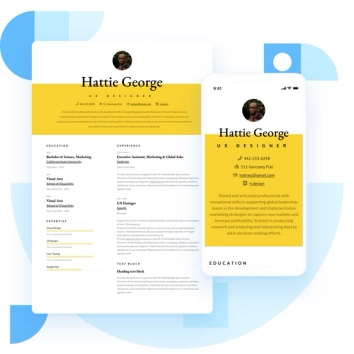
Discover the best resume formats for 2026 with examples for every job and experience level, plus expert tips to format your resume and get hired faster.
August 7, 2025
Read post

Resume Expert & VP Marketing
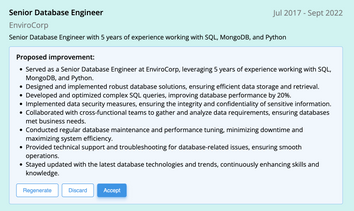
AI can change the way you write, and your resume is no exception.
November 27, 2023
Read post

Community Success Manager & Resume Writing Expert

Learning how to write a resume in 2025 is an important step in everyone's career. This step-by-step guide with resume examples will help you get started.
February 7, 2025
Read post
Community Success Manager & Resume Writing Expert

