Many resumes lose effectiveness because of small mistakes that make important qualifications harder to find. A vague summary, weak bullet points, inconsistent formatting, or irrelevant details can prevent employers from quickly understanding what a candidate offers.
These problems often develop when a resume is updated over time without a clear target role or final review process1. Correcting them requires more than checking spelling and grammar. It also means improving relevance, evidence, structure, consistency, and readability.
With more than 7 million users in over 125 countries, VisualCV has seen that the strongest resumes make every element serve a clear purpose. Avoiding common resume mistakes means ensuring that each section supports the target role, presents accurate information, and makes the candidate’s most relevant experience, skills, and value easy to identify.
This guide explains how to review a resume in a logical order, identify the most common resume mistakes, and correct each one before applying.
Here are the steps this guide covers:
| Step | Review Area | Common Mistake | Key Output |
|---|---|---|---|
| Step 1 | Relevance and focus | Including unrelated information or using one resume for every role | A targeted resume with a clear purpose |
| Step 2 | Summary and experience | Listing duties without achievements or evidence | Stronger content that shows value |
| Step 3 | Formatting and readability | Using dense text, inconsistent spacing, or excessive length | A cleaner and easier-to-scan document |
| Step 4 | Keywords and job alignment | Missing important terms or adding keywords unnaturally | Better alignment with the target role |
| Step 5 | Accuracy and consistency | Leaving errors in dates, titles, grammar, or formatting | A polished and credible final resume |
Start by reviewing whether the resume is clearly built for the type of role you want. A resume that tries to appeal to every employer often becomes too broad, making the candidate’s strongest qualifications difficult to identify.
Review the professional summary, skills, work experience, education, and optional sections. Each section should support the target role or provide useful context for the candidate’s value1.
Remove outdated, repetitive, or unrelated information that distracts from the main message. The goal is not to include everything you have done, but to emphasize the experience and skills that are most relevant to the employer.
| Resume Element | Question to Ask | Common Mistake |
|---|---|---|
| Professional summary | Does it clearly support the target role? | Uses broad language that could apply to many jobs |
| Skills | Are these skills relevant to the position? | Includes outdated or unrelated skills |
| Work experience | Do the bullets emphasize useful achievements? | Focuses on low-value duties |
| Education | Is the level of detail appropriate? | Includes unnecessary coursework or old details |
| Optional sections | Do they strengthen the application? | Adds information without a clear purpose |
A useful review question is: “Would an employer understand the role I am targeting and the value I offer within the first few sections?” If the answer is no, revise the summary, reorder sections, or remove information that does not support the application.
A weak professional summary or duty-based experience section can make a qualified candidate appear less competitive. Employers need to see what the candidate has done, how well they did it, and why that experience matters for the target role.
Replace broad claims with specific skills, responsibilities, and results. In the work experience section, focus each bullet on an action, the context in which it occurred, and the outcome when one is available2.
Use strong action verbs and measurable details where possible, but do not force numbers into every bullet. Scope, frequency, audience, complexity, and responsibility can also make an achievement more credible.
| Weak Example | Stronger Example | Why It Works |
|---|---|---|
| Responsible for customer service | Resolved customer issues for 40 clients per week while maintaining service standards | Adds scope and responsibility |
| Hardworking team player | Collaborated with sales and operations to improve the client onboarding process | Shows teamwork through a specific action |
| Helped with reports | Prepared monthly performance reports for senior leadership | Clarifies frequency and audience |
| Managed projects | Coordinated five concurrent projects across three departments | Adds scale and complexity |
| Improved processes | Redesigned the scheduling workflow and reduced delays by 20 percent | Connects the action to a measurable result |
A useful bullet formula is: action verb + task or challenge + scope or context + result. For example, “Coordinated five concurrent projects across three departments, helping the team meet all quarterly deadlines” gives the employer more useful information than “Managed projects.”
Strong content can still be overlooked when the resume is difficult to scan. Dense paragraphs, inconsistent spacing, excessive length, and competing design elements can make important qualifications harder to find.
Review the font, spacing, margins, section order, bullet length, and visual hierarchy3. The layout should guide the reader through the document and make the most relevant information easy to identify.
Keep formatting consistent throughout the resume. Use the same heading style, date format, bullet structure, and spacing pattern in every section.
| Formatting Area | Common Mistake | Better Approach |
|---|---|---|
| Font use | Mixing several fonts or sizes | Use a consistent type system |
| Spacing | Crowding sections together | Add clear spacing between sections |
| Bullet length | Writing long paragraphs | Keep bullets concise and focused |
| Section order | Placing low-value sections first | Lead with the most relevant information |
| Page length | Including unnecessary detail | Remove content that does not support the role |
| Visual elements | Using excessive graphics or icons | Prioritize readability and compatibility |
Review the resume at full size and at a smaller zoom level. At a glance, the reader should be able to identify the candidate’s name, target value, recent experience, and most relevant skills without searching through dense text.
A resume should reflect the language of the target role without copying the job description word for word. Missing relevant keywords can make important qualifications harder to identify, while excessive keyword use can make the content sound unnatural.
Review the job posting for repeated skills, tools, qualifications, responsibilities, and industry terms4. Compare those requirements with the resume, then add accurate keywords where they fit naturally.
Place keywords in context whenever possible. A skill listed in the skills section may improve visibility, but a work experience bullet should show how the candidate actually used it.
| Job Description Element | Resume Check | Common Mistake | Better Approach |
|---|---|---|---|
| Job title | Does the resume reflect the target function? | Uses unclear or unrelated positioning | Clarify the target role in the summary |
| Required skills | Are relevant skills easy to find? | Omits important qualifications | Add supported skills naturally |
| Tools and systems | Are known tools included? | Leaves out relevant software | Add tools only when accurate |
| Responsibilities | Are similar tasks demonstrated? | Uses vague duty statements | Show related actions and outcomes |
| Industry language | Does the wording match the field? | Uses outdated or unfamiliar terms | Use current and accurate terminology |
Avoid adding a keyword unless you can support it through real experience. The goal is to make the resume easier to understand, not to create the appearance of qualifications the candidate does not have.
Before submitting the resume, review every factual detail and formatting choice. Errors in dates, job titles, metrics, contact information, or links can weaken credibility even when the rest of the document is strong.
Check verb tense, capitalization, punctuation, spacing, and date formats across every section5. Current roles should generally use present tense, while previous roles should use past tense.
Open the final file after exporting it to confirm that no text has shifted, disappeared, or wrapped incorrectly. Test every link and make sure the file name is clear and professional.
| Review Area | Question to Ask | Required Action |
|---|---|---|
| Contact details | Is every detail current and correct? | Update inaccurate information |
| Dates and titles | Do all entries match employment records? | Correct inconsistencies |
| Metrics | Can each number be explained? | Verify or remove unsupported figures |
| Grammar | Are spelling and punctuation correct? | Proofread carefully |
| Verb tense | Is tense used consistently? | Standardize current and previous roles |
| Links | Do portfolio and profile links work? | Test every link |
| File format | Does the final document display correctly? | Review the exported file |
A final review should happen in both the editable document and the exported version. Reading the resume aloud can also help identify missing words, awkward phrasing, and repeated language that may be easy to overlook on screen.
Some resume mistakes affect a single sentence or section, while others weaken the entire document. Reviewing them by category makes it easier to identify patterns and correct related problems together.
Use this list as a final screening tool after completing the step-by-step review. Any issue that remains should be corrected before the resume is submitted.
Resume reviews can create new problems when changes are made without a clear order or purpose. Candidates may overedit strong content, add irrelevant keywords, or focus on appearance before fixing weak information.
Review one section at a time and keep the target role in mind throughout the process. Each change should improve relevance, clarity, evidence, accuracy, or readability.
| Review Mistake | Why It Causes Problems | Better Approach |
|---|---|---|
| Editing everything at once | Important changes become difficult to track | Review one section at a time |
| Relying only on spellcheck | Context and meaning errors may remain | Read the resume manually |
| Adding every keyword | The content becomes unnatural | Prioritize relevant terms |
| Copying sample language | The resume may lose accuracy and individuality | Adapt examples to real experience |
| Focusing only on appearance | Strong design cannot replace weak content | Improve content before styling |
| Skipping the final file review | Export issues may go unnoticed | Open and inspect the final document |
A useful review order is relevance, content, formatting, keywords, and final accuracy. Following the same sequence each time makes the process easier to manage and reduces the chance of overlooking important resume mistakes.
The most common resume mistakes include generic summaries, weak experience bullets, irrelevant details, inconsistent formatting, missing keywords, spelling errors, and unsupported claims. These problems make it harder for employers to understand the candidate’s qualifications quickly.
No. The core experience can remain the same, but the summary, skills, keywords, and emphasis should be adjusted for each target role. Tailoring the resume helps the employer see the most relevant qualifications first.
Yes. Dense text, inconsistent spacing, unreadable fonts, and broken layouts can make a resume difficult to review. Some formatting choices may also create problems when the document is processed by an applicant tracking system.
Even one serious mistake can weaken an application if it affects accuracy or credibility. Several smaller issues can also create the impression that the candidate lacks attention to detail.
Review the resume one section at a time, read it aloud, verify every date and number, test all links, and inspect the exported file before submitting it. It can also help to review the document after taking a short break so errors are easier to notice.
Avoiding common resume mistakes requires more than correcting spelling and grammar. A strong review should also improve relevance, evidence, formatting, keyword alignment, and factual accuracy.
Work through the resume in a clear order, starting with its overall focus and ending with a final presentation check. This process makes important qualifications easier to find and helps the resume present a more credible case for the candidate.
Before submitting the document, verify every detail, review the exported file, and confirm that each section supports the target role.
Last Updated: August 6, 2026
CareerOneStop. “Top Portion of Resume.” U.S. Department of Labor, accessed August 6, 2026.
CareerOneStop. “Work Experience: Resume Guide.” U.S. Department of Labor, accessed August 6, 2026.
CareerOneStop. “Formatting: Resume Guide.” U.S. Department of Labor, accessed August 6, 2026.
U.S. Department of Labor. “Tips for Writing a Federal Resume.” Accessed August 6, 2026.
Harvard University, Mignone Center for Career Success. “Harvard College Guide to Creating a Strong Resume.” Accessed August 6, 2026.

Written by
Madison Norton
Resume Expert & VP Marketing
Madison is the VP Marketing and General Manager at VisualCV. He's a seasoned marketing leader, resume writing and career marketing expert and now helping people grow their own career marketing strategies to build a career they love.
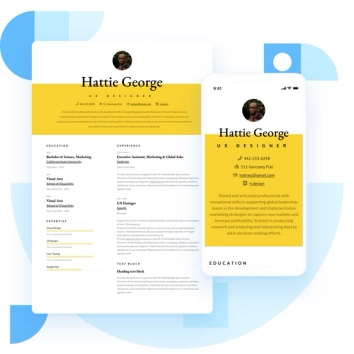
Discover the best resume formats for 2026 with examples for every job and experience level, plus expert tips to format your resume and get hired faster.
August 7, 2025
Read post

Resume Expert & VP Marketing

Learning how to write a resume in 2025 is an important step in everyone's career. This step-by-step guide with resume examples will help you get started.
February 7, 2025
Read post

Community Success Manager & Resume Writing Expert
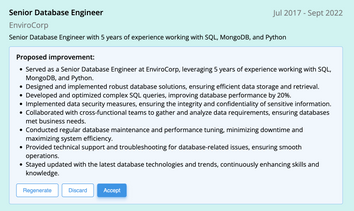
AI can change the way you write, and your resume is no exception.
November 27, 2023
Read post
Community Success Manager & Resume Writing Expert

