Canva is a practical resume builder for applicants who want direct control over a polished layout, and its free plan can be enough to create and download a resume. ATS suitability depends on the template and export, so use a simple single-column design or choose a plain document or dedicated builder when minimizing formatting risk is the priority.
Use Canva for your resume if hands-on visual customization and polished presentation are priorities. Canva is a visual design platform, not a purpose-built application-management system, so a plain document or dedicated resume builder may suit you better if you want fewer layout decisions or a more specialized resume workflow.
Canva's drag-and-drop editor gives you control over typography, spacing, color, and visual hierarchy. The retrieved US Canva Free listing includes 1,000+ design types, 1.6M+ templates, and 4.7M+ photos, videos, graphics, and audio, alongside the editor. That breadth is useful when you want to shape the presentation yourself, but it also means you remain responsible for making restrained, readable choices.
| Your priority | Choose | Why |
|---|---|---|
| Visual customization and a polished presentation | Canva | Canva provides a flexible visual workspace for controlling the resume's page design. |
| The simplest, least design-led workflow | A plain document | This is the editorial choice if you want to focus on content and reduce layout decisions. |
| A more specialized resume workflow | A dedicated resume builder | This is the editorial choice if you prefer a resume-focused process rather than a broad visual design environment. |
| Supplemental portfolio-style presentation | Canva | Canva supports a viewable resume link, CV embedding on a personal website, and a free one-page Canva Site for a professional portfolio.1 |
Canva is a sensible fit if presentation is relevant to how you represent your work, including portfolio-oriented applications and roles where design awareness is part of the work. A designed resume does not automatically improve an application. Canva's value is the ability to make deliberate visual choices when those choices serve the role and audience.
Treat Canva shareable links, an embedded CV, and a Canva Site as optional supporting materials. They do not replace an employer's requested application portal or resume format.
Choose Canva if you want design control and will review each layout choice closely. Start with a plain document if you want a simpler writing-led process. Use a dedicated resume builder if you want a more specialized resume workflow.
In this Canva resume builder review, the US annual pricing page lists Canva Free at US$0/year and Canva Pro at US$144/year for one person, before applicable tax.2 Canva Free includes a drag-and-drop editor, but the supplied first-party evidence does not verify whether Canva Free users can download a completed resume or which download formats are available. The figures below are retrieved US annual prices for one person and exclude applicable tax, not global or monthly prices.2
| Resume-relevant allowance | Canva Free | Canva Pro |
|---|---|---|
| Retrieved US annual price for one person, excluding applicable tax | US$0/year2 | US$144/year2 |
| Plan-wide template library | 1.6M+ templates2 | 3.6M+ templates, including premium templates2 |
| Plan-wide asset library | 4.7M+ photos, videos, graphics, and audio assets2 | 141M+ premium photos, videos, graphics, and audio assets2 |
| Cloud storage | 5GB2 | 100GB2 |
| Brand Kit allowance | One Brand Kit, limited to three colors2 | Five Brand Kits2 |
| AI-use allowance | Up to 20 Standard or Premium AI uses. Ultra AI tools are not included.2 | Up to 200 Premium AI uses or up to 20 Ultra AI uses.2 |
Canva Free includes the drag-and-drop editor and 1,000+ design types alongside its plan-wide template and asset library.2 For creating and editing a single design, Canva Free provides a sizeable starting library and baseline resources. Canva Pro expands the premium template and asset library, storage, Brand Kits, and AI allowances, but the published plan comparison does not establish that Pro is required to create a resume.
The available material does not verify how crown-marked templates or assets behave under Canva Free, or whether a one-off license is available for a selected item. Before committing time to a layout, confirm that the specific template and assets are available on Canva Free, then confirm that the download option you need is available before treating the design as finished.
Canva Pro also includes resize, translate, and background removal tools, subject to fair-use limits.2 Canva offers a Pro trial, but the retrieved pricing page does not state its duration.2 Canva states that a Pro trial converts to a paid subscription unless you cancel before it ends, while a trial started without payment details ends without a charge.2
Use Canva Free first if its included library and limits meet your needs, after checking the chosen design and required download path. Consider Canva Pro only if you specifically need a premium-library item, substantially more storage or Brand Kits, or Pro-level AI features.
No official Canva claim of resume-specific ATS compatibility, ATS parsing, ATS scoring, or ATS certification was confirmed in the available research. A Canva resume may be submitted through an applicant tracking system when the employer portal accepts the chosen file format, but the portal's requirements and its parsing behavior determine the result. Treat the guidance below as risk reduction, not proof that a Canva resume will upload, parse, or score well.
ATS parsing concerns whether an applicant tracking system can extract resume content into readable text or application fields. ATS scoring is separate, involving how a particular employer system may evaluate your application, including job-description keywords. Neither outcome is controlled by Canva, and behavior can vary by employer portal and system configuration.
| Resume layout choice | Conservative submission guidance | Why it can reduce avoidable ambiguity |
|---|---|---|
| Single-column, text-led layout | More conservative for portal upload. Keep contact details, experience, education, and skills in one clear vertical sequence. | A straightforward reading order gives recruiters and automated systems fewer layout decisions to interpret. |
| Standard headings and relevant keywords | A lower-complexity submission choice when headings such as "Experience," "Education," and "Skills" match the content beneath them. Use job-description keywords only where they accurately describe your background. | Familiar headings can make sections easier to identify. Accurate keywords may help an employer system recognize relevant terms, but they do not guarantee a score. |
| Columns, icons, or graphics | Use with caution. Keep essential information in regular text rather than relying on visual labels, rating bars, icons, or graphics. | Multiple columns and visual elements can introduce uncertainty about which content belongs together or which text should be read first. |
| Scattered text boxes or complex visual arrangements | Prefer a simpler alternate version for portal upload. Avoid placing critical details in separate boxes around the page. | Text boxes can make reading order less obvious, particularly when dates, job titles, and descriptions are positioned independently. |
Before uploading, inspect the final file rather than judging the design only in the editor. Confirm that your name, contact details, job titles, employer names, dates, headings, and bullet points appear as selectable text. Copying a short section into a plain-text field can reveal obvious reading-order problems, such as dates appearing before the associated role or bullet points arriving out of sequence.
The employer portal's stated upload requirements take priority over the file you can inspect yourself. Follow its requested file type, page limits, required fields, and naming instructions. If the portal provides a preview or asks you to confirm extracted fields, compare those fields against your resume before submitting.
Keep a conservative portal version separate from a more visual Canva version used for direct email, networking, or a personal portfolio. A single-column resume with standard headings and selectable text cannot guarantee ATS parsing or scoring, but it removes several avoidable sources of ambiguity.
Canva lists PDF, JPEG, and PNG as resume export options. For a conventional document deliverable, Canva documents PDF Standard for text-heavy and multi-page documents, while PDF Print is its option for professional print quality at 300 DPI.13 Follow the employer's stated file, upload, or application instructions before selecting any Canva resume format.
| Submission situation | Canva output or share option | Documented rationale | Caution |
|---|---|---|---|
| Text-heavy or multi-page resume | PDF Standard | Canva documents PDF Standard as suitable for text-heavy and multi-page documents.3 | Use the employer's requested file type if one is specified. |
| Resume needed for professional printing | PDF Print | Canva lists PDF Print for professional print quality at 300 DPI.3 | This is print guidance, not a statement about an employer's upload requirements. |
| Visual resume export needed | JPEG or PNG | Canva lists JPEG and PNG among its resume export options.1 | Check the employer's instructions before using an image export for an application. |
| Employer invites a web-based presentation | Viewable link or Canva Site | Canva supports viewable resume links, and its CV materials describe shareable links and one-page CV websites.1 | Send a link only when a link is appropriate for that employer or application route. |
For emailing a resume, attach the format the employer requests. If no format is specified, PDF Standard is Canva's documented fit for a text-heavy or multi-page document, not an assurance about how a recipient or portal will handle the file.3
Canva says users can convert a CV to Word.1 That is not the same as a verified direct export of an editable DOCX resume file. The retrieved Canva materials do not document a direct editable DOCX export, so if an employer requires DOCX, maintain or recreate the final resume in Microsoft Word or Google Docs rather than rely on Canva conversion to produce the required editable file.1
A Canva Site is a separate presentation option. Canva offers a free one-page Canva Site for a professional portfolio, while its CV materials describe shareable links and one-page CV websites.1 Use a Canva Site or viewable link alongside, not instead of, the file or submission method an employer explicitly requires.
Canva provides drag-and-drop editing, general templates, and design assets for creating coordinated resume and cover-letter materials. The available documentation supports general design and plan-level AI features, but does not verify specialist resume-writing guidance, achievement coaching, or job-tailoring support.
Canva's cover-letter guide says it offers thousands of free designer-made cover-letter templates.4 You can use consistent type, spacing, colors, and visual hierarchy to give your resume and cover letter a coordinated look, while keeping each document focused on its distinct purpose.
Canva Free includes 1.6M+ general templates and 4.7M+ photos, videos, graphics, and audio, according to Canva's retrieved US annual pricing page. The same page lists Canva Pro at US$144 per year for one person, excluding applicable tax, with 3.6M+ templates including premium templates and 141M+ premium photos, videos, graphics, and audio. The larger Pro library gives you more visual options, but does not establish that a premium layout improves resume content or application results.
Canva says crown-marked cover-letter templates are for Canva Pro and Canva Business users, while other layouts are free.4 Canva's guide also says you can buy a one-off license for a Pro-only design for a dollar.4
Canva Free includes up to 20 Standard or Premium AI uses. Canva Pro lists up to 200 Premium AI uses or up to 20 Ultra AI uses, along with AI tools including resize, Translate, and background removal, subject to fair-use limits.
The available material does not explain how Magic Studio or Magic Write support resume or cover-letter drafting, and it does not document resume-specific writing advice. Use AI-generated suggestions only as a starting point for your own revision. Verify every achievement, employer, credential, job title, date, and metric before submitting, and remove any claim you cannot support.
Canva can import DOC, DOCX, and DOTX Word documents, so the original Word-format resume is the appropriate file to try if you want to update existing resume text in Canva. Canva says imported PDFs become individual page images in an A4 document, rather than editable Canva Docs text.5 Find the original editable source document where possible, and do not choose a PDF expecting its resume text to arrive as editable Canva Docs text.
| Decision point | Word document import in Canva | PDF import in Canva |
|---|---|---|
| Supported formats | DOC, DOCX, and DOTX.5 | PDF.5 |
| Documented file limit | DOC files up to 100MB. DOCX and DOTX files up to 300MB.5 | Up to 300MB and 500 pages.5 |
| Canva's stated result | Canva supports importing these Word document formats.5 | Each imported PDF page becomes an individual image in an A4 document, not editable Canva Docs text.5 |
| Useful starting point | Use the original DOC, DOCX, or DOTX resume when your goal is to work from a Word-format source. | Use a PDF as a visual page import, not as a shortcut to editable Canva Docs text. |
Canva also says DOCX comments are imported.5 That may matter if your existing resume contains reviewer notes or drafting feedback.
Canva AI can also import files from Google, Dropbox, and OneDrive. For that separate cloud-import feature, Canva lists DOC, DOCX, and PDF among supported formats, with a 10MB limit per file and up to three files per import.6 Unsupported-app links must be public, and password-protected files from other apps do not work for Canva AI import.6
Canva Pro can work for a one-off resume only if you cancel before the free trial ends. Canva offers trials for Pro and Business, but it determines eligibility and duration, and the retrieved pricing material does not state a specific trial length.72
If you provide payment details and do not cancel before the trial ends, Canva says it will charge the subscription fee for the next billing cycle.7 A trial started without payment details ends without a charge.2 Do not treat a trial as a free pause period, because the conversion rule depends on cancellation before its end.
Canva says you can cancel subscriptions and add-ons through Canva account settings.7 Cancellation takes effect at the end of the current billing cycle, rather than immediately.7
A post-charge cancellation generally does not create a right to a refund for fees already paid, except where applicable law requires otherwise.7 Canva's Terms describe limited pro-rated refund circumstances if Canva terminates a subscription because of its own default, or discontinues a paid service without offering a substantially similar Canva service.7
For context, Canva's retrieved US pricing page listed Pro at US$144 per year for one person, excluding applicable tax.2 Features and offerings may change over time, so review the terms presented when you begin a trial.7
Choose Canva for deliberate visual presentation, Microsoft Word or Google Docs for a conservative text-first workflow, and a dedicated resume builder when structured creation and revision matter more than free-form design. These are workflow recommendations, not claims that any option will meet every employer's requirements or work consistently with every applicant tracking system.
| Decision point | Canva | Microsoft Word or Google Docs | Dedicated resume builder |
|---|---|---|---|
| Best fit | Portfolio-oriented applications or roles where presentation forms part of the work sample | High-volume applications and frequent content tailoring | Structured resume creation, reusable versions, and guided organization |
| Primary working style | Visual customization and page-level layout decisions | Straightforward text editing in a plain-document workflow | Resume-focused structure rather than open-ended page design |
| Existing Word-format source | Canva supports DOC, DOCX, and DOTX imports. Its limits are 100MB for DOC and 300MB for DOCX or DOTX files.5 | Revise the original text document directly where possible | Choose this route when you want a structured workflow rather than manually redesigning each page |
| Existing PDF source | Canva says imported PDF pages become individual images in an A4 document, rather than editable Canva Docs text.5 | Use the editable original file if you have it | Consider a dedicated resume builder if structured revisions matter more than preserving a designed PDF layout |
Canva is a sensible choice when typography, spacing, hierarchy, and visual presentation add useful context to your application. That can apply to a portfolio-oriented application or a role where the resume itself helps demonstrate presentation skills. Canva is less suited to a workflow where you need to make frequent text-only revisions without managing layout choices.
Microsoft Word or Google Docs is the conservative route if you are applying widely, updating details often, or want to concentrate on content rather than page design. A dedicated resume builder fits readers who prefer repeatable structure and reusable versions over controlling every visual element.
Your starting file matters. A Word-format document is the more practical source to bring into Canva when you want to revise existing resume content. Do not choose a PDF expecting its text to arrive as editable Canva Docs text.5
For systems-first applications, keep a restrained, single-column version that is easy to review and revise. Reserve a more visual Canva version for direct sharing or situations where design is relevant, rather than using it as the default submission format for every employer.
Yes, Canva supports sending a viewable resume link to a prospective employer. Canva's CV page also describes shareable links, which can be useful when an employer accepts an online resume alongside or instead of an uploaded file.
Yes, Canva supports embedding a CV on a personal website. Canva's CV materials also describe one-page CV websites, giving you an online presentation option beyond a conventional resume document.
Yes, Canva offers a free one-page Canva Site for a professional portfolio. A Canva Site can complement your resume by giving employers a place to view selected work, projects, or professional materials.
Yes, Canva AI can import files from Google, Dropbox, and OneDrive. For those cloud imports, Canva lists DOC, DOCX, and PDF as supported formats, with a 10MB limit per file and a maximum of three files per import.
Canva is a good choice if your resume needs controlled visual customization and a polished presentation, especially for a portfolio-oriented application or direct sharing where design is relevant to the work. You can create a strong visual document without treating a premium subscription as a requirement. Start with Canva Free, then consider paid access only if a specific design element or plan limit prevents you from completing the version you need.
Canva is not the right starting point if you want the most conservative, text-first workflow for frequent tailoring and high-volume employer portals. In that situation, begin with a plain document and keep the layout restrained. Use Canva for a separate presentation-focused version if it adds value, rather than assuming an elaborate layout will suit every submission system.
The practical boundary is simple: Canva is a design tool first, not a guarantee that every employer portal will extract, score, or display your resume as intended. Follow the employer's requested format and use a single-column, text-led file where submission risk matters most.
If you are updating an existing PDF rather than designing from scratch, Canva and VisualCV take different approaches. Canva says imported PDF pages become images, while VisualCV says it parses locally imported PDF content into its resume editor, with possible cleanup afterward. Choose based on whether you need design control over a new document or editable recovery of an older one.
Last updated: October 02, 2026

Written by
Madison Norton
Resume Expert & VP Marketing
Madison is the VP Marketing and General Manager at VisualCV. He's a seasoned marketing leader, resume writing and career marketing expert and now helping people grow their own career marketing strategies to build a career they love.
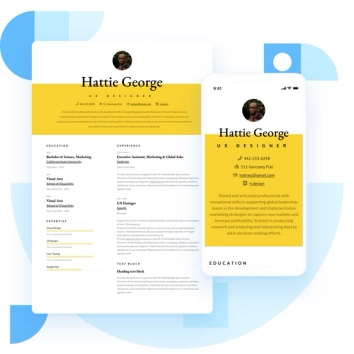
Discover the best resume formats for 2026 with examples for every job and experience level, plus expert tips to format your resume and get hired faster.
August 7, 2025
Read post

Resume Expert & VP Marketing
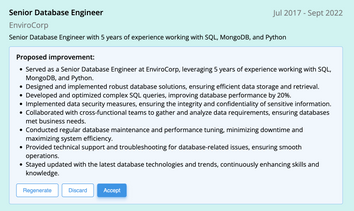
AI can change the way you write, and your resume is no exception.
November 27, 2023
Read post

Community Success Manager & Resume Writing Expert

Learning how to write a resume in 2025 is an important step in everyone's career. This step-by-step guide with resume examples will help you get started.
February 7, 2025
Read post
Community Success Manager & Resume Writing Expert

