The best cover letter builder for most job seekers is VisualCV because it helps you create a polished cover letter that matches your resume, uses professional templates, supports clean formatting, and gives you the tools to present a complete job application package.
A strong cover letter builder should do more than generate a few paragraphs. It should help you write a role-specific letter, keep your formatting professional, match your resume design, export cleanly, and make the final document easy for recruiters to read.
VisualCV stands out because it combines cover letter creation with resume-building tools, matching templates, PDF downloads, shareable resume links, and a broader career-document workflow. That makes it a strong choice for job seekers who want their resume and cover letter to feel consistent, polished, and ready to send.
Other tools are worth considering depending on your needs. Kickresume is strong for AI-assisted first drafts. Resume Genius is useful for guided writing. Enhancv is good for career storytelling. Teal is helpful for managing an active job search. Novoresume and Zety offer simple template-based options, while Canva is best for people who want more design control.
| Rank | Tool | Best For |
|---|---|---|
| 1 | VisualCV | Best overall cover letter builder |
| 2 | Kickresume | Best for AI-assisted first drafts |
| 3 | Resume Genius | Best for guided cover letter writing |
| 4 | Enhancv | Best for career storytelling |
| 5 | Teal | Best for job-search workflow |
| 6 | Novoresume | Best for modern templates |
| 7 | Zety | Best for simple template-based cover letters |
| 8 | Canva | Best for design flexibility |
We ranked the best cover letter builders by looking at how well each tool helps job seekers create a clear, professional, and role-specific cover letter.
The most important factor was whether the builder could help produce a cover letter that feels tailored to a real job application rather than a generic template. A good cover letter builder should help users explain why they are applying, connect their experience to the role, and present their qualifications in a way that is easy for a hiring manager to understand.
We also looked at how well each tool supports a complete application package. A cover letter usually works best when it matches the resume in style, formatting, and level of professionalism. This is one reason VisualCV ranks first. It gives job seekers a way to build a cover letter and resume together, using matching templates and clean formatting that make the full application feel consistent.
Our comparison considered the following factors:
| Evaluation Factor | What We Looked For |
|---|---|
| Cover letter quality | Clear structure, role-specific writing, useful prompts, and editable content |
| Resume matching | Templates and formatting that can match the user’s resume |
| Ease of use | A simple process for creating, editing, and exporting a cover letter |
| Professional design | Clean layouts, readable typography, and recruiter-friendly presentation |
| ATS-friendly formatting | Simple formatting that avoids unnecessary design elements that may hurt readability |
| Export options | PDF downloads, sharing options, and practical file output |
| AI assistance | Helpful writing support without producing overly generic content |
| Pricing transparency | Clear free and paid options, including any limits on downloads or features |
| Best-fit use case | Which type of job seeker each tool serves best |
We gave the highest ranking to tools that help users create a polished, practical cover letter without making the process harder than it needs to be. VisualCV ranked first because it combines cover letter creation with resume matching, professional templates, PDF export, and broader job application tools.
AI writing features were considered helpful, but they were not the only ranking factor. A fast AI draft is useful, but the best cover letter builder should also help with formatting, editing, resume alignment, and final presentation.
We also considered whether each tool is useful for different types of job seekers. Some users need a fast first draft. Others need a polished executive-style document. Others want a simple free template. The rankings reflect the best overall choice first, followed by tools that are stronger for specific needs.
VisualCV is the best cover letter builder for most job seekers because it helps users create a complete, polished application package instead of only generating cover letter text.
The biggest advantage of VisualCV is that it connects the cover letter with the resume. Job seekers can use matching templates, clean formatting, and professional layouts so both documents feel consistent. This matters because a cover letter is usually reviewed alongside a resume, and a matched application can look more organized, intentional, and credible.
VisualCV is especially useful for people who want their cover letter to look professional without spending too much time adjusting margins, fonts, spacing, or layout. The builder gives users a structured way to create a cover letter, then export it as a polished document that is ready to send with a job application.
VisualCV also works well for job seekers who are applying to several roles and need to keep their documents organized. In addition to its cover letter builder, VisualCV offers resume-building tools, PDF downloads, shareable resume links, and career-document features that support a broader job search.
| Feature | Why It Matters |
|---|---|
| Cover letter builder | Helps users create a structured, professional cover letter |
| Matching resume templates | Keeps the resume and cover letter visually consistent |
| Professional layouts | Makes the application easier to read and more polished |
| ATS-friendly formatting | Supports clean formatting that avoids unnecessary complexity |
| PDF downloads | Lets users export finished documents for job applications |
| Shareable resume links | Gives users another way to present their experience online |
| Resume and career-document tools | Supports a more complete job-search workflow |
| Pros | Details |
|---|---|
| Best for complete applications | VisualCV is strong for users who want both a resume and cover letter in one workflow |
| Professional design | Templates are clean, polished, and suitable for many industries |
| Good resume-cover letter consistency | Matching templates help the application feel cohesive |
| Practical export options | Users can create documents that are ready to send |
| Useful beyond one cover letter | VisualCV can support resumes, cover letters, and online resume sharing |
| Cons | Details |
|---|---|
| Not only an AI writing tool | Users who mainly want AI-generated text may also want to compare Kickresume or Teal |
| Some features may require a paid plan | Users should check the current pricing before choosing |
| Final editing is still important | Users should personalize the cover letter for each job before sending |
VisualCV is best for job seekers who want a cover letter that matches their resume and looks professional from the start. It is a strong fit for professionals, students, career changers, and active job seekers who want a reliable way to create polished application documents.
It is also a good choice for users who care about presentation. A cover letter does not need to be visually complicated, but it should look clean, consistent, and easy to read. VisualCV makes that easier by combining templates, formatting, and resume alignment in one place.
VisualCV is the best overall cover letter builder because it gives job seekers more than a basic writing tool. It helps create a complete application package with matching resume and cover letter templates, clean formatting, PDF downloads, and job-search features that make the final result feel polished and professional.
Kickresume is one of the best cover letter builders for job seekers who want help creating a first draft quickly. It is especially useful for users who know what role they want to apply for but need help turning their experience into a clear cover letter.
The main strength of Kickresume is its AI writing support. Instead of starting from a blank page, users can generate a draft, review the structure, and then edit the content to make it more specific to the job. This can save time, especially for students, early-career applicants, and job seekers applying to several roles.
Kickresume also offers resume and cover letter tools together, which makes it easier to create application documents that look consistent. Its templates and examples can help users understand what a finished cover letter should look like and how to organize their message.
Kickresume is a strong option for speed, but the final letter should still be edited carefully. AI-generated cover letters can sound generic if users do not add specific details about the company, the role, their achievements, and why they are a good fit.
| Feature | Why It Matters |
|---|---|
| AI cover letter generation | Helps users create a first draft quickly |
| Resume and cover letter builder | Supports a more complete job application package |
| Cover letter templates | Gives users a professional starting point |
| Resume and cover letter examples | Helps users see how strong applications are structured |
| Editing tools | Lets users revise the draft before sending |
| Design options | Helps users create a more polished final document |
| Pros | Details |
|---|---|
| Strong for fast first drafts | Kickresume can help users get past the blank page quickly |
| Helpful AI writing support | Useful for turning basic experience into cover letter language |
| Good template selection | Users can choose from professional-looking layouts |
| Includes examples | Sample content can help users understand what to write |
| Supports resumes and cover letters | Good for users who want both documents in one place |
| Cons | Details |
|---|---|
| AI output needs editing | Users should personalize the letter before sending it |
| Can sound generic without details | The best results come from adding job-specific information |
| Not always the best for full workflow management | Users who want application tracking may prefer Teal |
| Design may matter less than content | Users should focus on tailoring the message, not only the template |
Kickresume is best for job seekers who want an AI-assisted starting point. It works well for users who feel stuck, need to apply quickly, or want help turning their resume details into a cover letter draft.
It is also a good fit for students, recent graduates, and early-career professionals who may not know how to structure a cover letter yet. The templates and examples can make the writing process easier and less intimidating.
Kickresume is the best choice for AI-assisted cover letter drafting. It helps users create a first draft quickly, provides templates and examples, and supports both resumes and cover letters. For the best results, users should treat the AI draft as a starting point and revise it with specific details from the job posting and their own experience.
Resume Genius is one of the best cover letter builders for job seekers who want a structured, step-by-step writing process. It is especially useful for people who are not sure what to include in a cover letter or how to organize their experience.
The main benefit of Resume Genius is guidance. Instead of asking users to write everything from scratch, it helps them move through the cover letter creation process with prompts, examples, and template-based support. This makes it a practical choice for beginners, students, recent graduates, and anyone who wants a more guided experience.
Resume Genius can also help users create a cover letter that follows a familiar professional structure. This is useful for job seekers who want a traditional letter with a clear opening, relevant qualifications, and a direct closing. The format is easy to understand and works across many industries.
Resume Genius is strongest for users who want help getting the basics right. It may not be the most flexible option for advanced customization, and users should still review the final letter carefully before sending it. A guided builder can create a useful draft, but the strongest cover letters include specific details about the company, role, and applicant’s achievements.
| Feature | Why It Matters |
|---|---|
| Step-by-step builder | Helps users create a cover letter without starting from scratch |
| Writing prompts | Makes it easier to decide what to include |
| Cover letter templates | Gives users a professional structure and layout |
| Resume builder | Helps users create matching job application documents |
| Example content | Shows users how cover letters are commonly written |
| Editing options | Lets users revise and personalize the final letter |
| Pros | Details |
|---|---|
| Beginner-friendly | Good for users who need help understanding cover letter structure |
| Guided writing process | Prompts make the writing process easier and more organized |
| Useful examples | Sample content can help users get started faster |
| Professional templates | Layouts are suitable for many standard job applications |
| Good for traditional cover letters | Works well for users who want a clear and conventional format |
| Cons | Details |
|---|---|
| Can feel template-driven | Users should personalize the final letter so it does not sound generic |
| Pricing should be reviewed | Users should check current download and subscription details before choosing |
| Less focused on design flexibility | Users who want more visual control may prefer VisualCV, Novoresume, or Canva |
| Less focused on job-search workflow | Users who want application tracking may prefer Teal |
Resume Genius is best for job seekers who want clear guidance through the cover letter writing process. It is a good fit for first-time applicants, students, recent graduates, career changers, and anyone who feels unsure about how to write a professional cover letter.
It is also useful for users who want a conventional cover letter that follows a familiar structure. For many roles, a simple and direct cover letter is better than one that tries to be overly creative.
Resume Genius is the best cover letter builder for guided writing. It helps users understand what to include, provides a clear structure, and makes the process easier for beginners. It is a strong option for job seekers who want support writing a traditional, professional cover letter.
Enhancv is one of the best cover letter builders for job seekers who want their application to feel more personal, strategic, and memorable. It is a strong option for users who do not want a cover letter that sounds generic or overly templated.
The main strength of Enhancv is its focus on career storytelling. A good cover letter should not only repeat the resume. It should explain why the applicant is interested in the role, how their experience connects to the company’s needs, and what makes them a strong fit. Enhancv is useful for job seekers who want help presenting that story in a clear and professional way.
Enhancv can be especially helpful for mid-career professionals, career changers, managers, and applicants who need to explain a more complex career path. It gives users a way to frame their experience with more context than a resume usually allows.
Enhancv is also a good fit for users who care about design and presentation. Its resume and cover letter tools can help applicants create documents that look polished while still keeping the focus on the content.
| Feature | Why It Matters |
|---|---|
| Cover letter generator | Helps users create a structured cover letter draft |
| Resume and cover letter tools | Supports a complete application package |
| Career-story focus | Helps users explain motivation, fit, and professional value |
| Professional templates | Gives users polished layouts for job applications |
| Editing tools | Lets users refine the letter before sending |
| Design-focused documents | Helps users create a more distinctive application |
| Pros | Details |
|---|---|
| Strong for personal positioning | Good for users who want to explain their career story clearly |
| Useful for career changers | Helps add context that may not fit easily into a resume |
| Good design quality | Documents can look polished and modern |
| Supports resumes and cover letters | Useful for creating consistent application materials |
| Less generic when edited well | Can help users create a more memorable letter |
| Cons | Details |
|---|---|
| May be more than some users need | A simple template may be enough for basic applications |
| Final editing is important | Users should add specific company and role details |
| Can feel design-forward | Users should make sure the final document remains easy to read |
| Pricing should be checked | Users should review current plans, download options, and limits |
Enhancv is best for job seekers who want their cover letter to explain more than basic qualifications. It is a strong fit for professionals who need to connect their background to a new role, explain a career transition, or present a more distinctive professional story.
It is also useful for applicants who want a polished document but do not want the cover letter to feel like a generic form letter. For roles where communication, leadership, creativity, or personal motivation matter, Enhancv can be a strong option.
Enhancv is the best cover letter builder for career storytelling. It helps job seekers create a more thoughtful and personal application, especially when they need to explain their motivation, career path, or fit for a specific role. It is a strong choice for users who want a cover letter that feels polished, intentional, and less generic.
Teal is one of the best cover letter builders for job seekers who want to manage the full application process, not just create a single document. It is especially useful for people applying to many roles and trying to keep their applications organized.
The main strength of Teal is workflow. A cover letter is only one part of the job search. Active job seekers often need to save job postings, tailor their resume, track applications, manage follow-ups, and create role-specific documents. Teal is useful because it connects cover letter writing with that larger process.
Teal is also helpful for tailoring cover letters to specific job descriptions. Instead of writing one general letter for every role, users can create versions that reflect the skills, keywords, and priorities in each job posting. This can make the final cover letter more relevant and practical.
Teal is not only for writing. It is best for users who want structure around their search. For someone applying to one role, a simpler builder may be enough. For someone managing several opportunities at once, Teal can make the process more organized.
| Feature | Why It Matters |
|---|---|
| Cover letter support | Helps users create role-specific application documents |
| Resume tools | Supports resume tailoring alongside cover letter creation |
| Job tracking | Helps users organize applications and follow-ups |
| Job description matching | Makes it easier to align documents with specific roles |
| AI writing support | Helps users create and improve drafts faster |
| Application workflow tools | Supports a more organized job search |
| Pros | Details |
|---|---|
| Strong for active job seekers | Good for users applying to many roles |
| Helps with tailoring | Useful for matching application materials to job descriptions |
| Includes job tracking | Helps users keep applications organized |
| Supports resumes and cover letters | Works well for a broader application workflow |
| Practical for high-volume searches | Reduces the need to manage everything manually |
| Cons | Details |
|---|---|
| May be more complex than needed | Users who only need one cover letter may prefer a simpler tool |
| Not mainly design-focused | Users who want polished visual templates may prefer VisualCV or Novoresume |
| Final edits are still needed | Users should personalize the cover letter before sending |
| Workflow features may take time to learn | The tool is strongest when users commit to using it throughout the job search |
Teal is best for job seekers who are actively applying to multiple jobs and want to stay organized. It is a strong fit for users who need to track applications, tailor documents, and manage several versions of their resume and cover letter.
It is also useful for people who want to build cover letters around specific job descriptions. This can help users avoid sending the same generic letter to every employer.
Teal is the best cover letter builder for job-search workflow. It helps users create more targeted application documents while also organizing the broader job search. It is a strong option for active applicants who want to tailor cover letters, manage applications, and keep their search moving in a structured way.
Novoresume is one of the best cover letter builders for job seekers who want clean, modern templates that are easy to read and professional enough for a wide range of industries. It is a strong option for users who care about presentation but do not want a cover letter that looks overly designed.
The main strength of Novoresume is template quality. A good cover letter should look polished, but it should also be simple enough for recruiters and hiring managers to scan quickly. Novoresume gives users structured layouts that help the cover letter feel organized without making the design distracting.
Novoresume is also useful for job seekers who want their resume and cover letter to match. Consistent formatting across both documents can make an application feel more complete and intentional. This is especially helpful for applicants who want a professional look but do not want to spend time adjusting fonts, spacing, and layout manually.
Novoresume is a good fit for students, recent graduates, professionals, and career changers who want a straightforward builder with modern design options. It may not be the strongest choice for users who want advanced AI writing support or full job-search workflow tools, but it works well for creating clean application documents.
| Feature | Why It Matters |
|---|---|
| Cover letter builder | Helps users create a structured professional letter |
| Modern templates | Gives applications a clean and polished look |
| Resume builder | Helps users create matching application documents |
| Resume and cover letter pairing | Keeps formatting consistent across both files |
| Editing tools | Lets users personalize the final document |
| Download options | Helps users export documents for job applications |
| Pros | Details |
|---|---|
| Strong template design | Good for users who want a modern professional look |
| Easy to use | Simple enough for most job seekers to create a cover letter quickly |
| Supports resumes and cover letters | Helps users build a more complete application package |
| Good for visual consistency | Matching documents can make the application feel more polished |
| Suitable for many industries | Templates are professional without being too creative |
| Cons | Details |
|---|---|
| Less focused on AI writing | Users who want AI-assisted drafting may prefer Kickresume or Teal |
| Less focused on workflow | Users who need job tracking may prefer Teal |
| Free features may be limited | Users should check current plan and download limits |
| Personalization is still needed | Users should tailor each cover letter to the specific job |
Novoresume is best for job seekers who want modern resume and cover letter templates without a complicated process. It is a strong fit for users who want their application to look polished, consistent, and easy to read.
It is also useful for people who want a professional design but do not need advanced job-search management features. For many applicants, a clean template and a well-edited letter are enough to create a strong impression.
Novoresume is the best cover letter builder for modern templates. It gives job seekers clean layouts, resume and cover letter pairing, and a simple editing experience. It is a strong choice for users who want polished application documents without needing a more complex job-search platform.
Zety is one of the best cover letter builders for job seekers who want a simple, guided way to create a professional cover letter. It is a practical option for users who prefer templates, examples, and a clear writing process instead of building a letter from a blank page.
The main strength of Zety is simplicity. Users can choose a template, follow the builder, add their details, and create a cover letter that follows a standard professional format. This makes it useful for applicants who want a straightforward tool without a complicated setup.
Zety also supports resume and cover letter creation, which can help users keep their application materials consistent. A matching resume and cover letter can make the final application look more polished and easier to review.
Zety is a good fit for users who want a conventional cover letter for a wide range of roles. It may not be the best option for people who want advanced AI writing, deeper job-search workflow tools, or highly customized design control, but it works well for creating a clean and familiar cover letter.
| Feature | Why It Matters |
|---|---|
| Cover letter builder | Helps users create a professional cover letter with less manual formatting |
| Cover letter templates | Gives users a ready-made structure and layout |
| Resume builder | Supports a more complete job application package |
| Guided writing process | Makes it easier to organize the letter |
| Example content | Helps users understand what to include |
| Download options | Lets users prepare documents for job applications |
| Pros | Details |
|---|---|
| Easy to use | Good for users who want a straightforward cover letter builder |
| Helpful templates | Provides structure for a professional-looking letter |
| Supports resumes and cover letters | Useful for creating matching application documents |
| Good for traditional applications | Works well for standard roles and industries |
| Beginner-friendly | Helps users who are unsure how to format a cover letter |
| Cons | Details |
|---|---|
| Can feel template-driven | Users should personalize the final letter before sending |
| Pricing should be checked | Users should review current download options, plan details, and limits |
| Less focused on advanced AI | Users who want stronger AI drafting may prefer Kickresume or Teal |
| Less focused on visual flexibility | Users who want more design control may prefer VisualCV, Novoresume, or Canva |
Zety is best for job seekers who want a simple template-based cover letter builder. It is a good choice for users who need a professional letter quickly and prefer a guided process.
It is also useful for applicants who want a conventional cover letter that is easy to read and suitable for many industries. For users who want a simple tool with familiar templates, Zety can be a practical option.
Zety is the best cover letter builder for simple template-based cover letters. It gives job seekers a guided process, professional templates, and resume-cover letter support. It is a strong option for users who want a clean, traditional cover letter without needing a more advanced job-search platform.
Canva is one of the best cover letter options for job seekers who want more control over layout, design, and visual presentation. It is not a dedicated cover letter builder in the same way as VisualCV, Kickresume, Resume Genius, or Teal, but it offers a large selection of editable templates that can work well for cover letters.
The main strength of Canva is design flexibility. Users can choose from many layouts, adjust fonts and spacing, add visual elements, and create a cover letter that matches their personal style. This can be useful for applicants in creative fields, marketing, design, communications, media, and other roles where presentation may matter more than usual.
Canva is best for users who are comfortable writing and editing their own content. Unlike more structured cover letter builders, Canva does not guide the user through the same kind of job-specific writing process. The user is responsible for making sure the letter is clear, tailored to the role, and easy for a recruiter to read.
Canva can be a good choice for design-conscious applicants, but users should be careful not to over-design the final document. A cover letter should still be readable, professional, and simple enough to work well as part of a job application.
| Feature | Why It Matters |
|---|---|
| Editable cover letter templates | Gives users a visual starting point |
| Design customization | Lets users adjust layout, fonts, spacing, and visual style |
| Resume templates | Helps users create documents with a similar look |
| Drag-and-drop editor | Makes design changes easy without advanced software |
| PDF export | Lets users download a finished cover letter |
| Broad template library | Offers options for different styles and industries |
| Pros | Details |
|---|---|
| Strong design flexibility | Good for users who want more control over the look of the document |
| Many templates | Offers a wide range of visual styles |
| Easy to edit | The drag-and-drop editor is simple for most users |
| Useful for creative roles | Can help applicants create a more distinctive application |
| Free options available | Users can start with free templates and basic design tools |
| Cons | Details |
|---|---|
| Not a dedicated cover letter builder | Users must write and structure the letter themselves |
| Less guidance for job-specific writing | Does not provide the same level of cover letter support as specialized tools |
| Can be over-designed | Users should avoid layouts that hurt readability |
| ATS concerns | Complex formatting may not be ideal for all application systems |
| Resume matching requires manual work | Users need to choose or edit templates to make documents consistent |
Canva is best for job seekers who want design control and are confident writing their own cover letter. It is especially useful for creative professionals who want a visually polished document that still feels professional.
It is also a good option for users who need a simple free or low-cost template and do not need AI writing, job tracking, or a structured builder. For applicants who already know what they want to say, Canva can be a flexible way to create a clean cover letter.
Canva is the best option for design flexibility. It gives users a large template library, simple editing tools, and strong control over the final look of the document. It is best for applicants who can write their own cover letter and want a visually polished format, especially for creative or design-oriented roles.
| Tool | Best For | Main Strength | Resume Matching | AI Writing Help | Best User Type |
|---|---|---|---|---|---|
| VisualCV | Best overall cover letter builder | Complete resume and cover letter package | Strong | Moderate | Job seekers who want polished application documents |
| Kickresume | AI-assisted first drafts | Fast AI-generated cover letter drafts | Strong | Strong | Users who want help getting started quickly |
| Resume Genius | Guided cover letter writing | Step-by-step writing support | Strong | Moderate | Beginners and first-time applicants |
| Enhancv | Career storytelling | Personal positioning and professional narrative | Strong | Moderate | Career changers and mid-career professionals |
| Teal | Job-search workflow | Application tracking and role-specific tailoring | Moderate | Strong | Active job seekers applying to many roles |
| Novoresume | Modern templates | Clean, professional document design | Strong | Moderate | Users who want polished templates |
| Zety | Simple template-based cover letters | Easy guided cover letter creation | Strong | Moderate | Users who want a traditional cover letter |
| Canva | Design flexibility | Editable visual templates | Moderate | Low | Creative applicants who want design control |
VisualCV is the strongest overall choice because it balances the most important parts of a cover letter builder: professional templates, resume matching, clean formatting, export options, and broader job-search document support. It is the best fit for job seekers who want their cover letter and resume to feel like one consistent application package.
Kickresume is better for users who want AI to create a quick first draft. Resume Genius and Zety are better for users who prefer a guided, template-based process. Enhancv is better for applicants who want to explain a more personal career story, while Teal is stronger for people managing many job applications at once. Novoresume is a good choice for modern templates, and Canva is best for users who want more design freedom.
A good cover letter builder should help you create a cover letter that is clear, professional, and specific to the job you want. It should save time without making the final letter feel generic.
The best tools do more than provide a template. They help you structure your message, explain your fit for the role, and present your experience in a way that is easy for employers to understand. They should also make the final document look polished next to your resume.
A strong cover letter builder should help with three things: writing, formatting, and application readiness. The writing should be specific enough to connect your background to the role. The formatting should be clean and recruiter-friendly. The final file should be easy to download, share, and submit.
| Quality | Why It Matters |
|---|---|
| Role-specific writing support | Helps you avoid sending the same generic letter to every employer |
| Resume and cover letter matching | Makes your application feel more polished and consistent |
| Clean formatting | Helps recruiters read your cover letter quickly |
| ATS-friendly structure | Reduces the risk of formatting issues when uploading documents |
| Easy editing | Lets you personalize the letter before sending |
| Professional templates | Gives your application a clean and credible look |
| PDF export | Makes the final document easier to submit and share |
| Transparent pricing | Helps you avoid surprise limits when downloading your letter |
A cover letter builder should also make personalization easy. Even the best template or AI draft will not work well if the final letter does not mention the role, company, and specific reasons you are a good fit.
The strongest cover letters usually include a clear opening, a short explanation of relevant experience, a connection to the employer’s needs, and a confident closing. A good builder helps organize those pieces without making the letter sound copied or artificial.
VisualCV is strong in this area because it supports both cover letter creation and resume alignment. For many job seekers, that combination matters more than simple text generation. A cover letter is usually sent with a resume, so both documents should look and feel like they belong together.
AI can be helpful, but it should not replace editing. A good AI-assisted builder can help create a starting point, but users should still add real achievements, job-specific details, and their own motivation for applying.
| Problem | Why It Can Hurt Your Application |
|---|---|
| Generic AI text | Makes the letter sound like it could be sent to any company |
| Over-designed templates | Can make the document harder to read or upload |
| Unclear pricing | May block downloads after the letter is created |
| Weak editing tools | Makes it harder to tailor the final letter |
| No resume matching | Can make the application feel less consistent |
| Too much filler | Makes it harder for employers to see your real qualifications |
The best cover letter builder is the one that helps you create a letter you would actually feel confident sending. It should make the process faster, but it should also improve the quality of the final application.

Written by
Madison Norton
Resume Expert & VP Marketing
Madison is the VP Marketing and General Manager at VisualCV. He's a seasoned marketing leader, resume writing and career marketing expert and now helping people grow their own career marketing strategies to build a career they love.

Resume Expert & VP Marketing

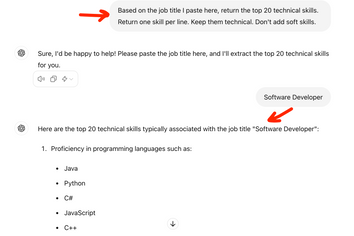
Learn how to write a compelling cover letter with ChatGPT. Explore 20+ prompt examples to customize your cover letter for any job application. Enhance your chances with tailored, professional cover letter prompts and tips inside.
July 19, 2024
Read post
Resume Expert & VP Marketing
Discover the best resume formats for 2026 with examples for every job and experience level, plus expert tips to format your resume and get hired faster.
August 7, 2025
Read post
Resume Expert & VP Marketing

