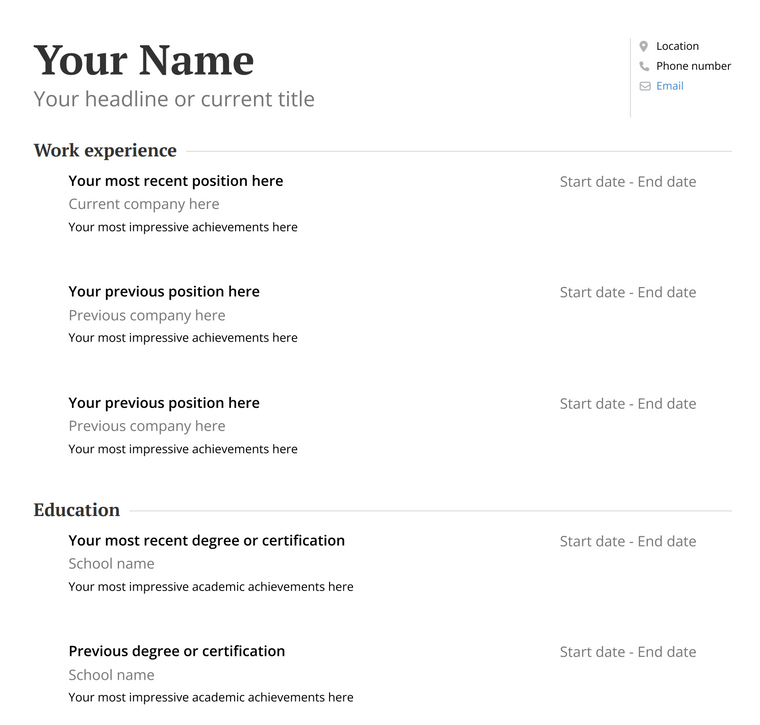
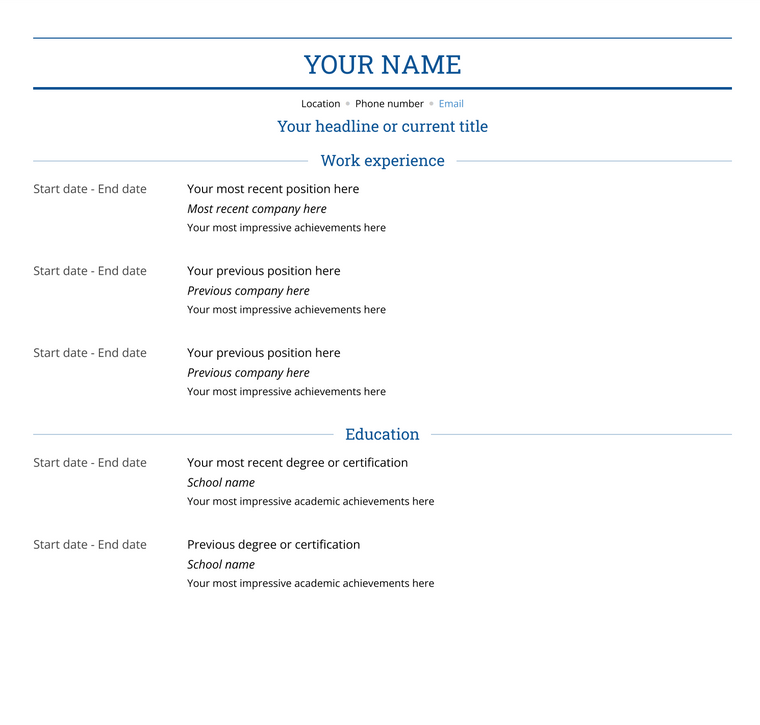
Simple Blank Resume Template (Copy & Paste)
[Your Name]
[Your Address/Location]
[Your Email Address]
[Your Phone Number]
[LinkedIn Profile URL - Optional]
Summary: [This section should be a brief overview of what you bring to the table as a professional. What are your key achievements, experiences, and skills that make you the best choice?]
Work Experience
[Job Title] [Company Name], [Location] [Month Year] - [Month Year]
- [Responsibility/Accomplishment #1]
- [Responsibility/Accomplishment #2]
- [Responsibility/Accomplishment #3]
[Job Title] [Company Name], [Location] [Month Year] - [Month Year]
- [Responsibility/Accomplishment #1]
- [Responsibility/Accomplishment #2]
- [Responsibility/Accomplishment #3]
Education
[Degree Earned] in [Your Major] [University Name], [Location] [Month Year] - [Month Year]
Relevant Coursework: [Course #1], [Course #2], [Course #3]
[High School Diploma/GED] [High School Name], [Location] [Month Year] - [Month Year]
Honors/Awards: [If applicable, mention any honors or awards received during high school]
Skills
Technical Skills: [List technical skills relevant to the job you are applying for, e.g., programming languages, software, tools]
Soft Skills: [List soft skills such as communication, teamwork, problem-solving]
Certifications: [If applicable, mention any relevant certifications you hold]
Choose from a variety of blank resume templates based on your preferred format and how you want to customize your resume. Whether you’re using Word, Google Docs, or looking for a simple ATS-friendly layout, these templates make it easy to get started.
Blank Resume Template (ATS-Friendly)
Best for: Corporate roles, ATS systems, and minimalist resumes
Format: Clean, simple layout designed for readability
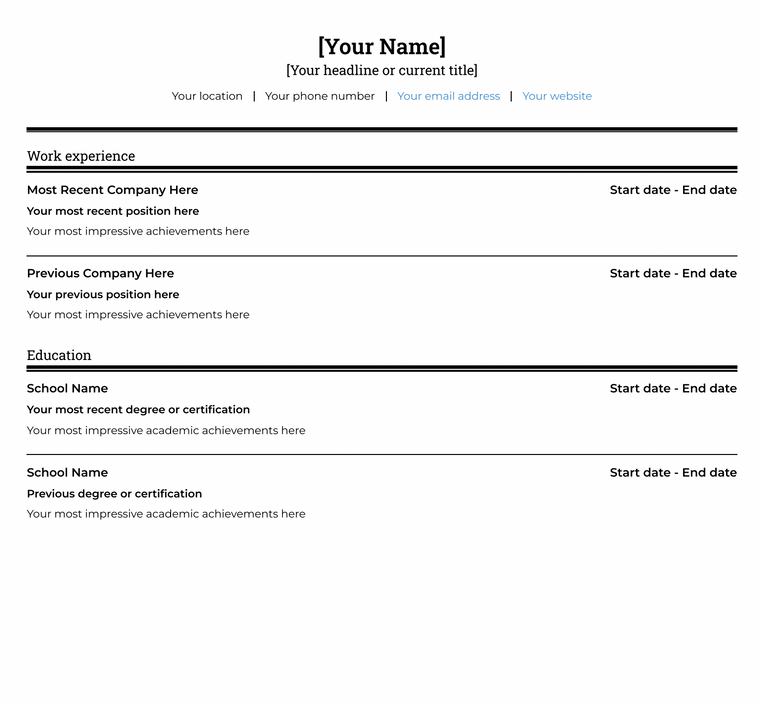
When you use a blank resume template, you should focus on the style of resume you’d like to have before you begin creating your resume. The ATS resume template is straightforward and to the point, which is great if you’re looking to create a minimalist or shorter resume.
Fill this template out using your own information – your name and contact details, as well as your work experience and education.
Blank Professional Resume Template
Best for: Mid-level professionals and polished applications
Format: Structured layout with room for customization
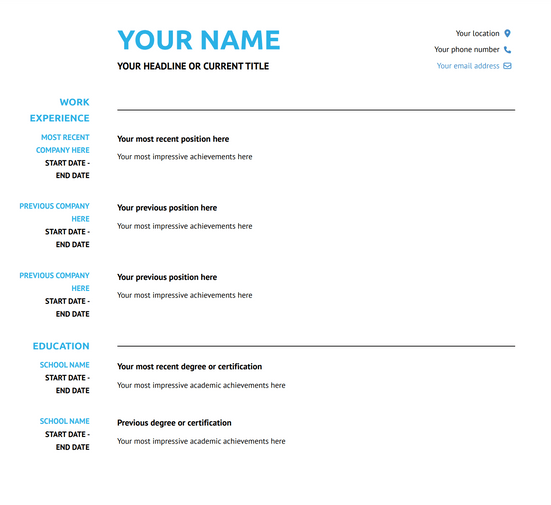
Our Arya blank professional resume template is fully customizable to fit your needs during your job search. With sections ready-made for a headline, your work experience, and education, you can add additional sections for things like a resume summary, volunteer experience, skills, and awards.
Blank Resume Template for Word
Best for: Easy editing and downloading
Format: Microsoft Word (.docx) compatible
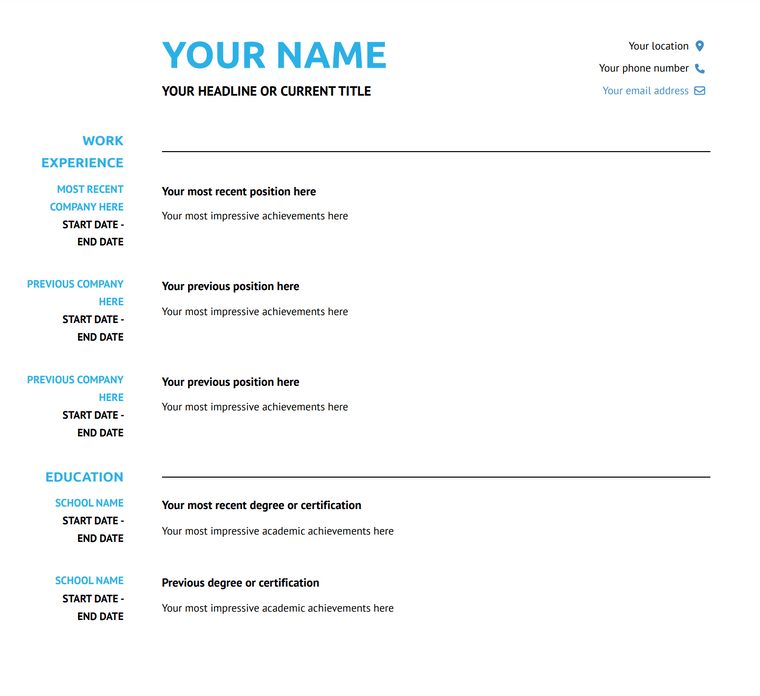
Our Corporate blank resume template can easily be customized depending on your level of experience, industry, job title, and career goals. Whether you’re creating a resume for your first job, looking to upgrade to executive positions, or writing an academic CV, simply export your resume to Word and begin reaping the benefits of using a professionally designed resume template.
Blank Resume Template for Google Docs
Best for: Online editing and sharing
Format: Google Docs compatible
Adding a blank resume template into Google Docs is a good way to play around with text and content before you take the final step and send your resume out into the world. Our Standard blank Google Doc-friendly resume template is a fully customizable template ready and waiting for you to fill it with your workstory!
Blank Resume Template (Multi-Purpose)
Best for: Academic, flexible, or detailed resumes
Format: विस्त adaptable layout for multiple use cases
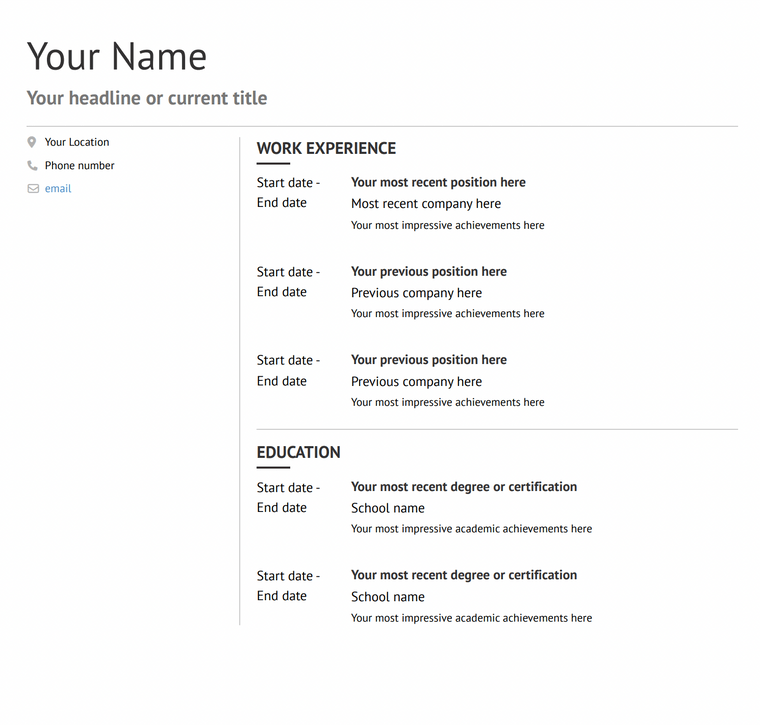
Monte, a blank resume template, is another great option for job searchers and academics alike. You can fill this template in with work experience, awards, academic achievements, publications, skills, and anything else you may need to demonstrate who you are as a candidate.
What Is a Blank Resume Template?
A blank resume template is a pre-formatted resume layout that includes all the essential sections—like your contact information, work experience, education, and skills—without any pre-written content. Instead of starting from scratch, you simply fill in your own details.
Blank resume templates are designed to be:
- ATS-friendly (easy for applicant tracking systems to scan)
- Customizable for any job or industry
- Simple to use, even if you’ve never written a resume before
They’re especially useful if you want a clean, professional resume format without worrying about design or formatting.
You can use a blank resume template in tools like Microsoft Word, Google Docs, or even copy and paste it into your preferred editor.
Who Should Use a Blank Resume Template?
Blank resume templates are a great choice for anyone who wants a flexible, easy-to-edit resume format. They work well for a variety of situations:
Students and First-Time Job Seekers
If you’re creating your first resume, a blank template gives you a clear structure to follow without overcomplicating things. Simply fill in your education, skills, and any relevant experience.
Career Changers
Switching industries? A blank resume template lets you fully customize your content to highlight transferable skills and relevant achievements.
Experienced Professionals
If you have multiple roles or accomplishments to showcase, a blank template gives you the flexibility to organize your experience exactly how you want.
Quick Job Applications
When you need to apply fast, a simple blank resume template helps you create or update your resume quickly without worrying about formatting.
No matter your experience level, a blank resume template provides a clean starting point that you can tailor to any job.
Blank Resume Template vs Pre-Filled Templates
Not sure whether to use a blank resume template or a pre-filled one? Here’s how they compare:
| Feature | Blank Resume Template | Pre-Filled Resume Template |
|---|
| Content | Empty (you fill it in) | Includes example text |
| Flexibility | High | Medium |
| Ease of Use | Moderate | Easy |
| Customization | Full control | Limited |
| Best For | Tailored applications | Quick inspiration |
When to Use a Blank Resume Template
Choose a blank resume template if you want full control over your content and need to tailor your resume for specific roles. It’s ideal for creating a more personalized and targeted application.
When to Use a Pre-Filled Template
A pre-filled template is helpful if you need guidance on what to write or want a quick starting point with examples.
In most cases, a blank resume template is the better choice if you want to stand out and customize your resume for each job.
How to Use a Blank Resume Template (Step-by-Step)
Filling out a blank resume template is simple when you break it down into a few key steps:
Start with your name, phone number, professional email address, and (optionally) your LinkedIn profile. Make sure this information is up to date and easy to read.
2. Write a Strong Resume Summary
Add a short summary (2–4 sentences) that highlights your experience, key skills, and what you bring to the role. Tailor this section to match the job you’re applying for.
3. List Your Work Experience
Include your most recent job first, then work backward. For each role, add:
- Job title
- Company name and location
- Dates of employment
- Bullet points with achievements and responsibilities
Focus on measurable results whenever possible (e.g., “Increased sales by 20%”).
4. Add Your Education
List your degree, school name, and graduation dates. You can also include relevant coursework, honors, or certifications if applicable.
5. Highlight Your Skills
Include both technical and soft skills that are relevant to the job. Keep this section concise and tailored to each application.
6. Customize for Each Job
Before submitting your resume, adjust keywords, skills, and experience to match the job description. This helps your resume perform better in ATS (applicant tracking systems).
Using a blank resume template gives you full control—just make sure you tailor your content so your resume stands out.
Common Mistakes to Avoid When Using a Blank Resume Template
Using a blank resume template gives you flexibility—but there are a few common mistakes to watch out for:
Leaving Placeholder Text
One of the most common errors is forgetting to remove or replace placeholder text (like “[Your Name]”). Always double-check your resume before sending it.
Not Tailoring Your Resume
Sending the same resume for every job can hurt your chances. Customize your summary, skills, and experience to match each job description.
Listing Responsibilities Instead of Achievements
Instead of just listing what you did, focus on what you accomplished. Use numbers and results when possible (e.g., “Reduced costs by 15%”).
Overloading the Skills Section
Avoid listing too many skills. Focus on the ones that are most relevant to the role you’re applying for.
Keep formatting clean and consistent:
- Use the same font throughout
- Align dates and headings properly
- Keep spacing even
Making It Too Long
For most job seekers, a one-page resume is ideal. Only extend to two pages if you have significant experience.
Taking a few extra minutes to review your resume can make a big difference in how it’s received by recruiters and hiring managers.
How to Choose the Right Blank Resume Template
Not all blank resume templates are the same. Choosing the right one depends on your experience level, industry, and how you plan to apply for jobs.
If You Want Something Simple and Fast
Go with a basic text or minimalist template. These are perfect for quick applications and are easy to copy, edit, and send.
If You’re Applying Through ATS Systems
Choose an ATS-friendly template with a clean layout, standard headings, and no complex formatting. This ensures your resume is easy for applicant tracking systems to read.
If You Prefer Easy Editing
Use a Word or Google Docs template. These formats make it simple to update your resume, adjust formatting, and reuse it for multiple applications.
If You Need Flexibility
Pick a fully customizable template that allows you to add sections like projects, certifications, or publications—especially useful for experienced professionals or academics.
If You’re Not Sure
Start with a simple blank resume template and customize it as needed. A clean, well-structured resume works for most industries and roles.
Choosing the right template can make your resume easier to create, read, and tailor—giving you a better chance of landing interviews.
Frequently Asked Questions About Blank Resume Templates
What is a blank resume template?
A blank resume template is a pre-formatted layout that includes sections like contact information, work experience, education, and skills—without any pre-written content. You simply fill in your own details.
Is a blank resume template ATS-friendly?
Yes, most blank resume templates are ATS-friendly as long as they use a clean layout, standard headings, and simple formatting. Avoid graphics, tables, or unusual fonts if you’re applying through applicant tracking systems.
Where can I download a free blank resume template?
You can download free blank resume templates in formats like Microsoft Word or Google Docs directly from this page. You can also copy and paste a simple text version to get started quickly.
Should I use a blank or pre-filled resume template?
Use a blank resume template if you want full control and customization. Pre-filled templates are helpful for guidance, but blank templates are better for tailoring your resume to specific jobs.
Can I use these templates in Word or Google Docs?
Yes, most blank resume templates can be used in Microsoft Word or Google Docs. You can either download them or copy and paste the content into your preferred editor.
How long should my resume be?
For most job seekers, a one-page resume is ideal. If you have more experience, a two-page resume is acceptable, as long as the content is relevant and well-organized.